Posting
- Get it
- Install the native theme files
- Group
- CLI & TUI
- App
- posting.sh
- Problem?
- Report an issue
- Flavors
Install
flavor=night # night, frost, paper, or signal
theme_dir="$(posting locate themes | tail -n 1)"
curl -fsSL --create-dirs -o "$theme_dir/living-code-$flavor.yaml" "https://raw.githubusercontent.com/living-code-theme/posting/main/themes/living-code-$flavor.yaml"
POSTING_THEME="living-code-$flavor" postingposting locate themes prints a heading followed by the application’s actual theme directory; tail -n 1 selects only that path. The download therefore works with custom and platform-specific data locations. Restart an already running Posting instance after adding a new file. No existing config or collection is replaced.
flavor=frost # night, frost, paper, or signal
theme_dir="$(posting locate themes | tail -n 1)"
curl -fsSL --create-dirs -o "$theme_dir/living-code-$flavor.yaml" "https://raw.githubusercontent.com/living-code-theme/posting/main/themes/living-code-$flavor.yaml"
POSTING_THEME="living-code-$flavor" postingposting locate themes prints a heading followed by the application’s actual theme directory; tail -n 1 selects only that path. The download therefore works with custom and platform-specific data locations. Restart an already running Posting instance after adding a new file. No existing config or collection is replaced.
flavor=paper # night, frost, paper, or signal
theme_dir="$(posting locate themes | tail -n 1)"
curl -fsSL --create-dirs -o "$theme_dir/living-code-$flavor.yaml" "https://raw.githubusercontent.com/living-code-theme/posting/main/themes/living-code-$flavor.yaml"
POSTING_THEME="living-code-$flavor" postingposting locate themes prints a heading followed by the application’s actual theme directory; tail -n 1 selects only that path. The download therefore works with custom and platform-specific data locations. Restart an already running Posting instance after adding a new file. No existing config or collection is replaced.
flavor=signal # night, frost, paper, or signal
theme_dir="$(posting locate themes | tail -n 1)"
curl -fsSL --create-dirs -o "$theme_dir/living-code-$flavor.yaml" "https://raw.githubusercontent.com/living-code-theme/posting/main/themes/living-code-$flavor.yaml"
POSTING_THEME="living-code-$flavor" postingposting locate themes prints a heading followed by the application’s actual theme directory; tail -n 1 selects only that path. The download therefore works with custom and platform-specific data locations. Restart an already running Posting instance after adding a new file. No existing config or collection is replaced.
Details
Configuration
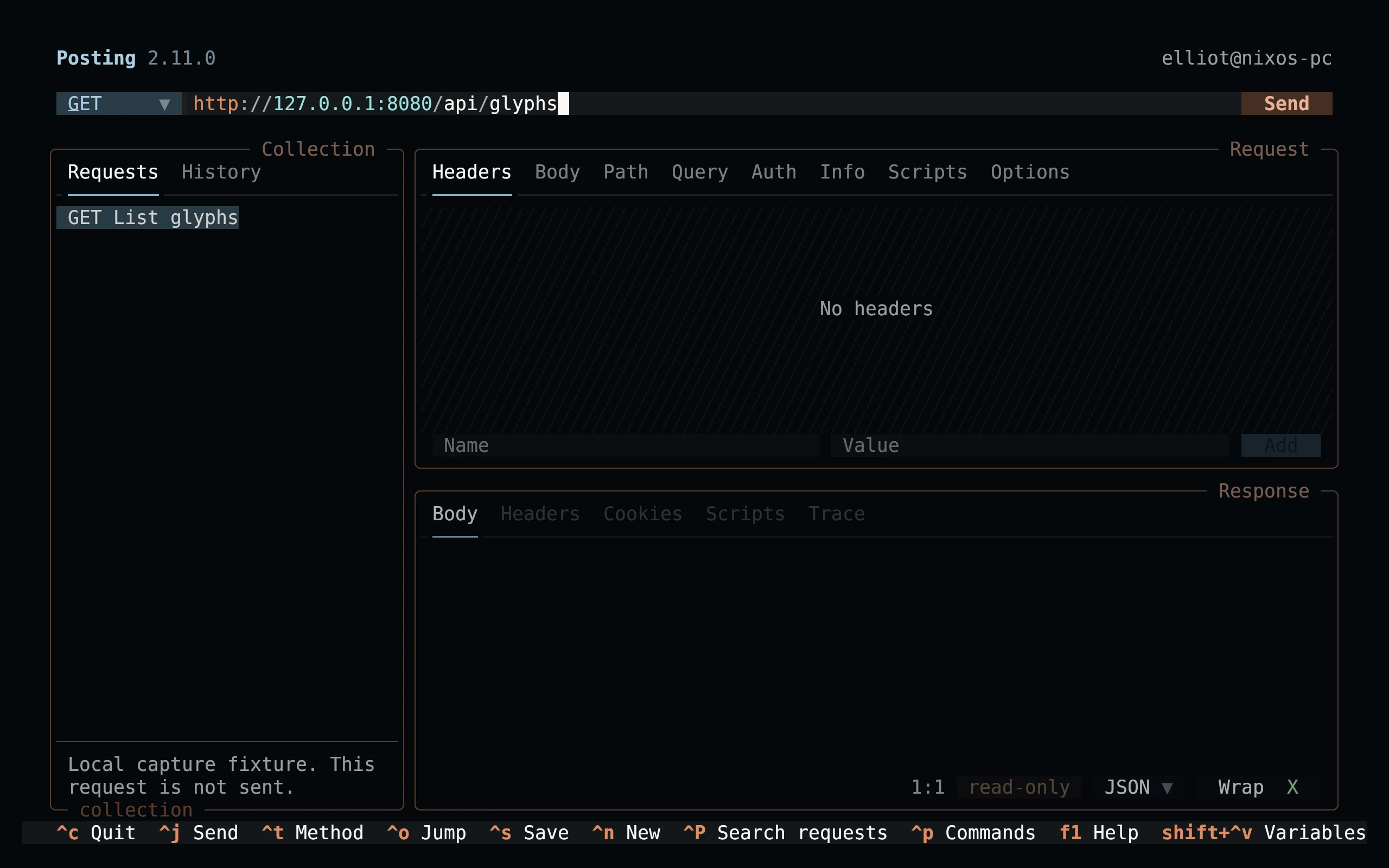
To keep a flavor permanently, set theme: living-code-night in Posting’s existing config. You can preview themes through Ctrl+P → Theme…. Each YAML file declares its name, light/dark appearance and all supported base palette colors. Posting derives HTTP method and syntax colors from those palette fields; no ignored legacy syntax blocks are shipped.
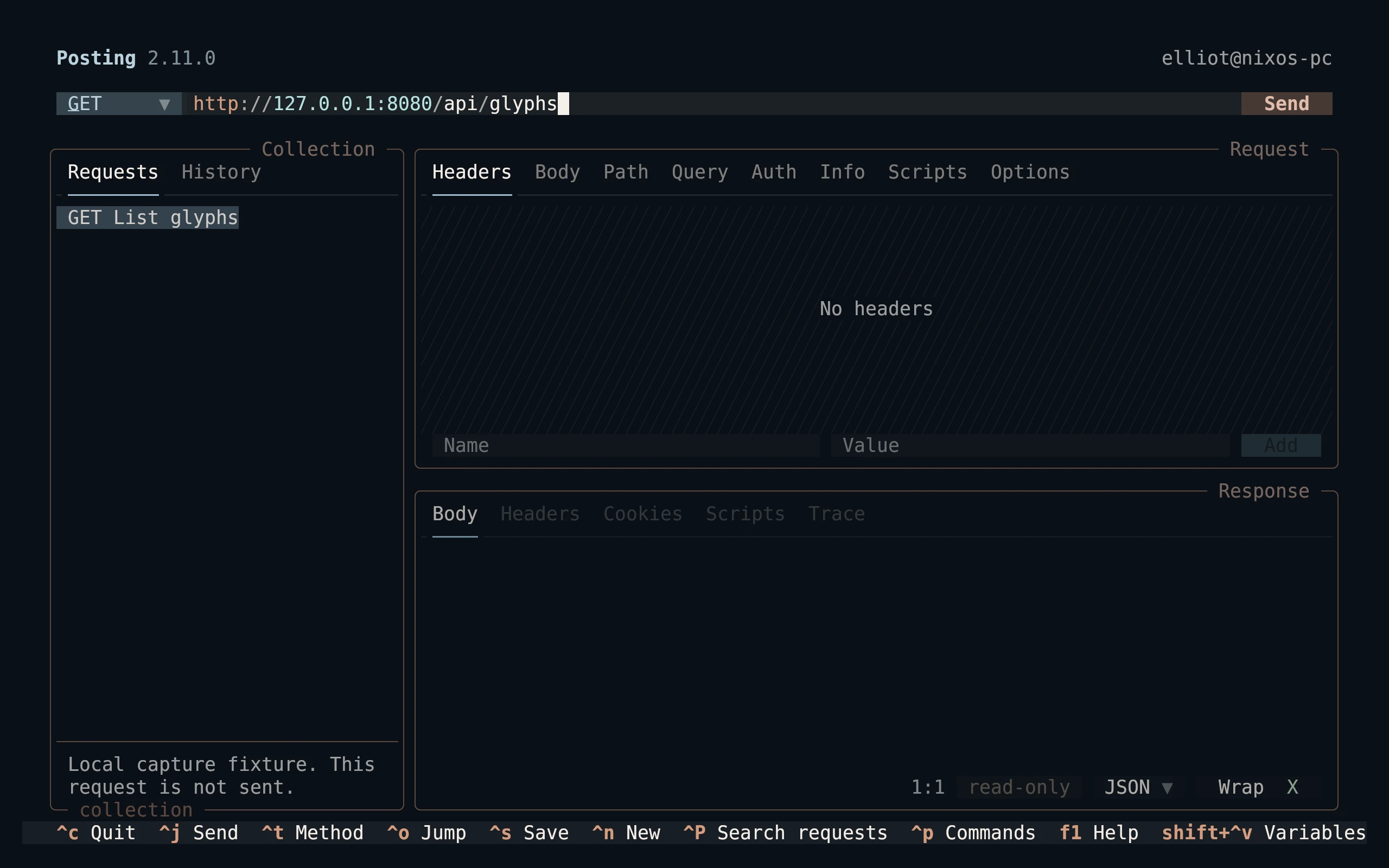
To keep a flavor permanently, set theme: living-code-frost in Posting’s existing config. You can preview themes through Ctrl+P → Theme…. Each YAML file declares its name, light/dark appearance and all supported base palette colors. Posting derives HTTP method and syntax colors from those palette fields; no ignored legacy syntax blocks are shipped.
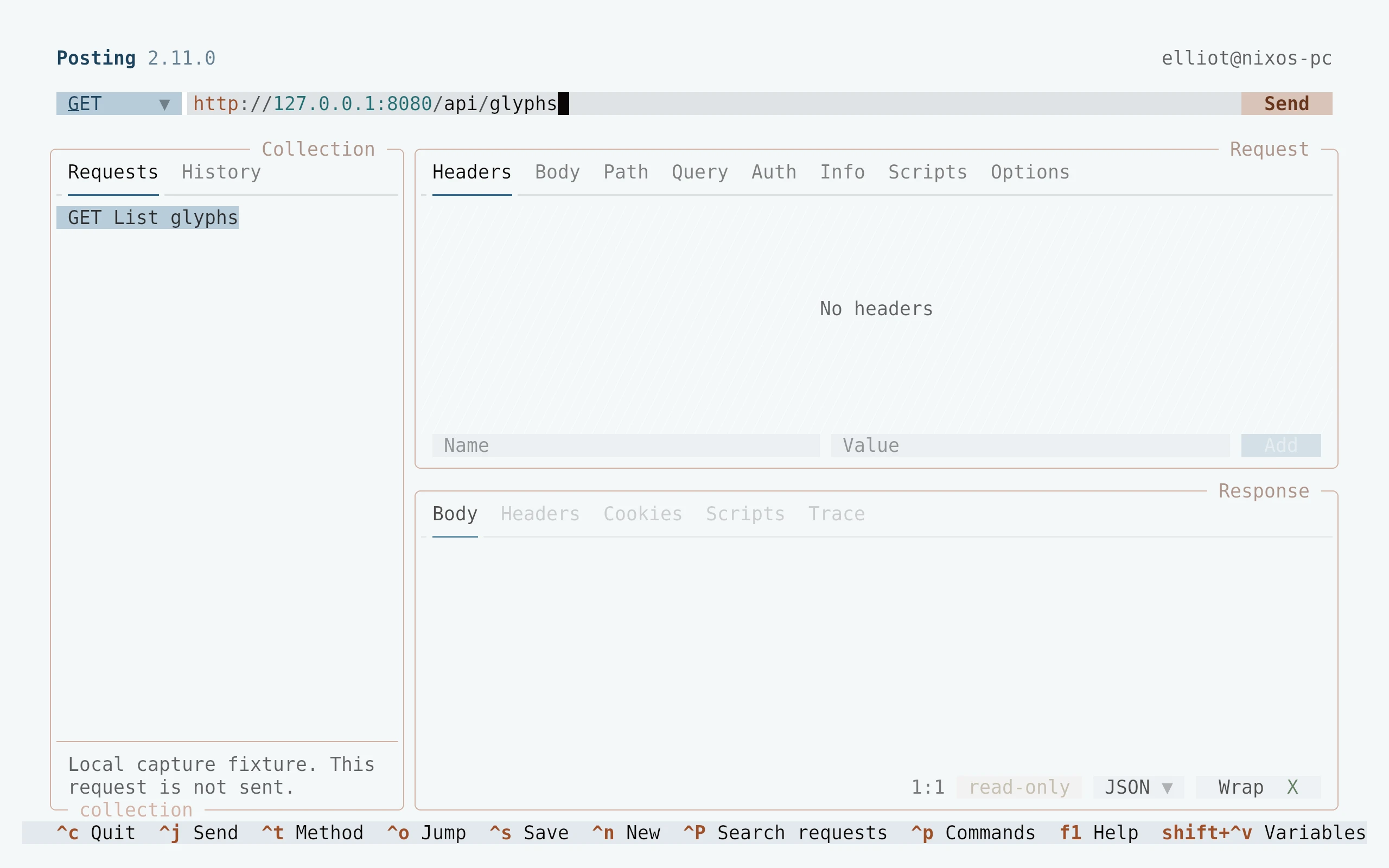
To keep a flavor permanently, set theme: living-code-paper in Posting’s existing config. You can preview themes through Ctrl+P → Theme…. Each YAML file declares its name, light/dark appearance and all supported base palette colors. Posting derives HTTP method and syntax colors from those palette fields; no ignored legacy syntax blocks are shipped.
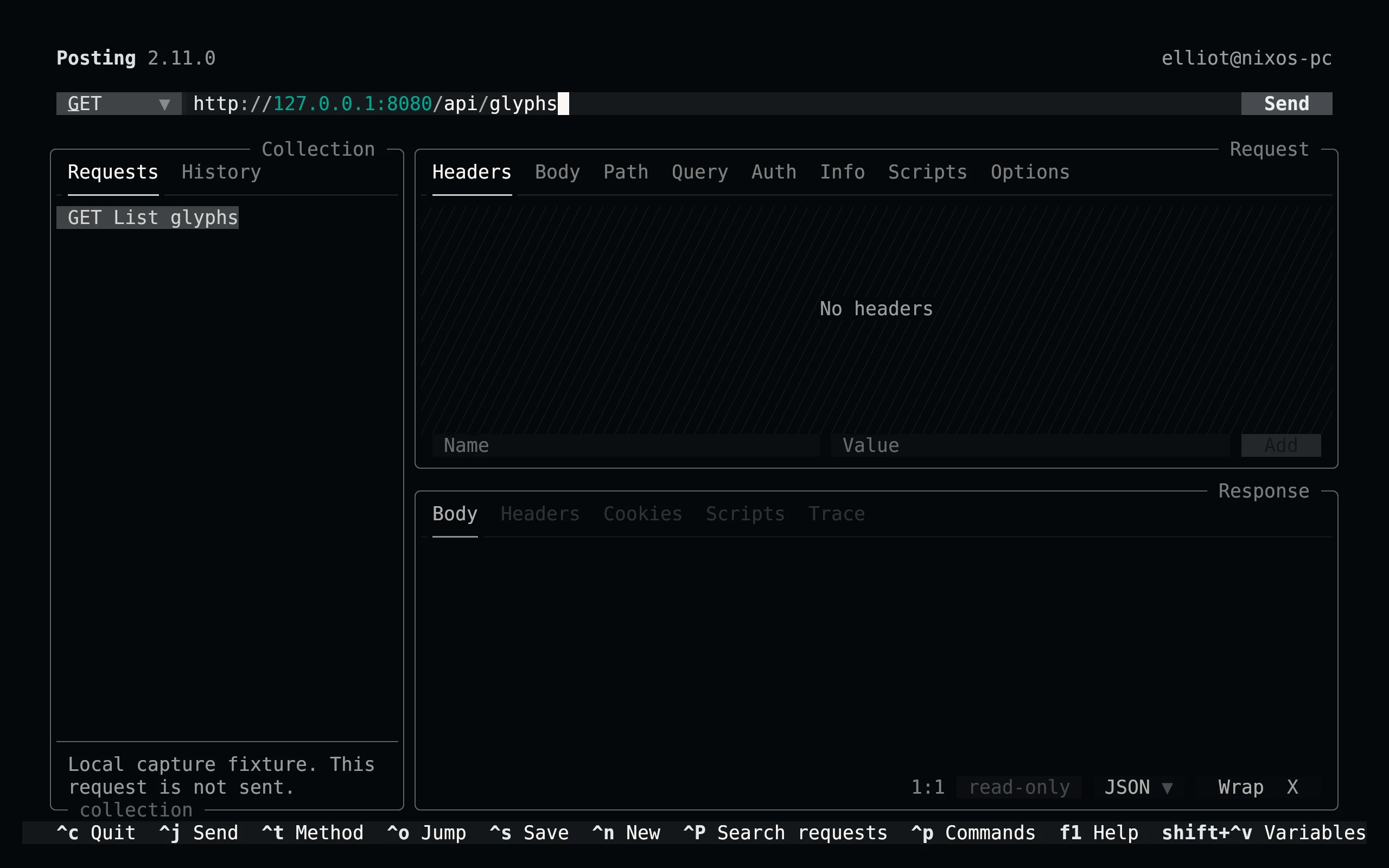
To keep a flavor permanently, set theme: living-code-signal in Posting’s existing config. You can preview themes through Ctrl+P → Theme…. Each YAML file declares its name, light/dark appearance and all supported base palette colors. Posting derives HTTP method and syntax colors from those palette fields; no ignored legacy syntax blocks are shipped.
Compatibility
Targets Posting 2.11+’s native palette API; the same base fields are also understood by Posting 2, but version-specific rendering is not claimed. Paper explicitly sets dark: false. load_user_themes must be enabled, and theme_directory may override the default location. Tests parse YAML and verify the documented supported field set.
Previews are captured programmatically from the actual application in an isolated profile. See capture/app.py for the app-owned recipe and images/capture.json for runtime, palette and image provenance. No mock interface is drawn.