Nushell
- Get it
- Install the native theme files
- Group
- CLI & TUI
- App
- nushell.sh
- Problem?
- Report an issue
- Flavors
Install
flavor=night # night, frost, paper, or signal
theme_dir="$(nu --no-config-file -c '$nu.default-config-dir')/themes"
curl -fsSL --create-dirs -o "$theme_dir/living-code-$flavor.nu" "https://raw.githubusercontent.com/living-code-theme/nushell/main/themes/living-code-$flavor.nu"Run that download block in Bash/Zsh; nu reports the native config directory, including custom or platform-specific locations. Then add these lines inside Nushell to config.nu (adjust the module path to the directory reported above):
use ~/.config/nushell/themes/living-code-night.nu
$env.config.color_config = (living-code-night)Restart Nu or evaluate the same two lines in the current session. Existing config and environment settings are not overwritten.
flavor=frost # night, frost, paper, or signal
theme_dir="$(nu --no-config-file -c '$nu.default-config-dir')/themes"
curl -fsSL --create-dirs -o "$theme_dir/living-code-$flavor.nu" "https://raw.githubusercontent.com/living-code-theme/nushell/main/themes/living-code-$flavor.nu"Run that download block in Bash/Zsh; nu reports the native config directory, including custom or platform-specific locations. Then add these lines inside Nushell to config.nu (adjust the module path to the directory reported above):
use ~/.config/nushell/themes/living-code-frost.nu
$env.config.color_config = (living-code-frost)Restart Nu or evaluate the same two lines in the current session. Existing config and environment settings are not overwritten.
flavor=paper # night, frost, paper, or signal
theme_dir="$(nu --no-config-file -c '$nu.default-config-dir')/themes"
curl -fsSL --create-dirs -o "$theme_dir/living-code-$flavor.nu" "https://raw.githubusercontent.com/living-code-theme/nushell/main/themes/living-code-$flavor.nu"Run that download block in Bash/Zsh; nu reports the native config directory, including custom or platform-specific locations. Then add these lines inside Nushell to config.nu (adjust the module path to the directory reported above):
use ~/.config/nushell/themes/living-code-paper.nu
$env.config.color_config = (living-code-paper)Restart Nu or evaluate the same two lines in the current session. Existing config and environment settings are not overwritten.
flavor=signal # night, frost, paper, or signal
theme_dir="$(nu --no-config-file -c '$nu.default-config-dir')/themes"
curl -fsSL --create-dirs -o "$theme_dir/living-code-$flavor.nu" "https://raw.githubusercontent.com/living-code-theme/nushell/main/themes/living-code-$flavor.nu"Run that download block in Bash/Zsh; nu reports the native config directory, including custom or platform-specific locations. Then add these lines inside Nushell to config.nu (adjust the module path to the directory reported above):
use ~/.config/nushell/themes/living-code-signal.nu
$env.config.color_config = (living-code-signal)Restart Nu or evaluate the same two lines in the current session. Existing config and environment settings are not overwritten.
Details
Configuration
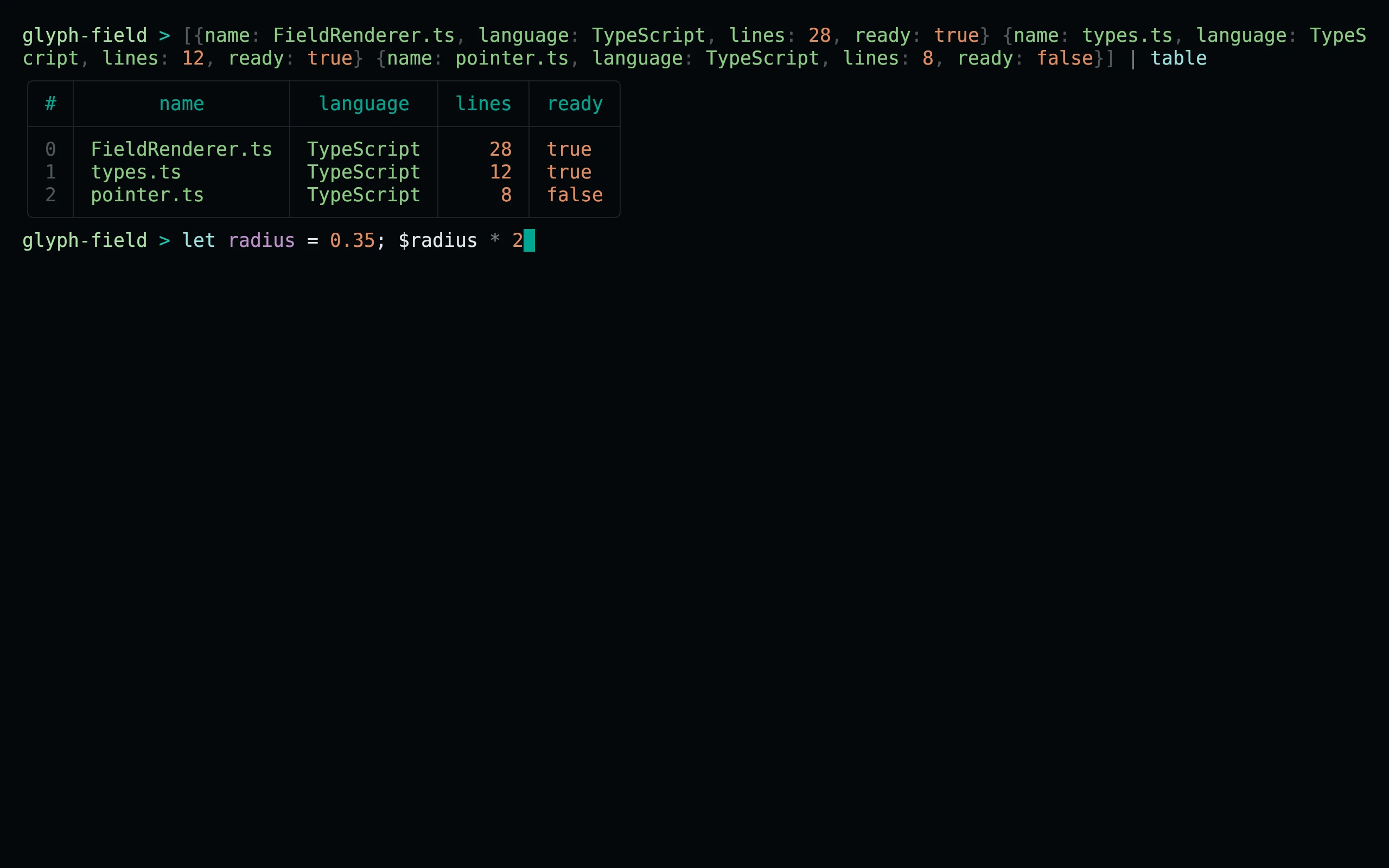
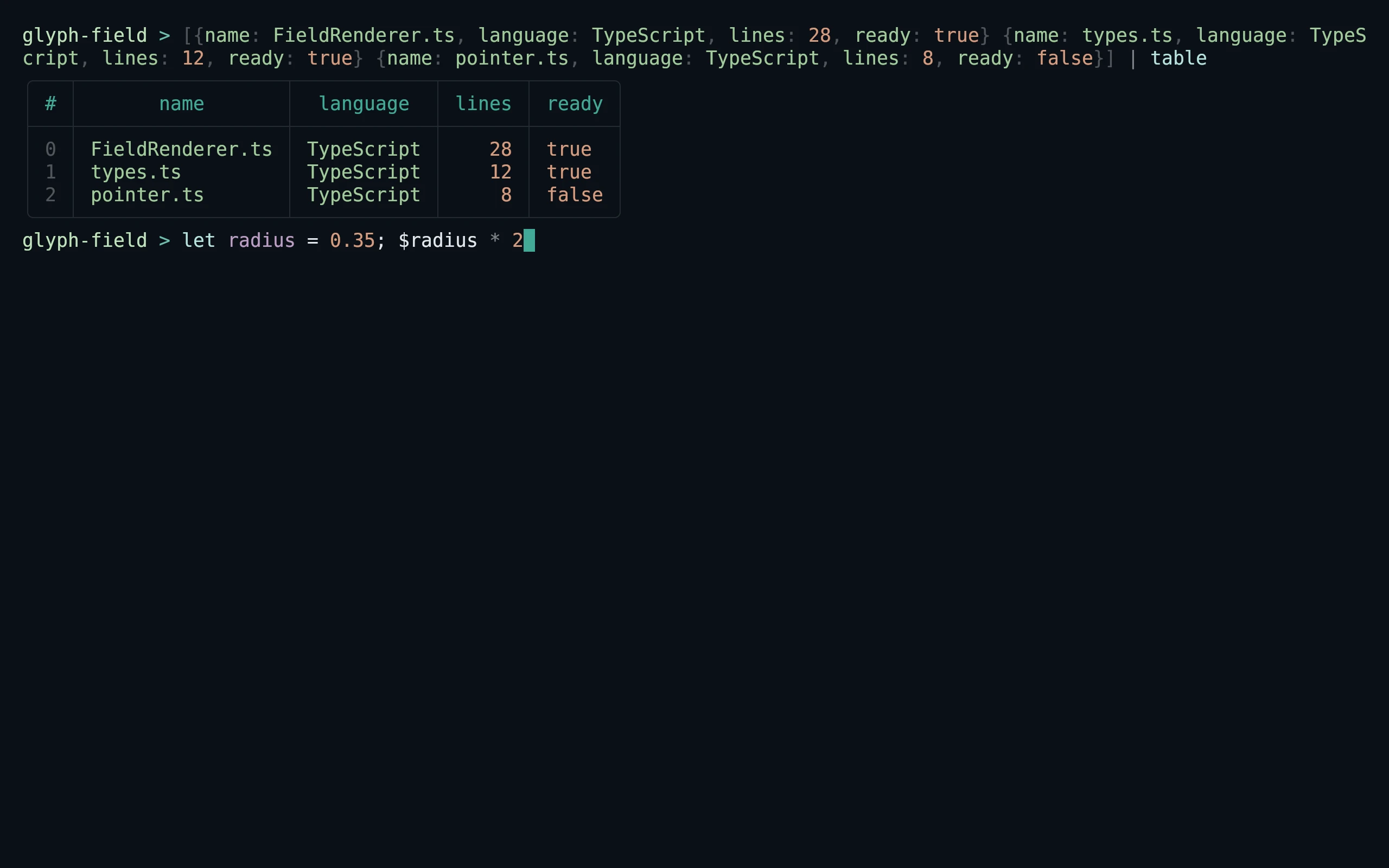
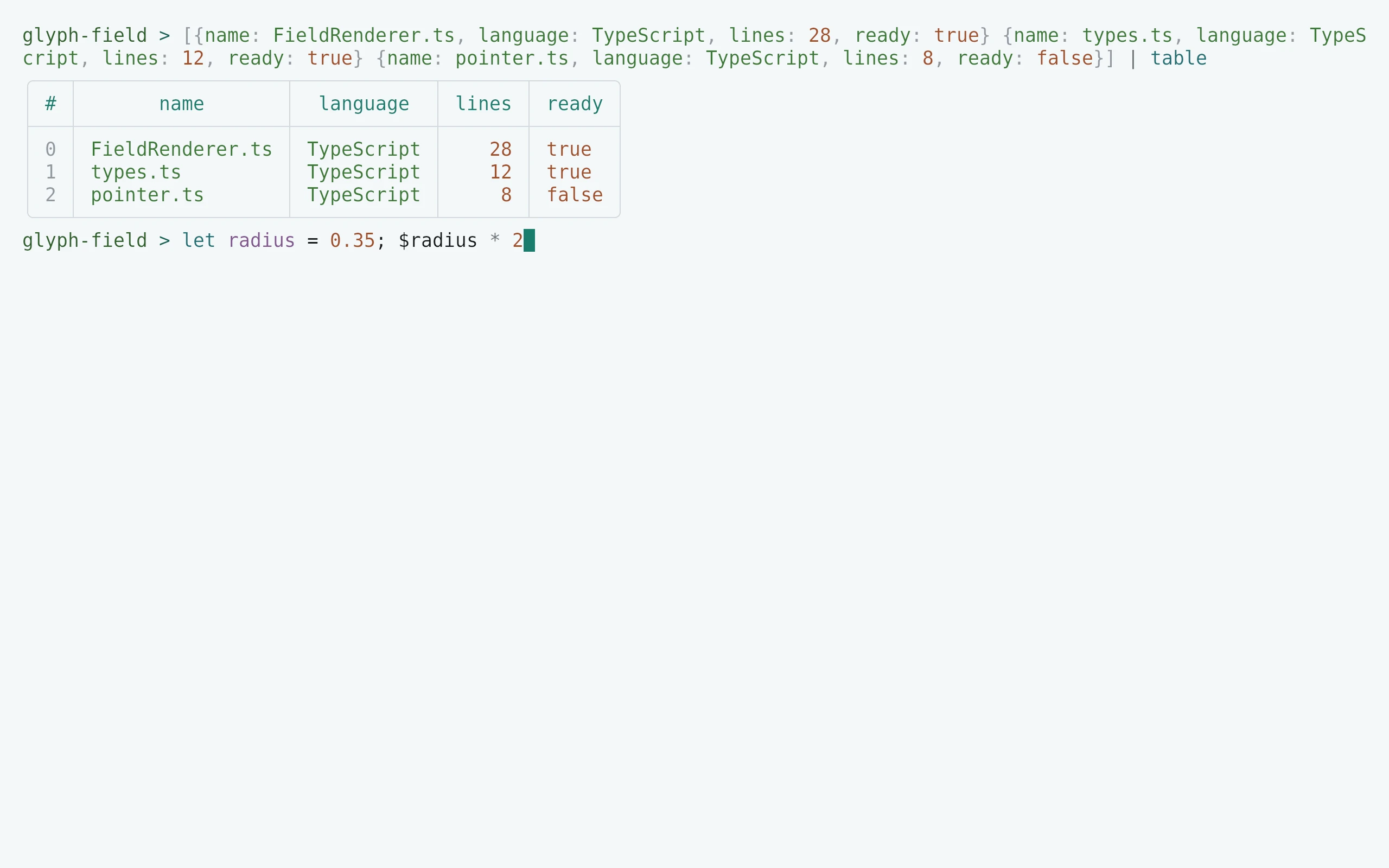
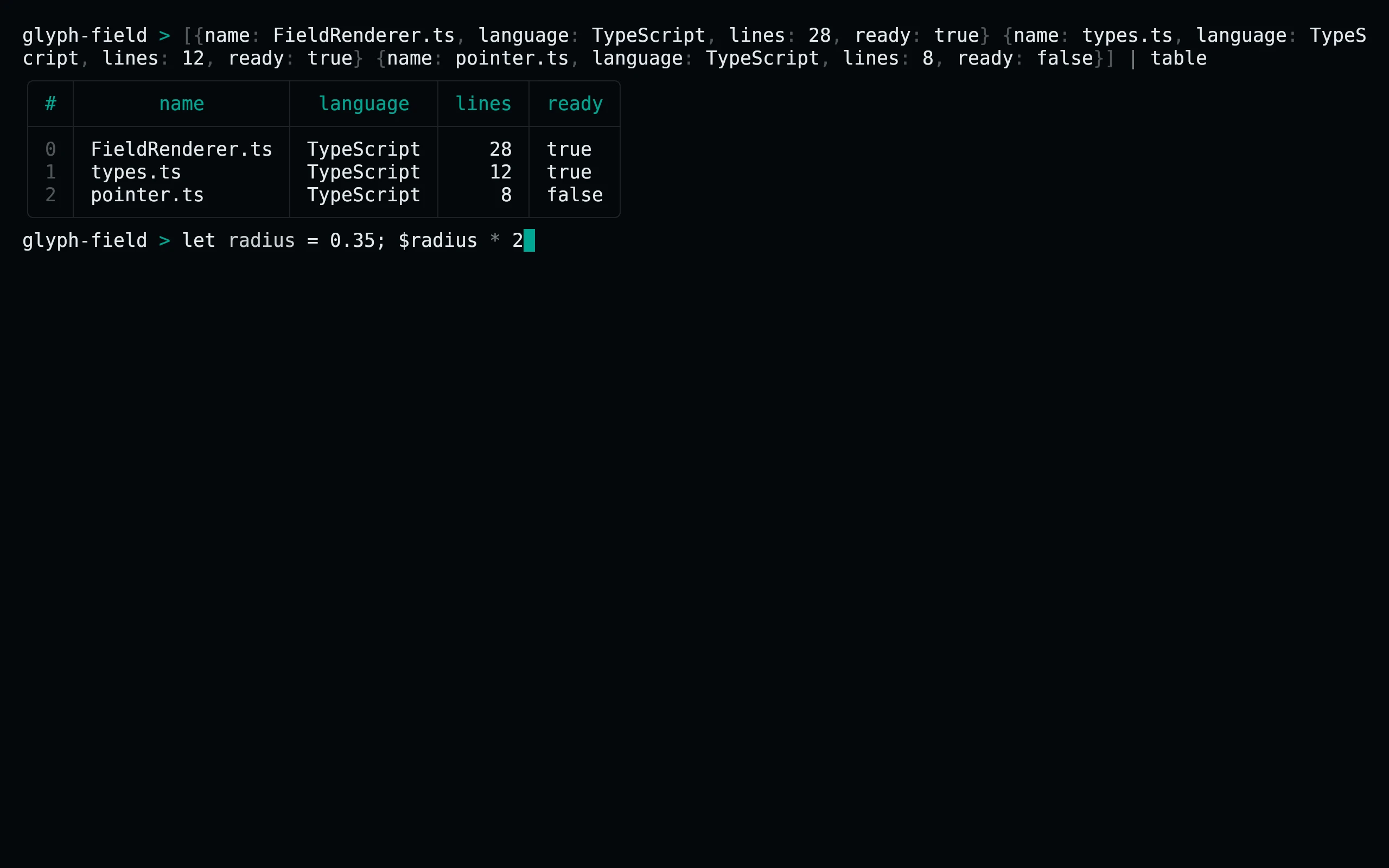
Each file exports main, returning a color record without mutating $env. Set color_config explicitly as shown, or merge the returned record into your existing color configuration. Syntax shapes include keyword, literal, constant, function, type, string, variable, parameter and operator distinctions. Search results have explicit foreground/background pairs.
Compatibility
Uses Nushell’s native module syntax and color_config API. The exported record follows the current shape-color contract; unknown supplemental record keys are inert. The theme does not configure prompts, LS_COLORS or the terminal emulator palette. Its background, foreground and cursor record entries are metadata used by theme tooling, not commands that recolor the host terminal. Native module loading can be tested with pnpm test:native when nu is installed.
Previews are captured programmatically from the actual application in an isolated profile. See capture/app.py for the app-owned recipe and images/capture.json for runtime, palette and image provenance. No mock interface is drawn.