Pi
- Get it
- Install the native theme files
- Group
- AI & Agents
- App
- pi.dev
- Problem?
- Report an issue
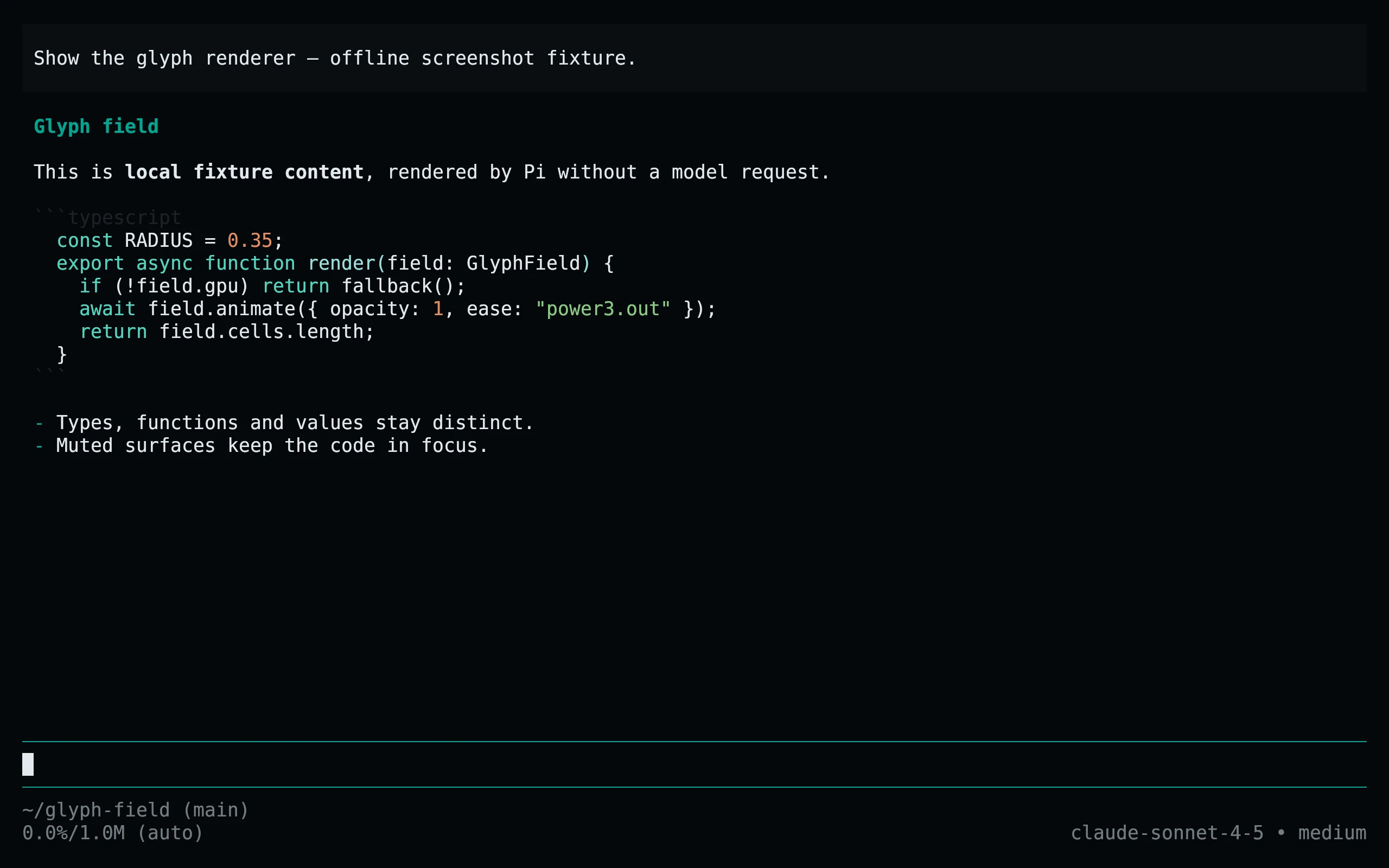
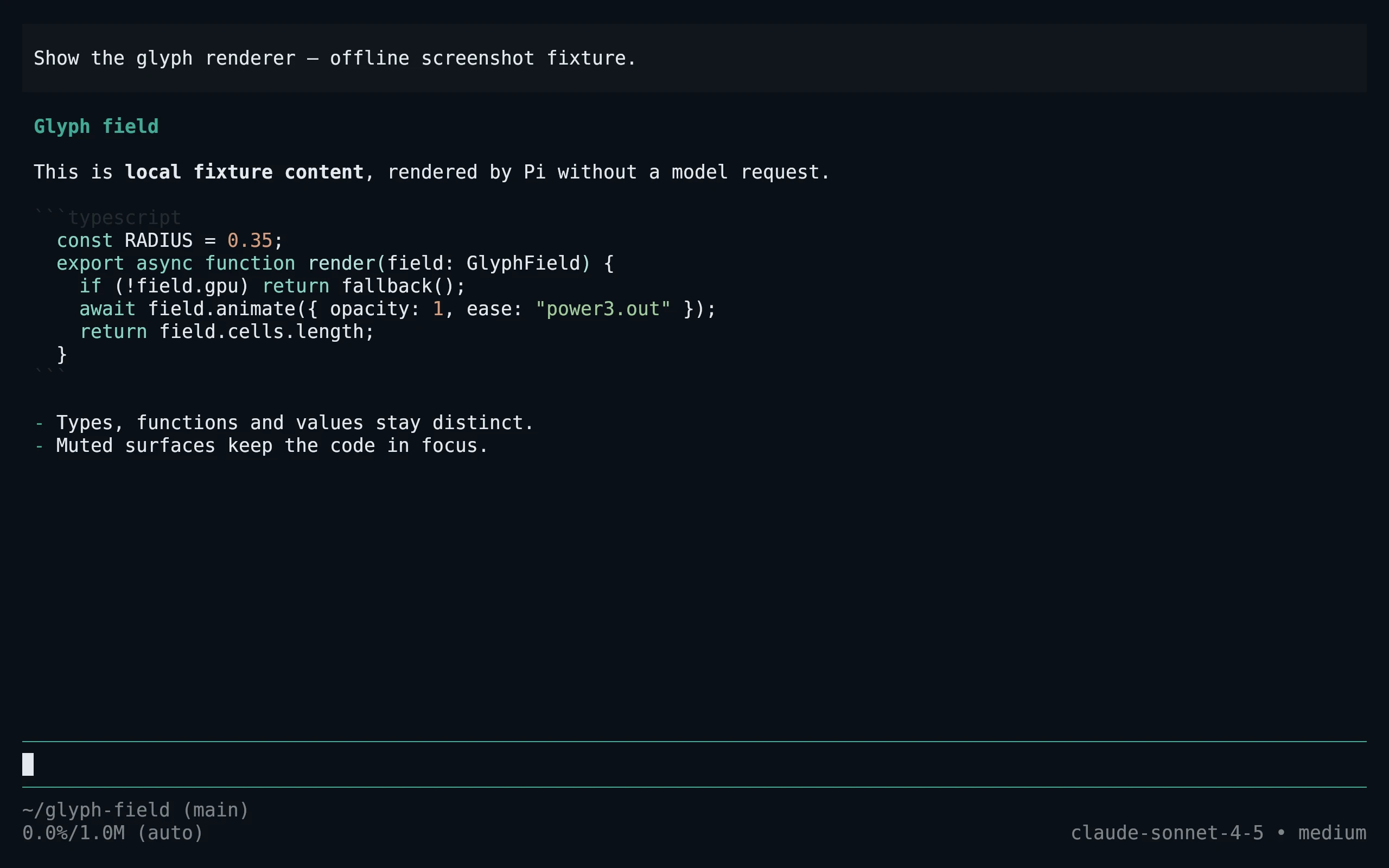
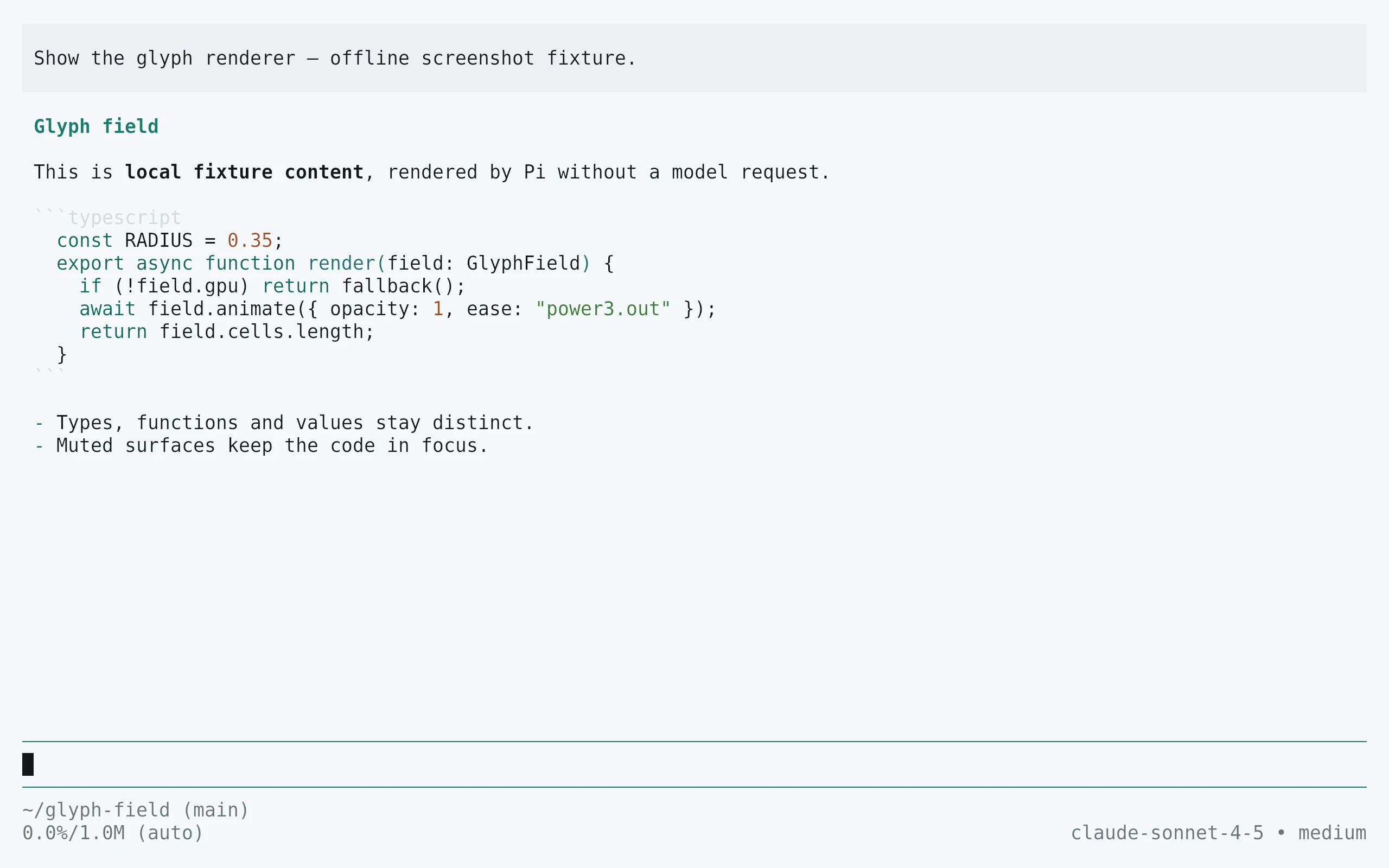
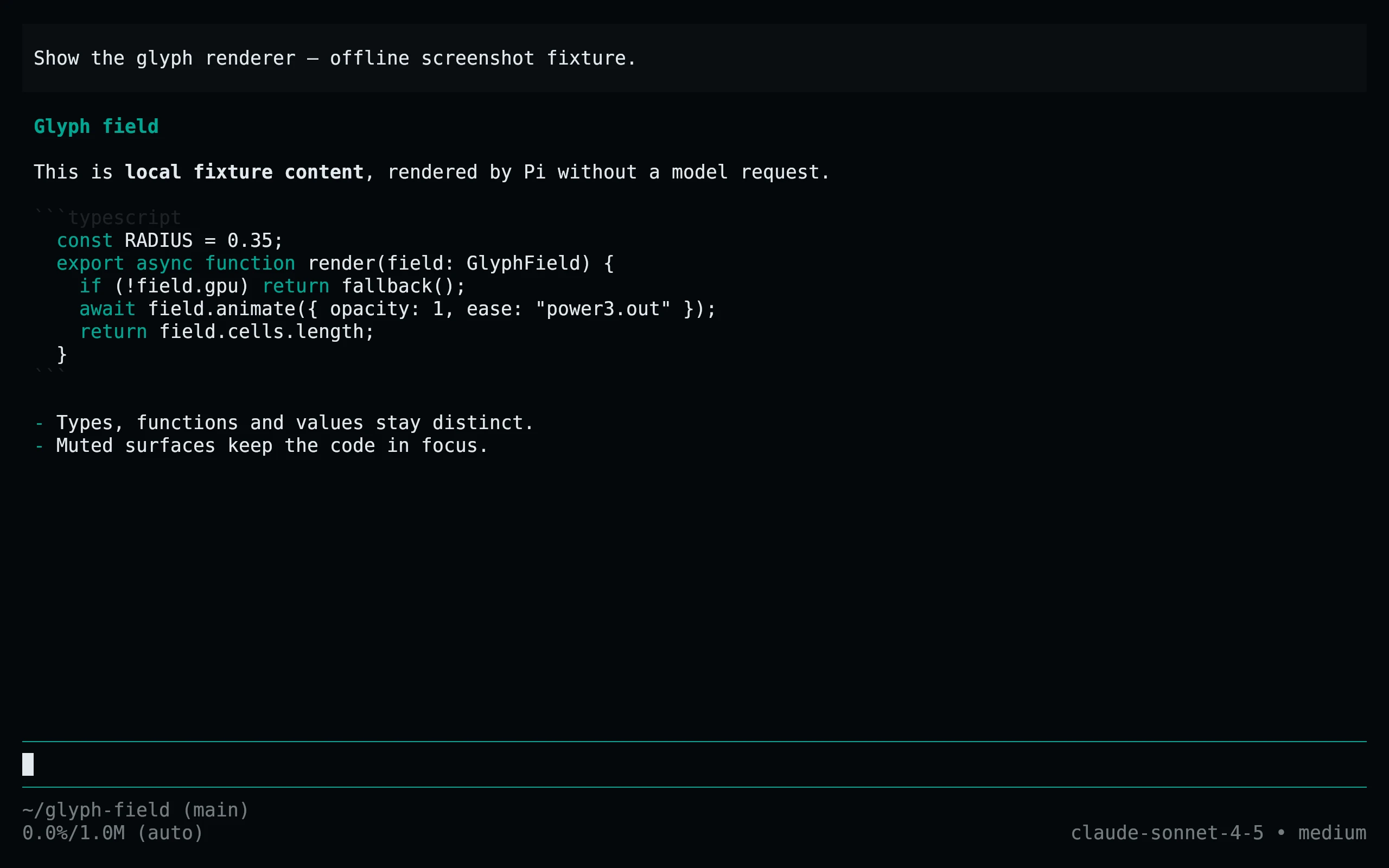
- Flavors
Install
flavor=night # night, frost, paper, or signal
curl -fsSL --create-dirs -o "${PI_CODING_AGENT_DIR:-$HOME/.pi/agent}/themes/living-code-$flavor.json" "https://raw.githubusercontent.com/living-code-theme/pi/main/themes/living-code-$flavor.json"
pi --use-theme "living-code-$flavor"In an already running Pi session, run /reload and choose the installed flavor under /settings → Theme. PI_CODING_AGENT_DIR is respected. Only the theme JSON is downloaded; no package manager, extension, or repository clone is needed.
flavor=frost # night, frost, paper, or signal
curl -fsSL --create-dirs -o "${PI_CODING_AGENT_DIR:-$HOME/.pi/agent}/themes/living-code-$flavor.json" "https://raw.githubusercontent.com/living-code-theme/pi/main/themes/living-code-$flavor.json"
pi --use-theme "living-code-$flavor"In an already running Pi session, run /reload and choose the installed flavor under /settings → Theme. PI_CODING_AGENT_DIR is respected. Only the theme JSON is downloaded; no package manager, extension, or repository clone is needed.
flavor=paper # night, frost, paper, or signal
curl -fsSL --create-dirs -o "${PI_CODING_AGENT_DIR:-$HOME/.pi/agent}/themes/living-code-$flavor.json" "https://raw.githubusercontent.com/living-code-theme/pi/main/themes/living-code-$flavor.json"
pi --use-theme "living-code-$flavor"In an already running Pi session, run /reload and choose the installed flavor under /settings → Theme. PI_CODING_AGENT_DIR is respected. Only the theme JSON is downloaded; no package manager, extension, or repository clone is needed.
flavor=signal # night, frost, paper, or signal
curl -fsSL --create-dirs -o "${PI_CODING_AGENT_DIR:-$HOME/.pi/agent}/themes/living-code-$flavor.json" "https://raw.githubusercontent.com/living-code-theme/pi/main/themes/living-code-$flavor.json"
pi --use-theme "living-code-$flavor"In an already running Pi session, run /reload and choose the installed flavor under /settings → Theme. PI_CODING_AGENT_DIR is respected. Only the theme JSON is downloaded; no package manager, extension, or repository clone is needed.
Details
Configuration
Themes include every required color and the optional search, scrollbar and maximum-thinking colors. Export page/panel backgrounds are explicit. In ~/.pi/agent/settings.json, "theme": "living-code-paper/living-code-night" follows the terminal appearance, with the light theme first. Package resources declare only themes: no tools, extensions or prompts are installed.
Compatibility
Verified against the Pi 1.1.0 theme schema and native JSON validator. Requires a Pi release supporting these theme roles. User themes hot-reload when the theme name matches the JSON filename; package themes can be refreshed with /reload. Project-scoped resources require project trust. Truecolor is recommended. No provider login or model call is needed to use or validate the theme.
Previews are captured programmatically from the actual application in an isolated profile. See capture/app.py for the app-owned recipe and images/capture.json for runtime, palette and image provenance. No mock interface is drawn.