Neovim
- Get it
- Install with your plugin manager
- Group
- Editors
- App
- neovim.io
- Problem?
- Report an issue
- Flavors
Install
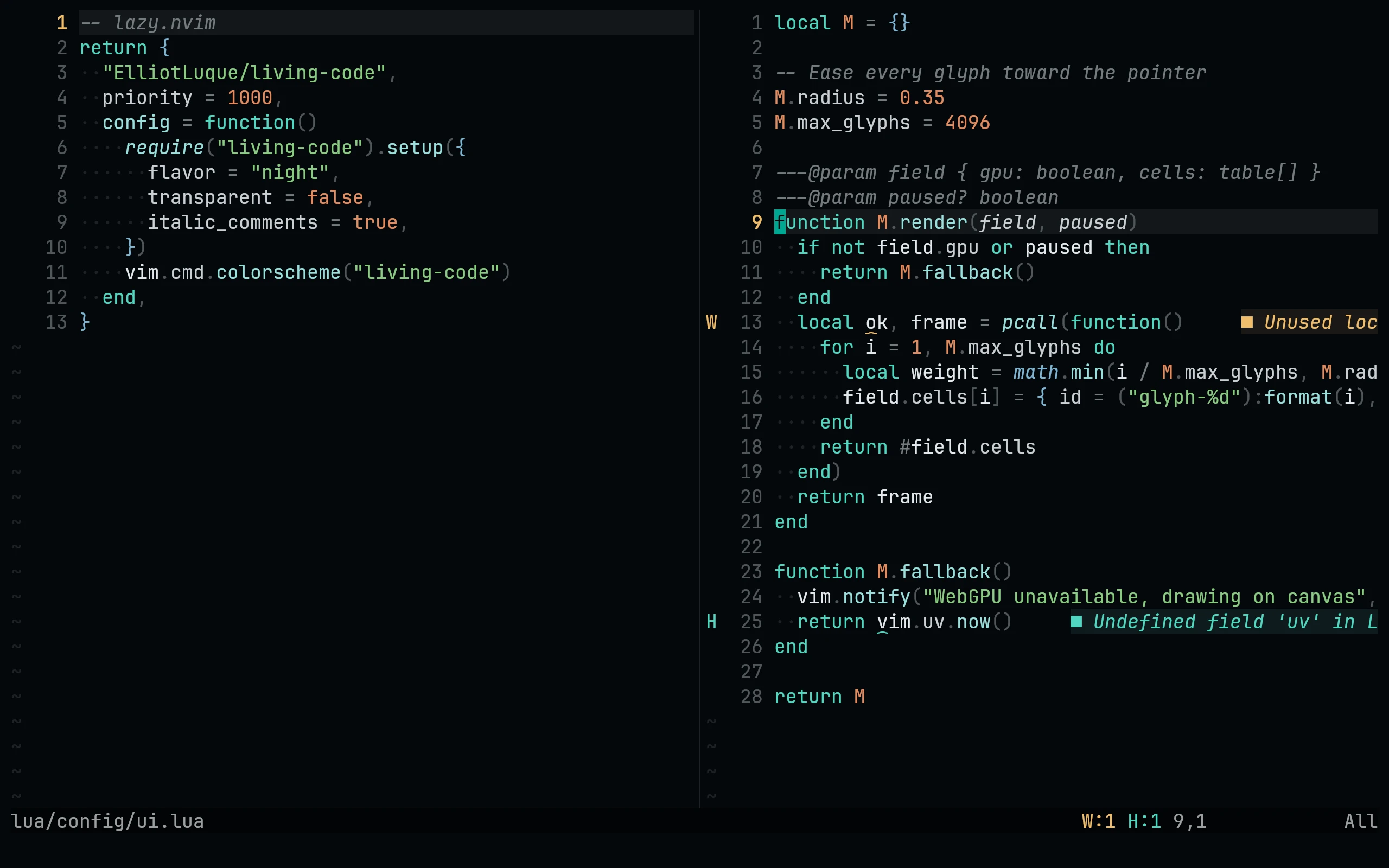
Install with your plugin manager. For lazy.nvim:
{
  "living-code-theme/nvim",
  priority = 1000,
  config = function()
    require("living-code").setup({
      flavor = "night",
      transparent = false,
      italic_comments = true,
    })
    vim.cmd.colorscheme("living-code")
  end,
}Or pick a flavor directly: :colorscheme living-code-signal. Covers Tree-sitter, LSP semantic tokens, diagnostics, gitsigns, telescope, nvim-cmp / blink.cmp, which-key, mini.*, lualine (theme = "living-code").
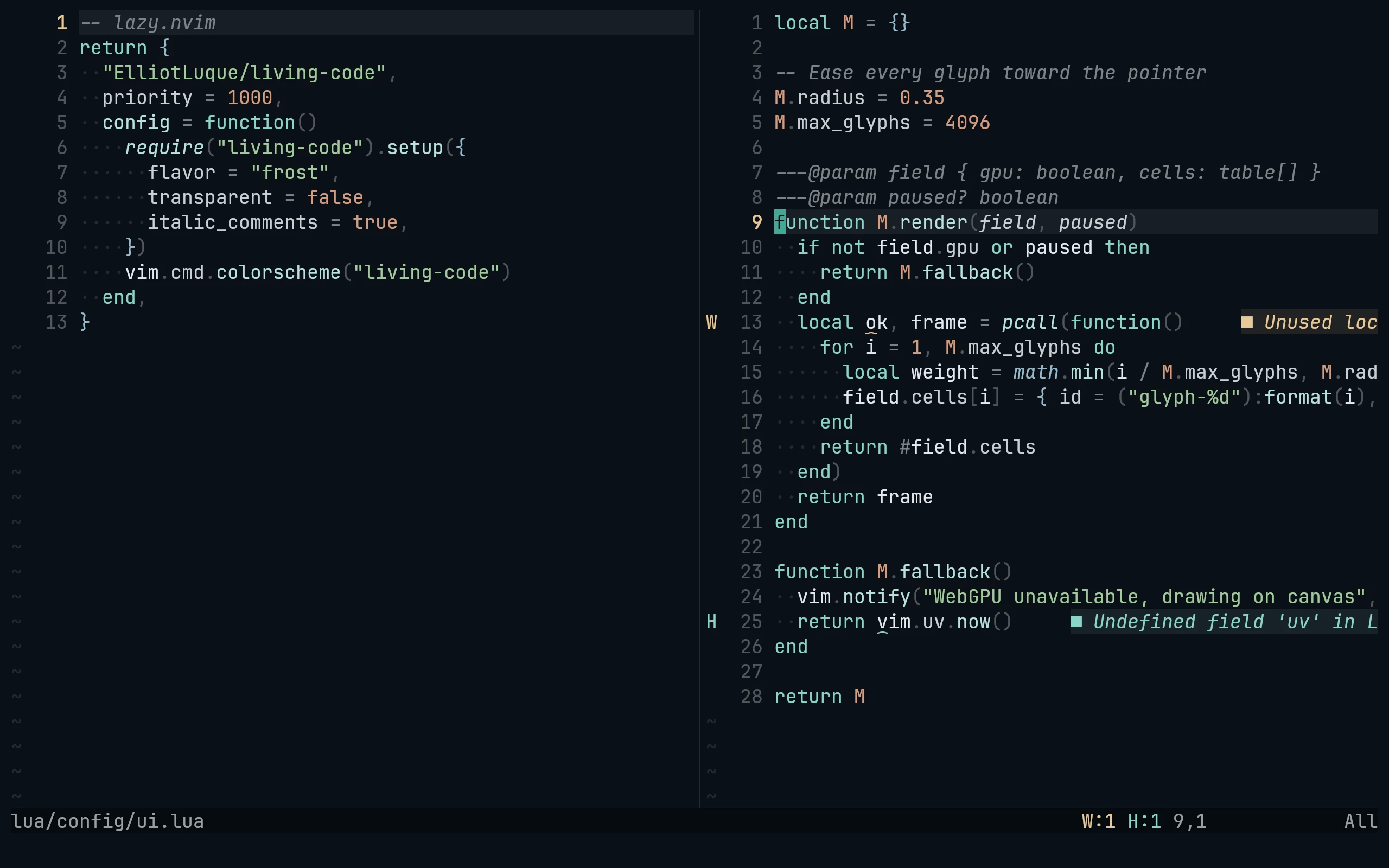
Install with your plugin manager. For lazy.nvim:
{
  "living-code-theme/nvim",
  priority = 1000,
  config = function()
    require("living-code").setup({
      flavor = "frost",
      transparent = false,
      italic_comments = true,
    })
    vim.cmd.colorscheme("living-code")
  end,
}Or pick a flavor directly: :colorscheme living-code-signal. Covers Tree-sitter, LSP semantic tokens, diagnostics, gitsigns, telescope, nvim-cmp / blink.cmp, which-key, mini.*, lualine (theme = "living-code").
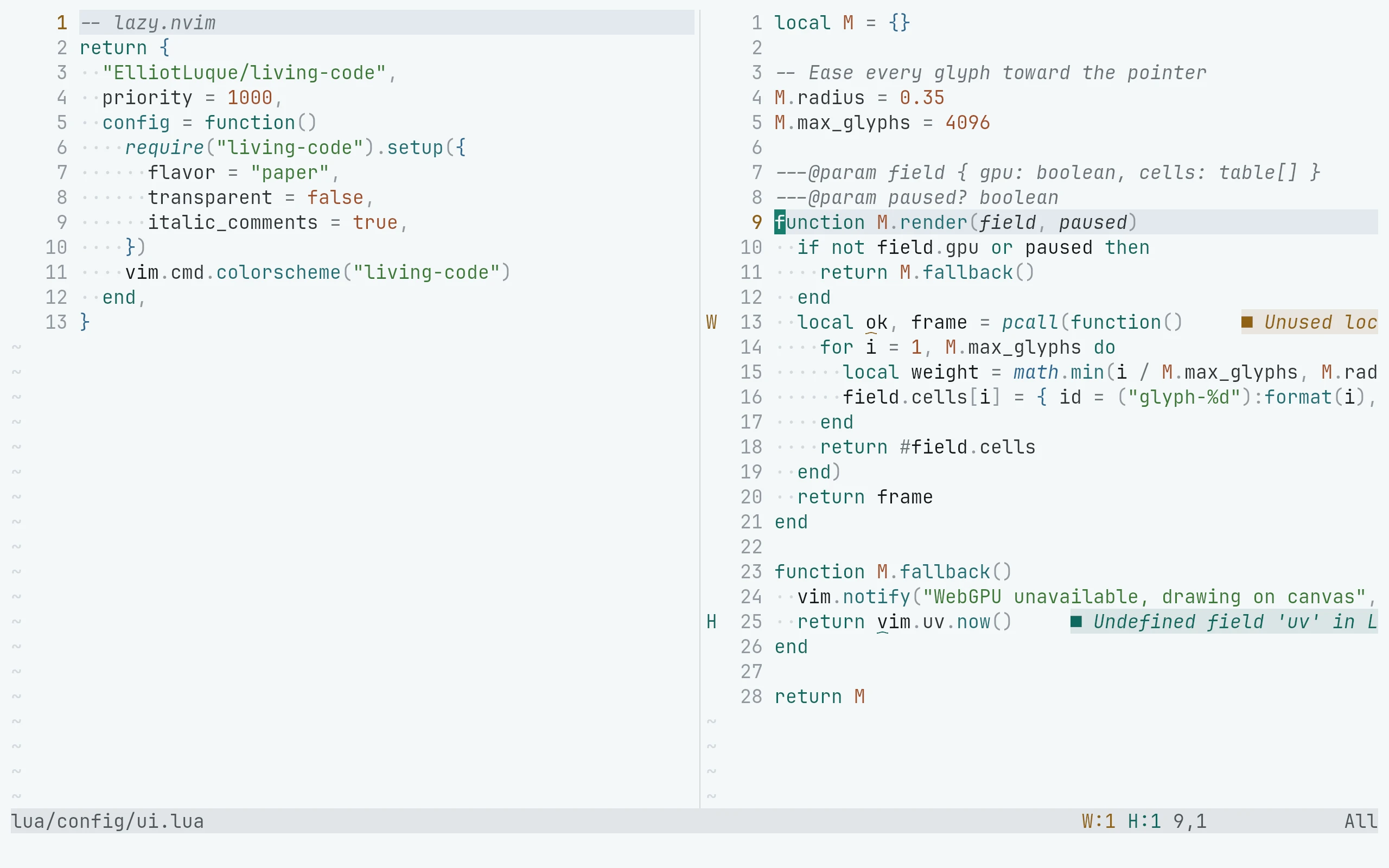
Install with your plugin manager. For lazy.nvim:
{
  "living-code-theme/nvim",
  priority = 1000,
  config = function()
    require("living-code").setup({
      flavor = "paper",
      transparent = false,
      italic_comments = true,
    })
    vim.cmd.colorscheme("living-code")
  end,
}Or pick a flavor directly: :colorscheme living-code-signal. Covers Tree-sitter, LSP semantic tokens, diagnostics, gitsigns, telescope, nvim-cmp / blink.cmp, which-key, mini.*, lualine (theme = "living-code").
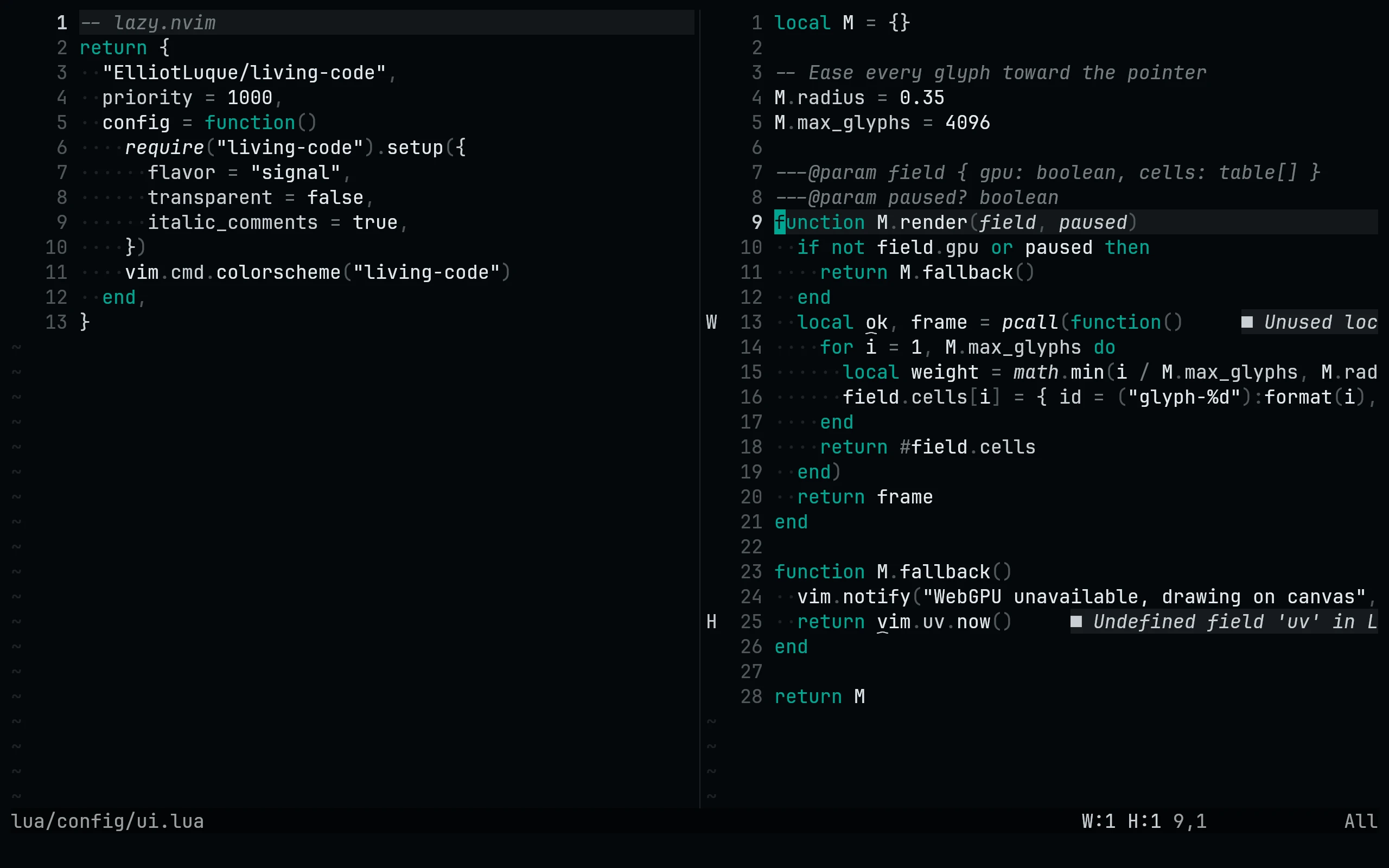
Install with your plugin manager. For lazy.nvim:
{
  "living-code-theme/nvim",
  priority = 1000,
  config = function()
    require("living-code").setup({
      flavor = "signal",
      transparent = false,
      italic_comments = true,
    })
    vim.cmd.colorscheme("living-code")
  end,
}Or pick a flavor directly: :colorscheme living-code-signal. Covers Tree-sitter, LSP semantic tokens, diagnostics, gitsigns, telescope, nvim-cmp / blink.cmp, which-key, mini.*, lualine (theme = "living-code").
Details
Configuration
Call setup before loading the colorscheme. All options are optional:
require("living-code").setup({
  flavor = "night",
  light_flavor = "paper",
  transparent = false,
  italic_comments = true,
  dim_inactive = false,
  on_highlights = nil,
})
vim.cmd.colorscheme("living-code")With background=light, the default colorscheme selects light_flavor. A flavor-specific colorscheme always loads that flavor. For lualine, use theme = "living-code".
Call setup before loading the colorscheme. All options are optional:
require("living-code").setup({
  flavor = "frost",
  light_flavor = "paper",
  transparent = false,
  italic_comments = true,
  dim_inactive = false,
  on_highlights = nil,
})
vim.cmd.colorscheme("living-code")With background=light, the default colorscheme selects light_flavor. A flavor-specific colorscheme always loads that flavor. For lualine, use theme = "living-code".
Call setup before loading the colorscheme. All options are optional:
require("living-code").setup({
  flavor = "paper",
  light_flavor = "paper",
  transparent = false,
  italic_comments = true,
  dim_inactive = false,
  on_highlights = nil,
})
vim.cmd.colorscheme("living-code")With background=light, the default colorscheme selects light_flavor. A flavor-specific colorscheme always loads that flavor. For lualine, use theme = "living-code".
Call setup before loading the colorscheme. All options are optional:
require("living-code").setup({
  flavor = "signal",
  light_flavor = "paper",
  transparent = false,
  italic_comments = true,
  dim_inactive = false,
  on_highlights = nil,
})
vim.cmd.colorscheme("living-code")With background=light, the default colorscheme selects light_flavor. A flavor-specific colorscheme always loads that flavor. For lualine, use theme = "living-code".
Compatibility
Uses Neovim's Lua highlight API and true color. Includes Tree-sitter, LSP semantic tokens, diagnostics, gitsigns, telescope, nvim-cmp / blink.cmp, which-key, mini.* and lualine highlights. Plugin integrations are optional; install the plugins you use separately.
Included files 12
colors/living-code-frost.luacolors/living-code-night.luacolors/living-code-paper.luacolors/living-code-signal.luacolors/living-code.lualua/living-code/highlights.lualua/living-code/init.lualua/living-code/palettes/frost.lualua/living-code/palettes/night.lualua/living-code/palettes/paper.lualua/living-code/palettes/signal.lualua/lualine/themes/living-code.lua