Install
Targets Sublime Text 4. It uses the modern .sublime-color-scheme format, one file per flavor.
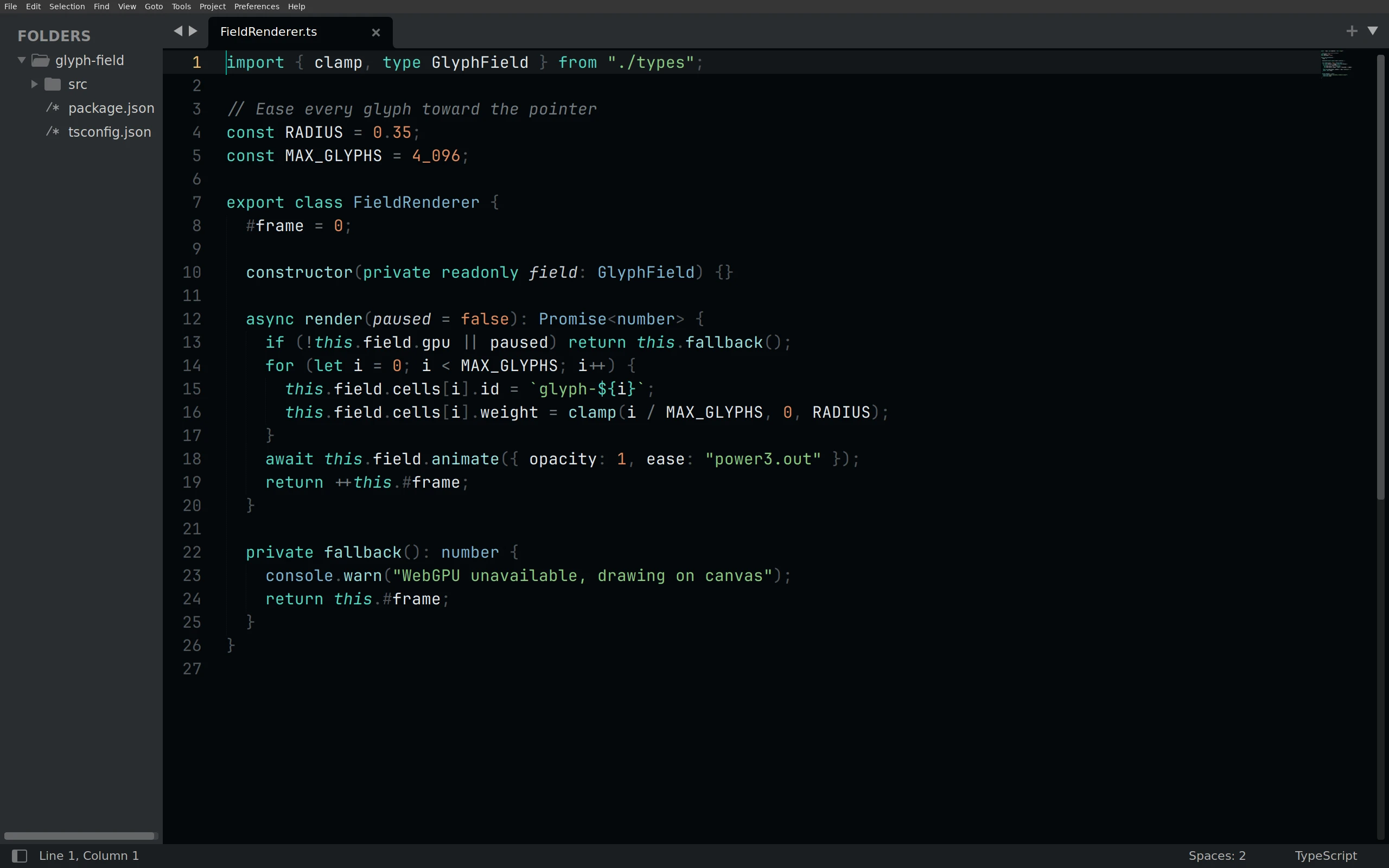
Download the four color schemes into your Packages/User folder (the same folder as Preferences → Browse Packages…), then pick Preferences → Select Color Scheme → Living Code Night (or UI: Select Color Scheme). Flavors: Night, Frost, Paper and Signal.
Linux:
curl -fsSL --create-dirs --output-dir "${XDG_CONFIG_HOME:-$HOME/.config}/sublime-text/Packages/User" -O "https://raw.githubusercontent.com/living-code-theme/sublime/main/living-code-{night,frost,paper,signal}.sublime-color-scheme"macOS:
curl -fsSL --create-dirs --output-dir "$HOME/Library/Application Support/Sublime Text/Packages/User" -O "https://raw.githubusercontent.com/living-code-theme/sublime/main/living-code-{night,frost,paper,signal}.sublime-color-scheme"Package Control: the package name remains Living Code. Until it is listed in the channel, use the manual downloads above.
The source files are in the repository root. To customize a manual install, edit the copied file. With the Package Control install, add a Packages/User/<Scheme>.sublime-color-scheme with the same file name as the package scheme and override entries under variables or globals.
pnpm run package:sublime builds dist/sublime/Living Code.sublime-package from the same generator. The bat · delta (tmTheme) port stays for bat and delta; Sublime Text should use this native scheme.
Targets Sublime Text 4. It uses the modern .sublime-color-scheme format, one file per flavor.
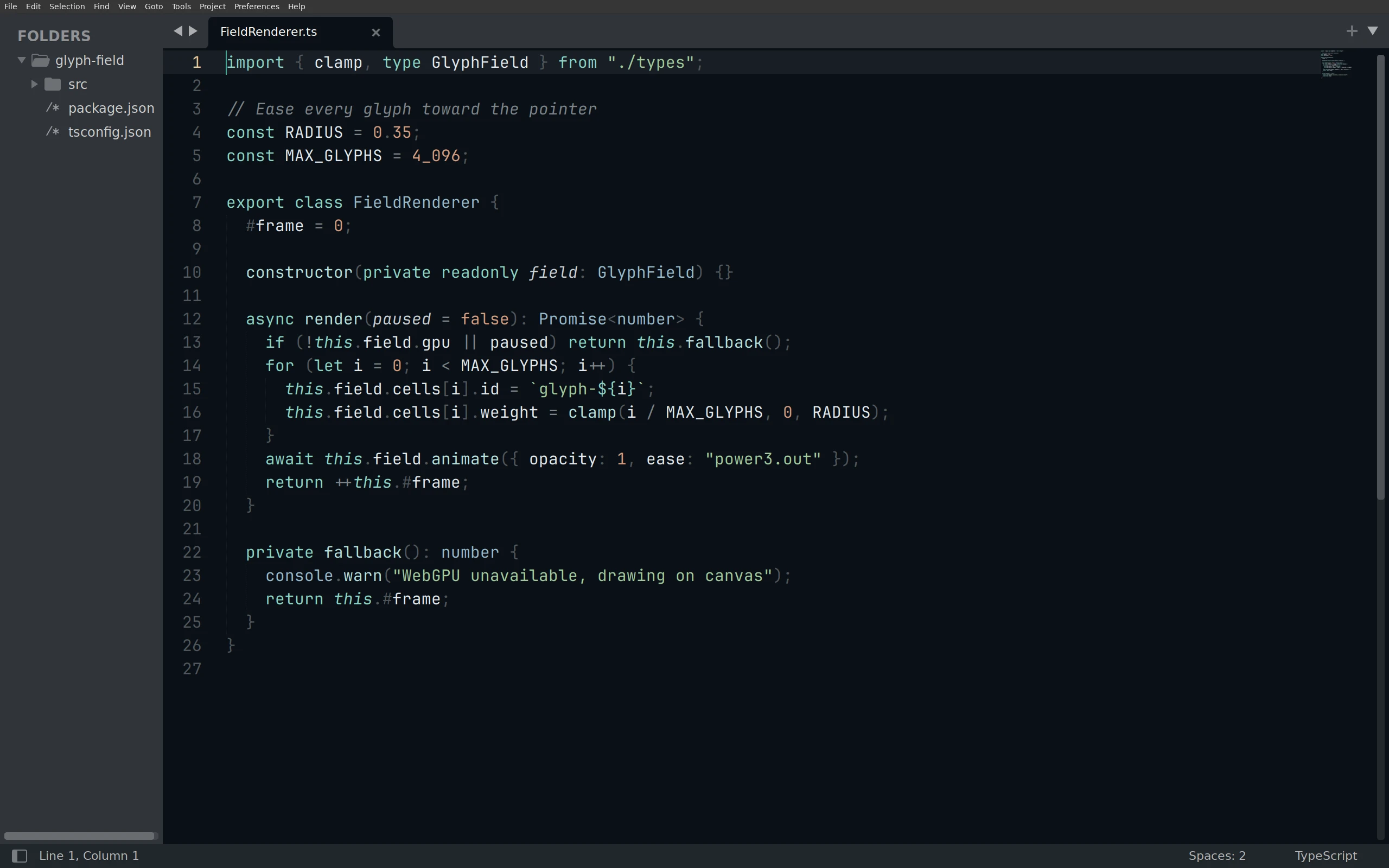
Download the four color schemes into your Packages/User folder (the same folder as Preferences → Browse Packages…), then pick Preferences → Select Color Scheme → Living Code Frost (or UI: Select Color Scheme). Flavors: Night, Frost, Paper and Signal.
Linux:
curl -fsSL --create-dirs --output-dir "${XDG_CONFIG_HOME:-$HOME/.config}/sublime-text/Packages/User" -O "https://raw.githubusercontent.com/living-code-theme/sublime/main/living-code-{night,frost,paper,signal}.sublime-color-scheme"macOS:
curl -fsSL --create-dirs --output-dir "$HOME/Library/Application Support/Sublime Text/Packages/User" -O "https://raw.githubusercontent.com/living-code-theme/sublime/main/living-code-{night,frost,paper,signal}.sublime-color-scheme"Package Control: the package name remains Living Code. Until it is listed in the channel, use the manual downloads above.
The source files are in the repository root. To customize a manual install, edit the copied file. With the Package Control install, add a Packages/User/<Scheme>.sublime-color-scheme with the same file name as the package scheme and override entries under variables or globals.
pnpm run package:sublime builds dist/sublime/Living Code.sublime-package from the same generator. The bat · delta (tmTheme) port stays for bat and delta; Sublime Text should use this native scheme.
Targets Sublime Text 4. It uses the modern .sublime-color-scheme format, one file per flavor.
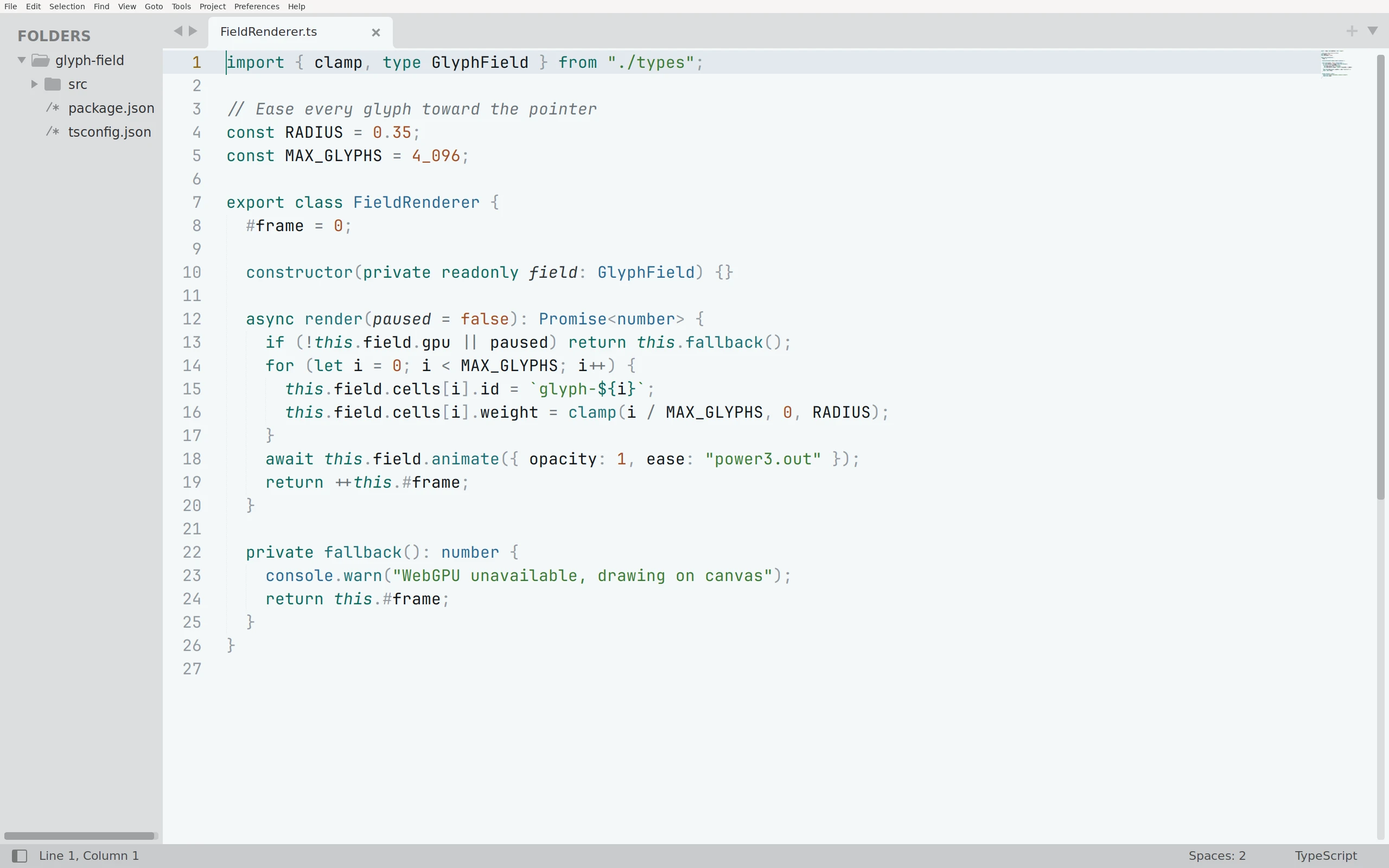
Download the four color schemes into your Packages/User folder (the same folder as Preferences → Browse Packages…), then pick Preferences → Select Color Scheme → Living Code Paper (or UI: Select Color Scheme). Flavors: Night, Frost, Paper and Signal.
Linux:
curl -fsSL --create-dirs --output-dir "${XDG_CONFIG_HOME:-$HOME/.config}/sublime-text/Packages/User" -O "https://raw.githubusercontent.com/living-code-theme/sublime/main/living-code-{night,frost,paper,signal}.sublime-color-scheme"macOS:
curl -fsSL --create-dirs --output-dir "$HOME/Library/Application Support/Sublime Text/Packages/User" -O "https://raw.githubusercontent.com/living-code-theme/sublime/main/living-code-{night,frost,paper,signal}.sublime-color-scheme"Package Control: the package name remains Living Code. Until it is listed in the channel, use the manual downloads above.
The source files are in the repository root. To customize a manual install, edit the copied file. With the Package Control install, add a Packages/User/<Scheme>.sublime-color-scheme with the same file name as the package scheme and override entries under variables or globals.
pnpm run package:sublime builds dist/sublime/Living Code.sublime-package from the same generator. The bat · delta (tmTheme) port stays for bat and delta; Sublime Text should use this native scheme.
Targets Sublime Text 4. It uses the modern .sublime-color-scheme format, one file per flavor.
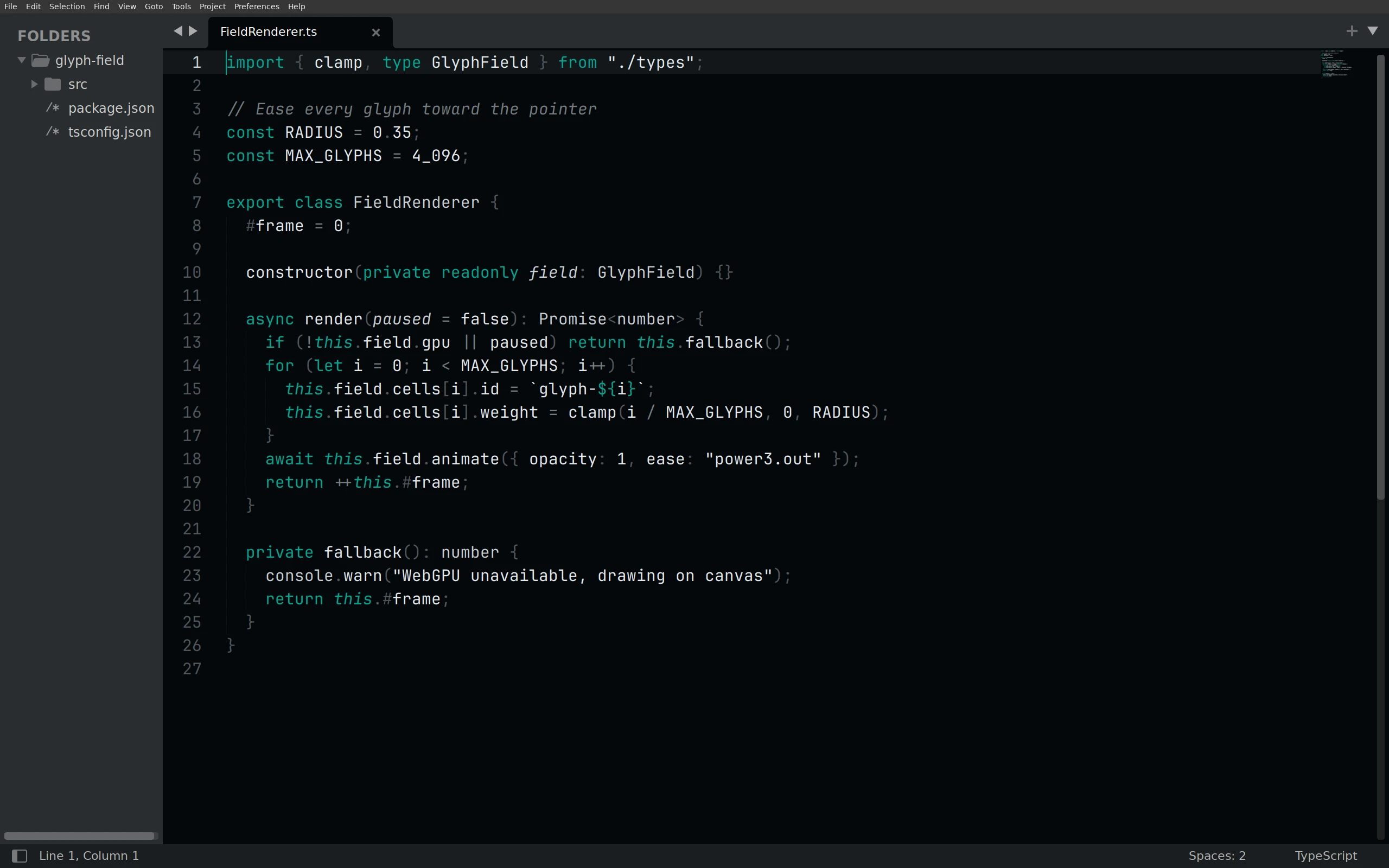
Download the four color schemes into your Packages/User folder (the same folder as Preferences → Browse Packages…), then pick Preferences → Select Color Scheme → Living Code Signal (or UI: Select Color Scheme). Flavors: Night, Frost, Paper and Signal.
Linux:
curl -fsSL --create-dirs --output-dir "${XDG_CONFIG_HOME:-$HOME/.config}/sublime-text/Packages/User" -O "https://raw.githubusercontent.com/living-code-theme/sublime/main/living-code-{night,frost,paper,signal}.sublime-color-scheme"macOS:
curl -fsSL --create-dirs --output-dir "$HOME/Library/Application Support/Sublime Text/Packages/User" -O "https://raw.githubusercontent.com/living-code-theme/sublime/main/living-code-{night,frost,paper,signal}.sublime-color-scheme"Package Control: the package name remains Living Code. Until it is listed in the channel, use the manual downloads above.
The source files are in the repository root. To customize a manual install, edit the copied file. With the Package Control install, add a Packages/User/<Scheme>.sublime-color-scheme with the same file name as the package scheme and override entries under variables or globals.
pnpm run package:sublime builds dist/sublime/Living Code.sublime-package from the same generator. The bat · delta (tmTheme) port stays for bat and delta; Sublime Text should use this native scheme.
Details
Configuration
See Sublime Text's documentation for application settings and reload behavior. The activation instructions above identify each supported flavor; keep your other application configuration.
Compatibility
Targets Sublime Text 4 using the native .sublime-color-scheme format. The package remains Living Code, with v-prefixed release tags. bat and delta should use the separate tmTheme port.