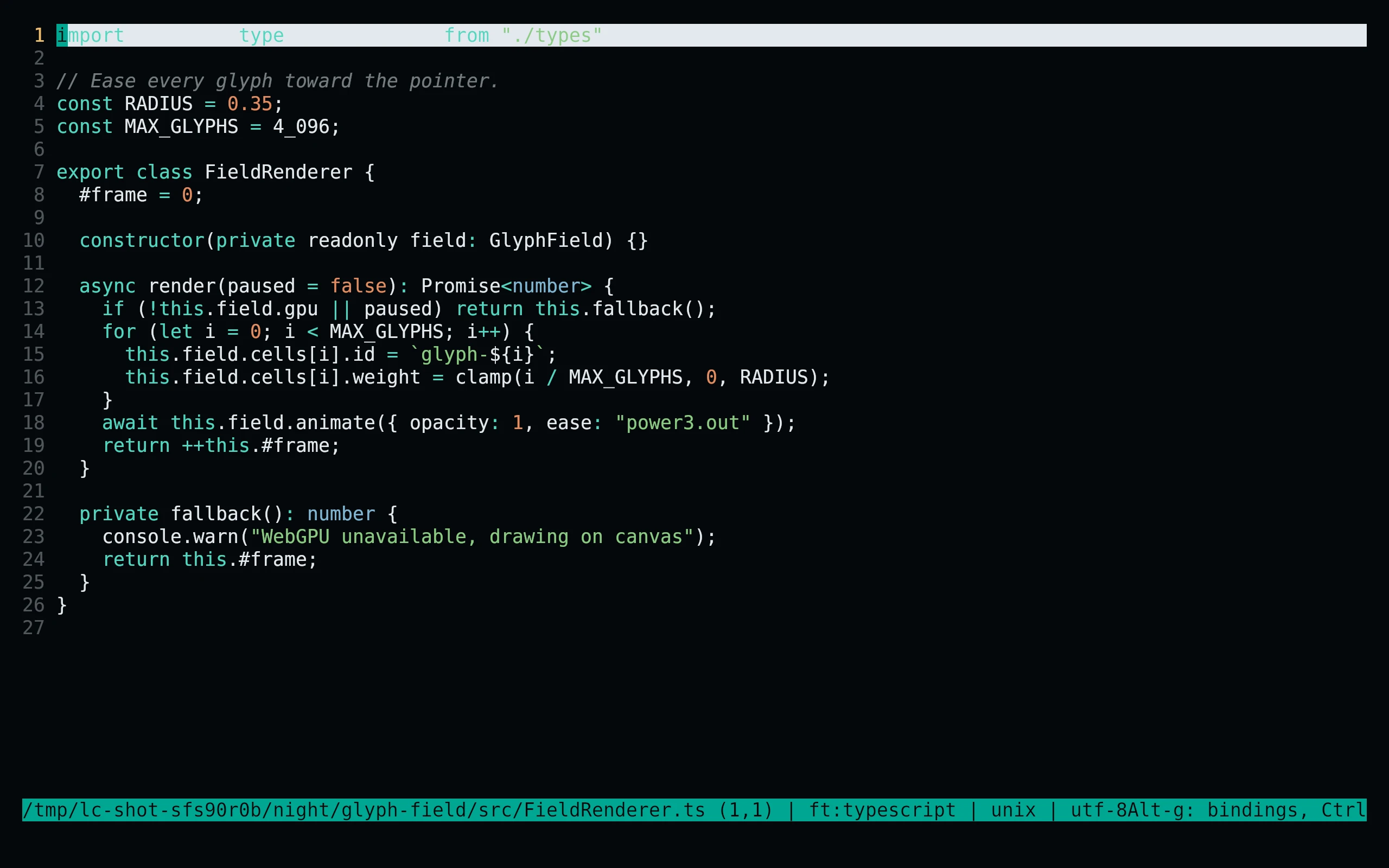
Install
flavor=night # night, frost, paper, or signal
curl -fsSL --create-dirs -o "${XDG_CONFIG_HOME:-$HOME/.config}/micro/colorschemes/living-code-$flavor.micro" "https://raw.githubusercontent.com/living-code-theme/micro/main/themes/living-code-$flavor.micro"Open micro, press Ctrl+E, and run set colorscheme living-code-night (or your selected flavor). If truecolor is not detected, run set truecolor on too. When launching micro with -config-dir, use that directory’s colorschemes/ instead of the default above.
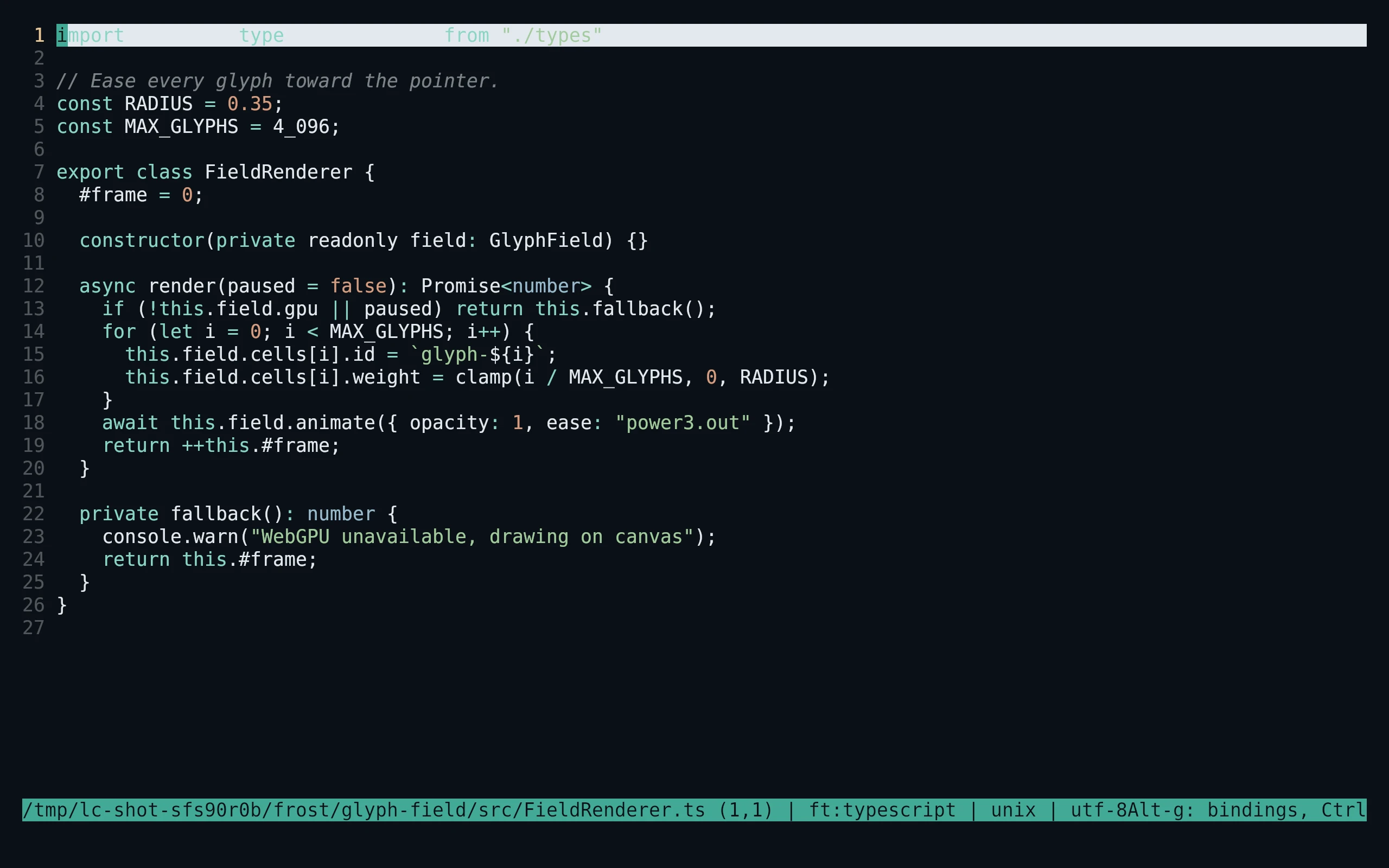
flavor=frost # night, frost, paper, or signal
curl -fsSL --create-dirs -o "${XDG_CONFIG_HOME:-$HOME/.config}/micro/colorschemes/living-code-$flavor.micro" "https://raw.githubusercontent.com/living-code-theme/micro/main/themes/living-code-$flavor.micro"Open micro, press Ctrl+E, and run set colorscheme living-code-frost (or your selected flavor). If truecolor is not detected, run set truecolor on too. When launching micro with -config-dir, use that directory’s colorschemes/ instead of the default above.
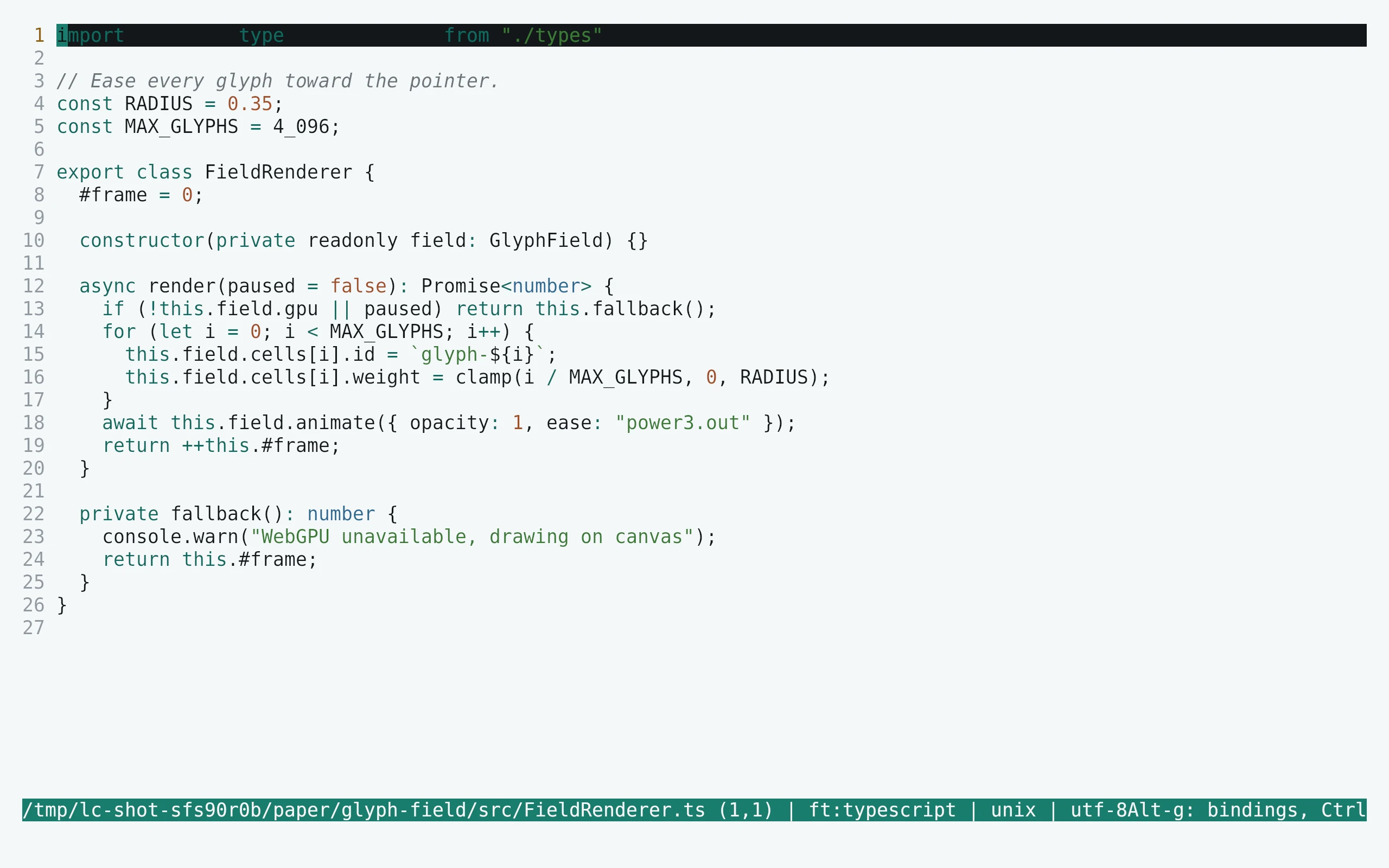
flavor=paper # night, frost, paper, or signal
curl -fsSL --create-dirs -o "${XDG_CONFIG_HOME:-$HOME/.config}/micro/colorschemes/living-code-$flavor.micro" "https://raw.githubusercontent.com/living-code-theme/micro/main/themes/living-code-$flavor.micro"Open micro, press Ctrl+E, and run set colorscheme living-code-paper (or your selected flavor). If truecolor is not detected, run set truecolor on too. When launching micro with -config-dir, use that directory’s colorschemes/ instead of the default above.
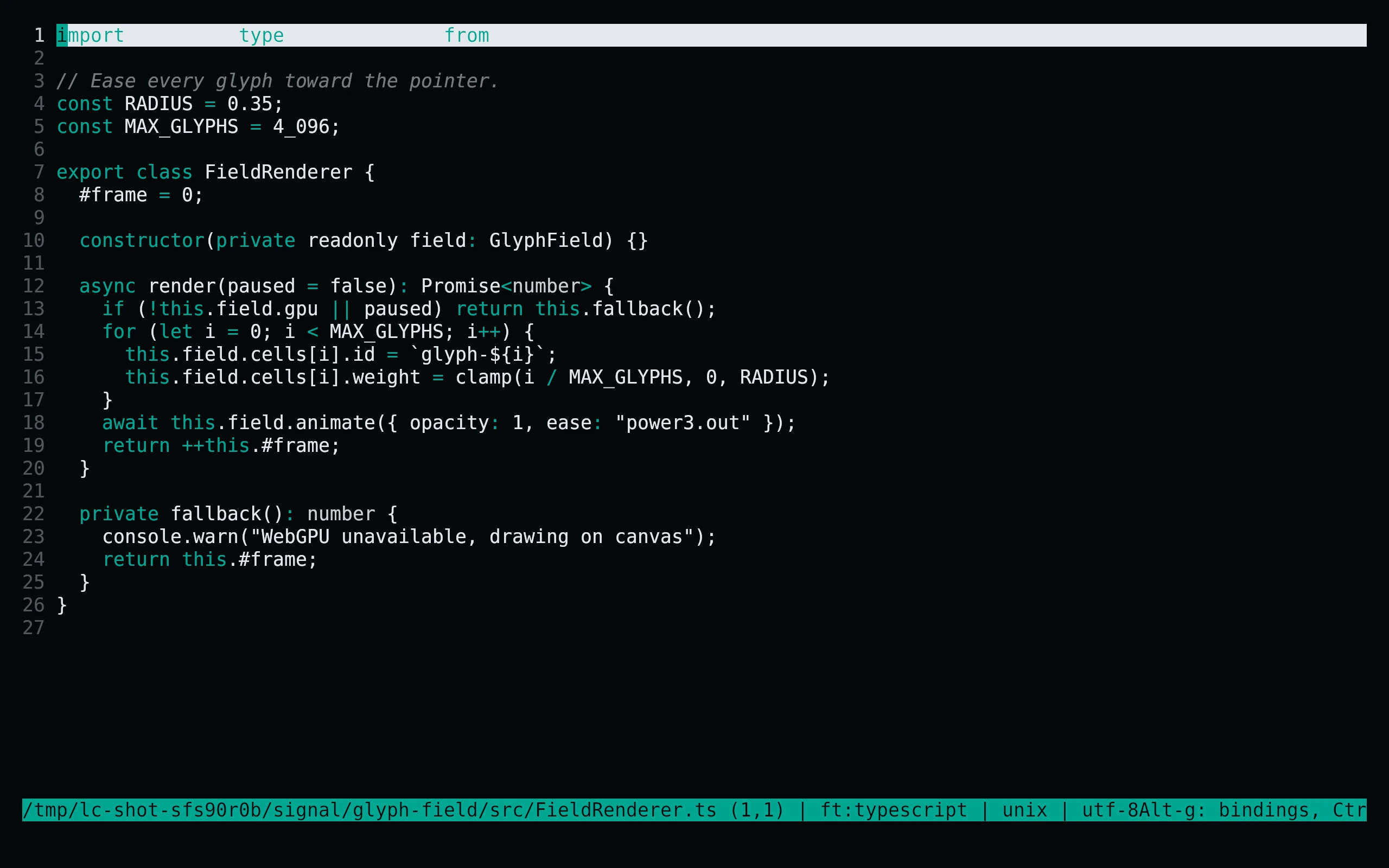
flavor=signal # night, frost, paper, or signal
curl -fsSL --create-dirs -o "${XDG_CONFIG_HOME:-$HOME/.config}/micro/colorschemes/living-code-$flavor.micro" "https://raw.githubusercontent.com/living-code-theme/micro/main/themes/living-code-$flavor.micro"Open micro, press Ctrl+E, and run set colorscheme living-code-signal (or your selected flavor). If truecolor is not detected, run set truecolor on too. When launching micro with -config-dir, use that directory’s colorschemes/ instead of the default above.
Details
Configuration
The .micro files contain only native color-link directives. Default body colors, selected text, status lines, tabs, cursor line, search and trailing whitespace are explicitly configured. Built-in syntax subgroups preserve string/number/boolean and operator distinctions. identifier.class is used by some micro grammars for functions as well as classes, so it follows the function role.
Compatibility
For micro’s documented color-link format, with truecolor enabled for exact hex colors. In reduced-color terminals micro approximates the palette. Highlight precision depends on the filetype’s built-in syntax rules: the colorscheme does not install new grammars. Tests validate directive grammar, native group names and semantic colors.
Previews are captured programmatically from the actual application in an isolated profile. See capture/app.py for the app-owned recipe and images/capture.json for runtime, palette and image provenance. No mock interface is drawn.