JetBrains IDEs
- Get it
- See installation instructions
- Group
- Editors
- Problem?
- Report an issue
- Flavors
Install
One plugin, four themes, for IntelliJ IDEA, PyCharm, WebStorm, GoLand, Rider, CLion, RubyMine, PhpStorm, DataGrip and Android Studio (2024.1 or newer).
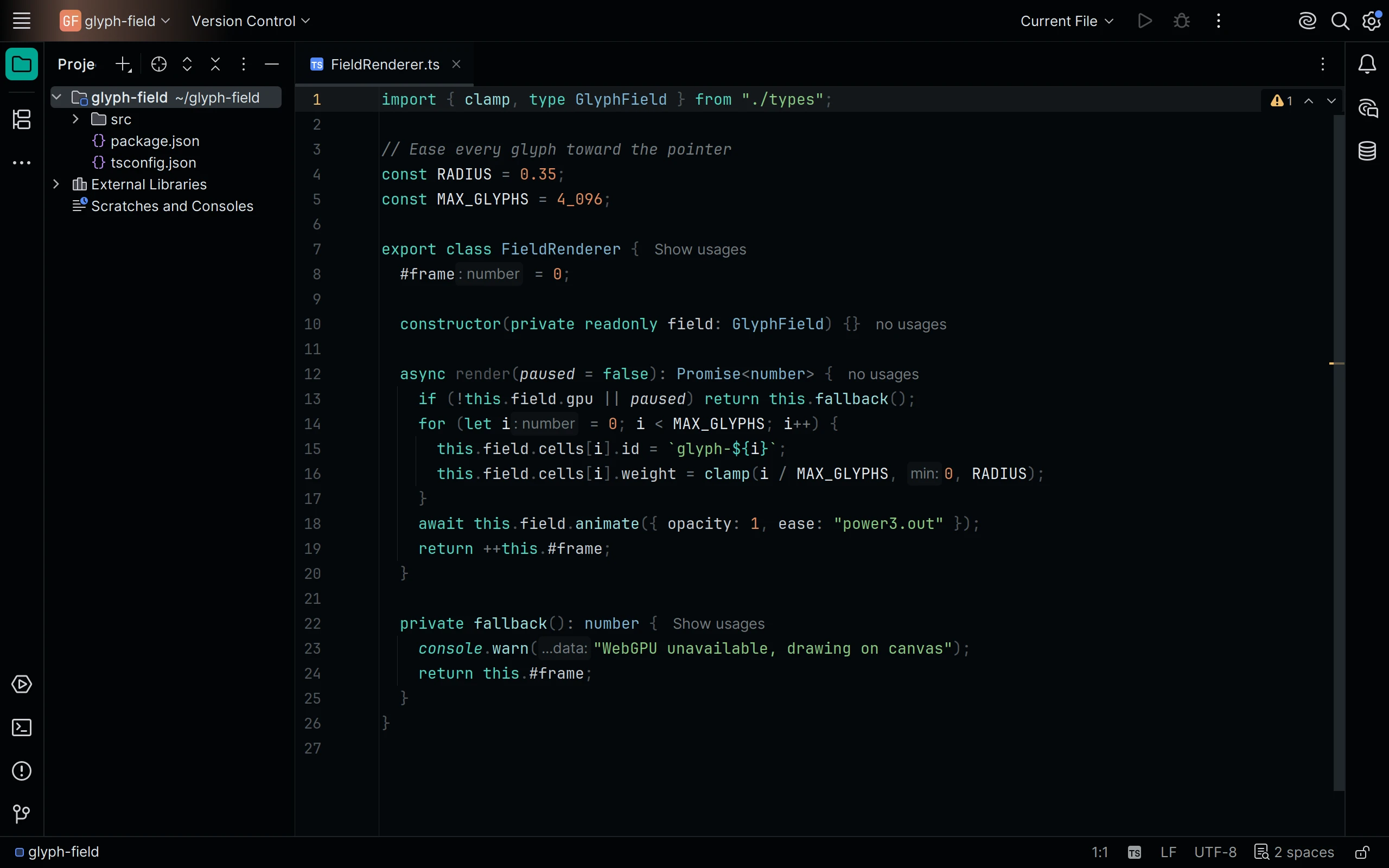
In the IDE open Settings | Plugins | Marketplace, search for Living Code and click Install, then pick Living Code Night (or Frost, Paper, Signal) in Settings | Appearance & Behavior | Appearance | Theme; the matching editor color scheme is applied with it.
Without a marketplace: download living-code-jetbrains-0.1.1.zip from the latest GitHub release (or build it with pnpm run package:jetbrains from a checkout, which writes it to dist/). In Settings | Plugins, click the gear icon, choose Install Plugin from Disk..., pick the zip and restart.
The sources in the repository root are the plugin's layout: META-INF/plugin.xml, one themes/living-code-<flavor>.theme.json UI theme and one themes/living-code-<flavor>.xml editor scheme per flavor.
One plugin, four themes, for IntelliJ IDEA, PyCharm, WebStorm, GoLand, Rider, CLion, RubyMine, PhpStorm, DataGrip and Android Studio (2024.1 or newer).
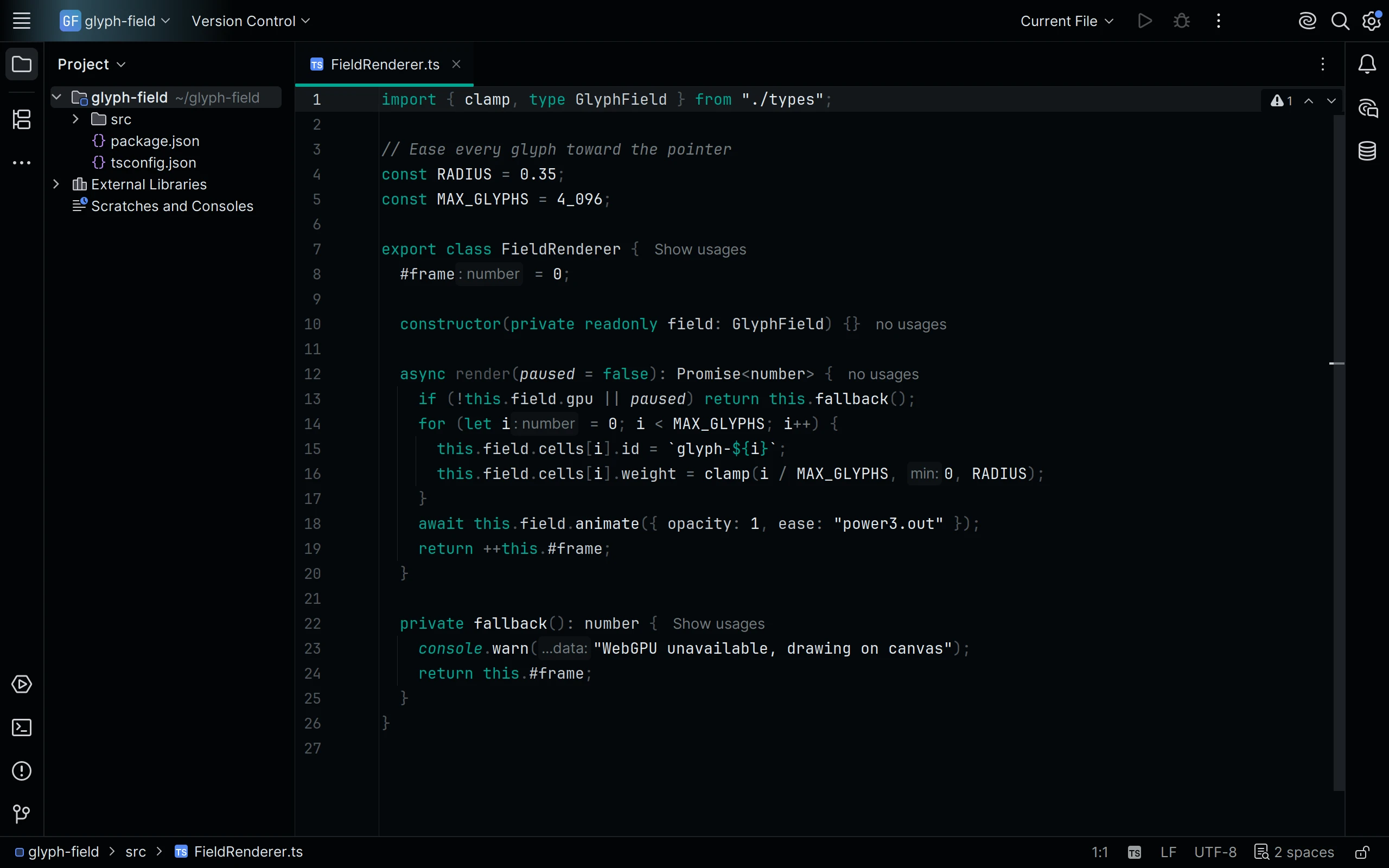
In the IDE open Settings | Plugins | Marketplace, search for Living Code and click Install, then pick Living Code Frost (or Frost, Paper, Signal) in Settings | Appearance & Behavior | Appearance | Theme; the matching editor color scheme is applied with it.
Without a marketplace: download living-code-jetbrains-0.1.1.zip from the latest GitHub release (or build it with pnpm run package:jetbrains from a checkout, which writes it to dist/). In Settings | Plugins, click the gear icon, choose Install Plugin from Disk..., pick the zip and restart.
The sources in the repository root are the plugin's layout: META-INF/plugin.xml, one themes/living-code-<flavor>.theme.json UI theme and one themes/living-code-<flavor>.xml editor scheme per flavor.
One plugin, four themes, for IntelliJ IDEA, PyCharm, WebStorm, GoLand, Rider, CLion, RubyMine, PhpStorm, DataGrip and Android Studio (2024.1 or newer).
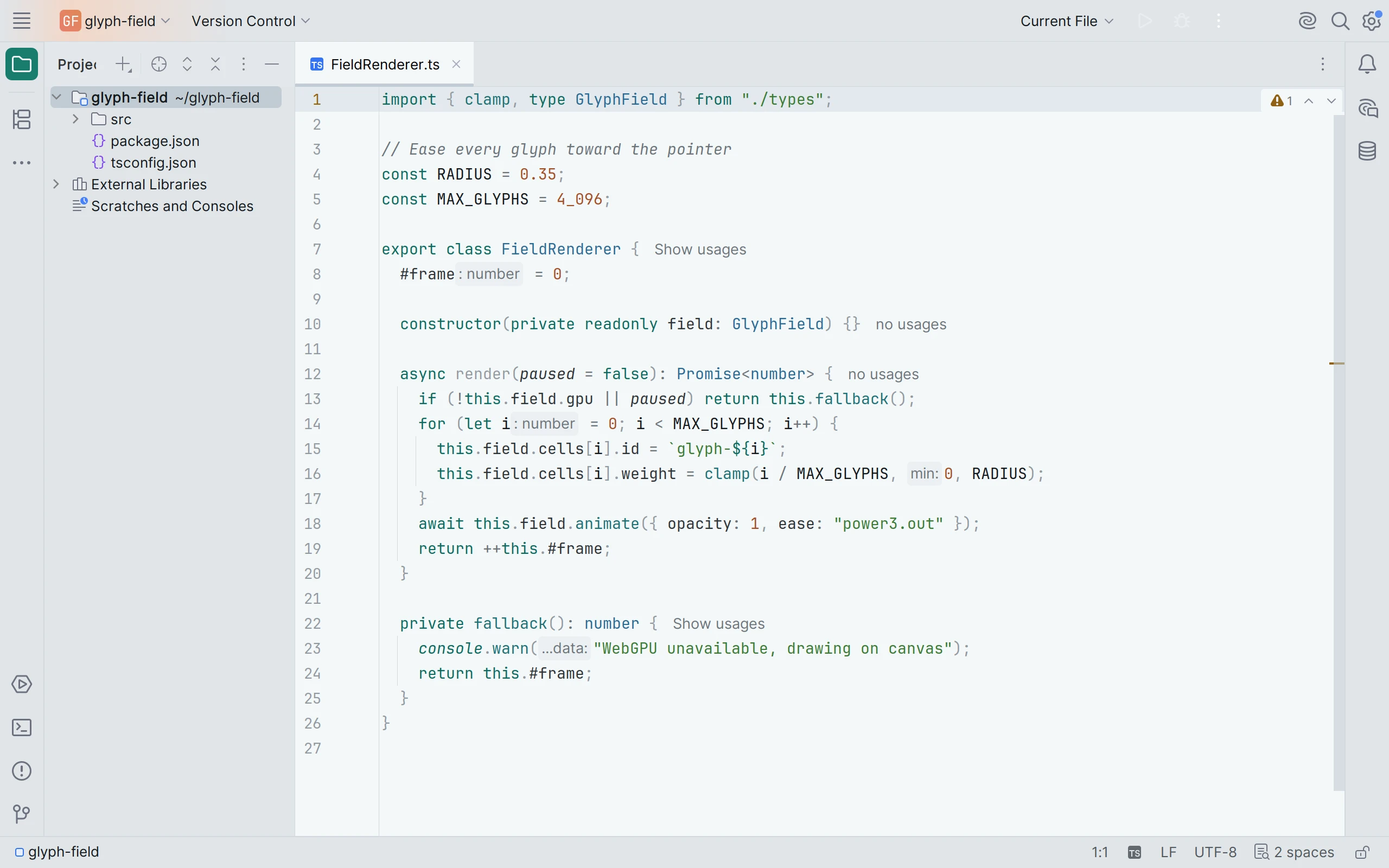
In the IDE open Settings | Plugins | Marketplace, search for Living Code and click Install, then pick Living Code Paper (or Frost, Paper, Signal) in Settings | Appearance & Behavior | Appearance | Theme; the matching editor color scheme is applied with it.
Without a marketplace: download living-code-jetbrains-0.1.1.zip from the latest GitHub release (or build it with pnpm run package:jetbrains from a checkout, which writes it to dist/). In Settings | Plugins, click the gear icon, choose Install Plugin from Disk..., pick the zip and restart.
The sources in the repository root are the plugin's layout: META-INF/plugin.xml, one themes/living-code-<flavor>.theme.json UI theme and one themes/living-code-<flavor>.xml editor scheme per flavor.
One plugin, four themes, for IntelliJ IDEA, PyCharm, WebStorm, GoLand, Rider, CLion, RubyMine, PhpStorm, DataGrip and Android Studio (2024.1 or newer).
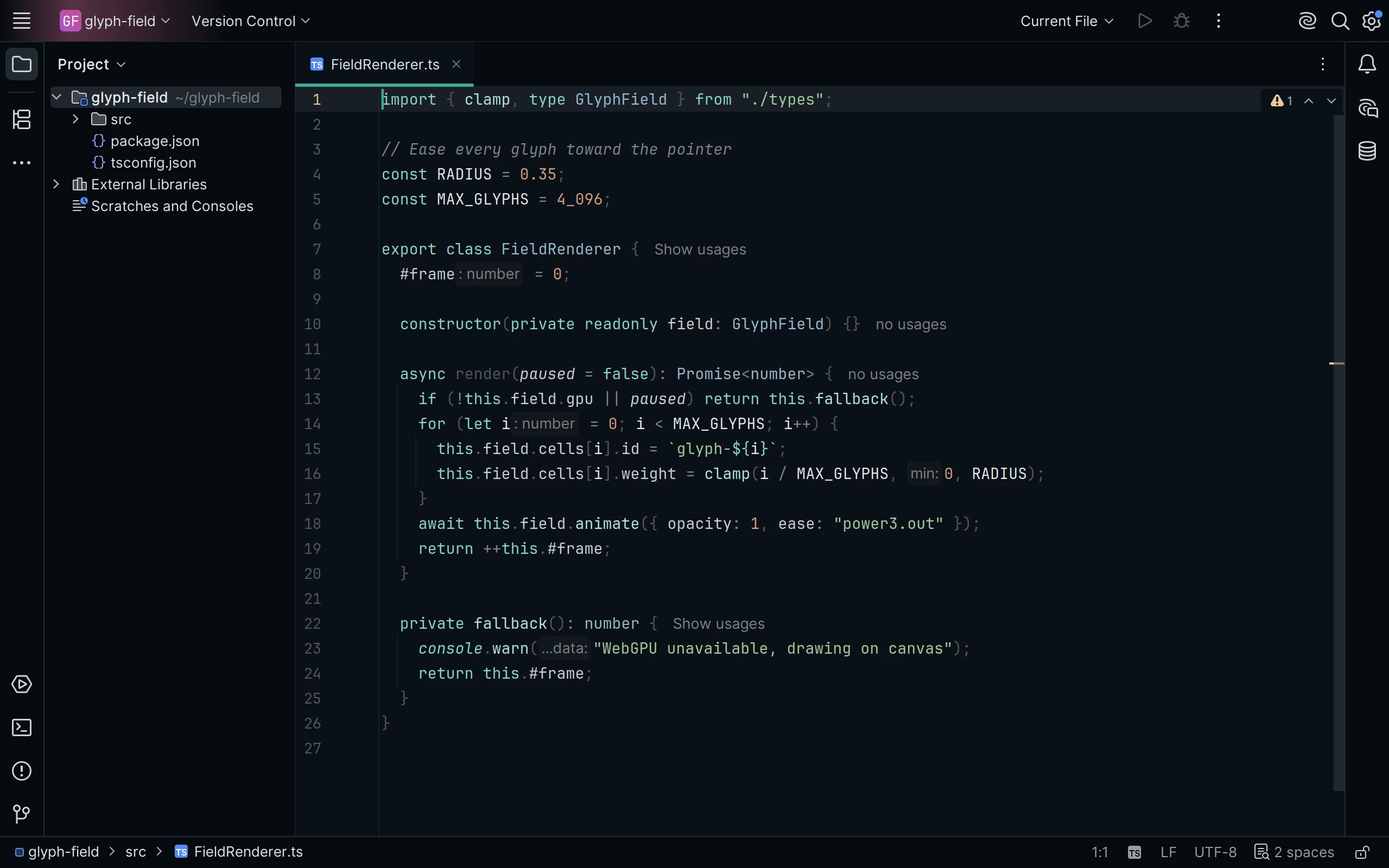
In the IDE open Settings | Plugins | Marketplace, search for Living Code and click Install, then pick Living Code Signal (or Frost, Paper, Signal) in Settings | Appearance & Behavior | Appearance | Theme; the matching editor color scheme is applied with it.
Without a marketplace: download living-code-jetbrains-0.1.1.zip from the latest GitHub release (or build it with pnpm run package:jetbrains from a checkout, which writes it to dist/). In Settings | Plugins, click the gear icon, choose Install Plugin from Disk..., pick the zip and restart.
The sources in the repository root are the plugin's layout: META-INF/plugin.xml, one themes/living-code-<flavor>.theme.json UI theme and one themes/living-code-<flavor>.xml editor scheme per flavor.
Details
Configuration
See JetBrains IDEs's documentation for application settings and reload behavior. The activation instructions above identify each supported flavor; keep your other application configuration.
Compatibility
One plugin for JetBrains IDEs 2024.1 or newer, including IntelliJ IDEA, PyCharm, WebStorm, GoLand, Rider, CLion, RubyMine, PhpStorm, DataGrip and Android Studio. Plugin ID: dev.livingcode.theme, vendor Living Code. All four theme-provider IDs are unchanged.
Included files 12
META-INF/plugin.xmlMETA-INF/pluginIcon.svgMETA-INF/pluginIcon_dark.svgOFL-JetBrainsMono.txtthemes/living-code-frost.theme.jsonthemes/living-code-frost.xmlthemes/living-code-night.theme.jsonthemes/living-code-night.xmlthemes/living-code-paper.theme.jsonthemes/living-code-paper.xmlthemes/living-code-signal.theme.jsonthemes/living-code-signal.xml