Lazydocker
- Get it
- Install the native theme files
- Group
- CLI & TUI
- App
- github.com
- Problem?
- Report an issue
- Flavors
Install
flavor=night # night, frost, paper, or signal
curl -fsSL --create-dirs -o "${CONFIG_DIR:-${XDG_CONFIG_HOME:-$HOME/.config}/lazydocker}/themes/living-code-$flavor.yml" "https://raw.githubusercontent.com/living-code-theme/lazydocker/main/themes/living-code-$flavor.yml"Open the active Lazydocker config with the project panel’s o action. Merge gui.theme from the downloaded fragment, replacing only existing theme keys. Do not overwrite the whole config: preserve Docker commands and other settings. Restart Lazydocker.
The command above uses Linux’s default config location and respects CONFIG_DIR. On macOS, use ~/Library/Application Support/jesseduffield/lazydocker/themes; on Windows, use %APPDATA%\lazydocker\themes. Lazydocker has no separate theme-file import, so the merge is required.
flavor=frost # night, frost, paper, or signal
curl -fsSL --create-dirs -o "${CONFIG_DIR:-${XDG_CONFIG_HOME:-$HOME/.config}/lazydocker}/themes/living-code-$flavor.yml" "https://raw.githubusercontent.com/living-code-theme/lazydocker/main/themes/living-code-$flavor.yml"Open the active Lazydocker config with the project panel’s o action. Merge gui.theme from the downloaded fragment, replacing only existing theme keys. Do not overwrite the whole config: preserve Docker commands and other settings. Restart Lazydocker.
The command above uses Linux’s default config location and respects CONFIG_DIR. On macOS, use ~/Library/Application Support/jesseduffield/lazydocker/themes; on Windows, use %APPDATA%\lazydocker\themes. Lazydocker has no separate theme-file import, so the merge is required.
flavor=paper # night, frost, paper, or signal
curl -fsSL --create-dirs -o "${CONFIG_DIR:-${XDG_CONFIG_HOME:-$HOME/.config}/lazydocker}/themes/living-code-$flavor.yml" "https://raw.githubusercontent.com/living-code-theme/lazydocker/main/themes/living-code-$flavor.yml"Open the active Lazydocker config with the project panel’s o action. Merge gui.theme from the downloaded fragment, replacing only existing theme keys. Do not overwrite the whole config: preserve Docker commands and other settings. Restart Lazydocker.
The command above uses Linux’s default config location and respects CONFIG_DIR. On macOS, use ~/Library/Application Support/jesseduffield/lazydocker/themes; on Windows, use %APPDATA%\lazydocker\themes. Lazydocker has no separate theme-file import, so the merge is required.
flavor=signal # night, frost, paper, or signal
curl -fsSL --create-dirs -o "${CONFIG_DIR:-${XDG_CONFIG_HOME:-$HOME/.config}/lazydocker}/themes/living-code-$flavor.yml" "https://raw.githubusercontent.com/living-code-theme/lazydocker/main/themes/living-code-$flavor.yml"Open the active Lazydocker config with the project panel’s o action. Merge gui.theme from the downloaded fragment, replacing only existing theme keys. Do not overwrite the whole config: preserve Docker commands and other settings. Restart Lazydocker.
The command above uses Linux’s default config location and respects CONFIG_DIR. On macOS, use ~/Library/Application Support/jesseduffield/lazydocker/themes; on Windows, use %APPDATA%\lazydocker\themes. Lazydocker has no separate theme-file import, so the merge is required.
Details
Configuration
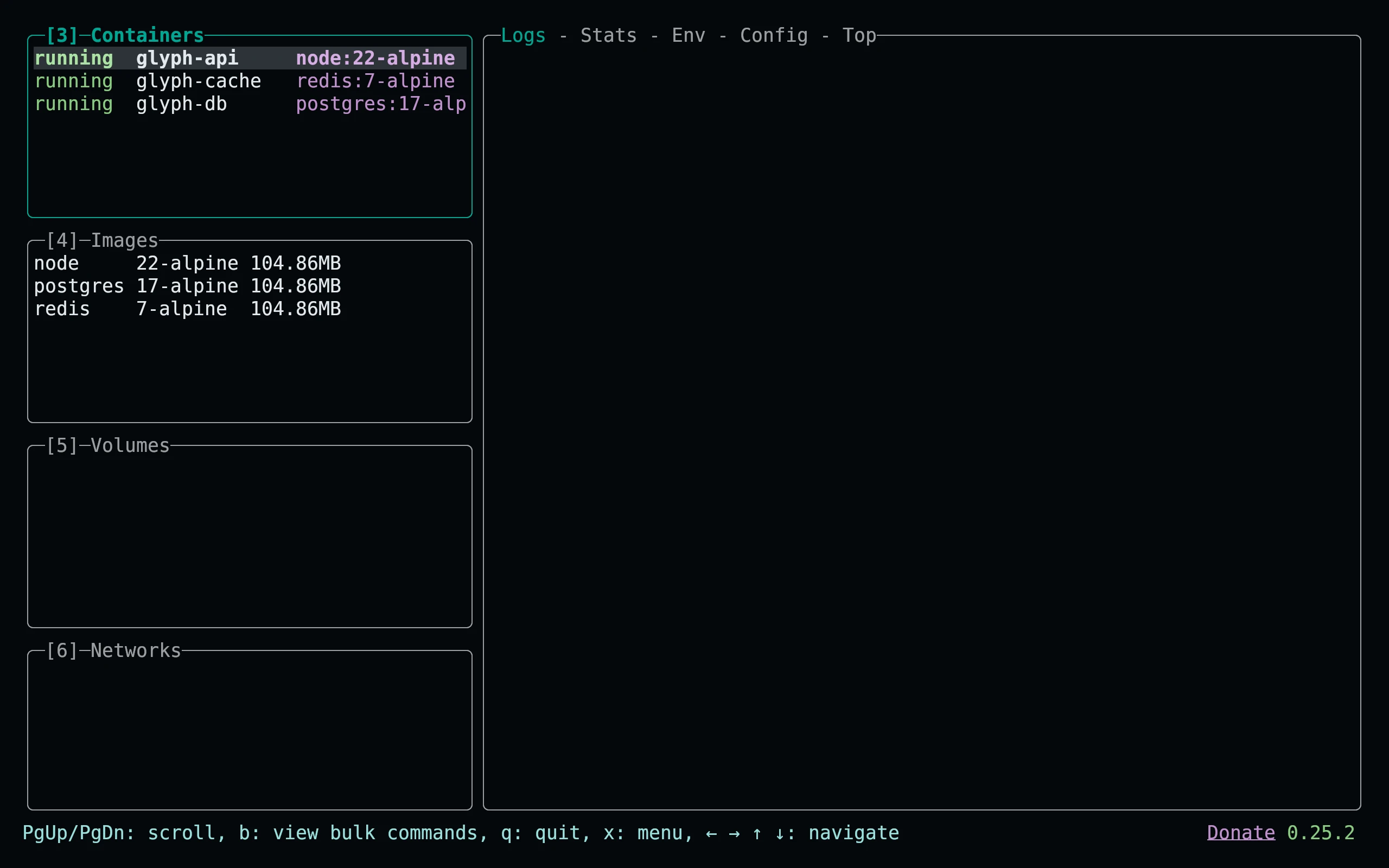
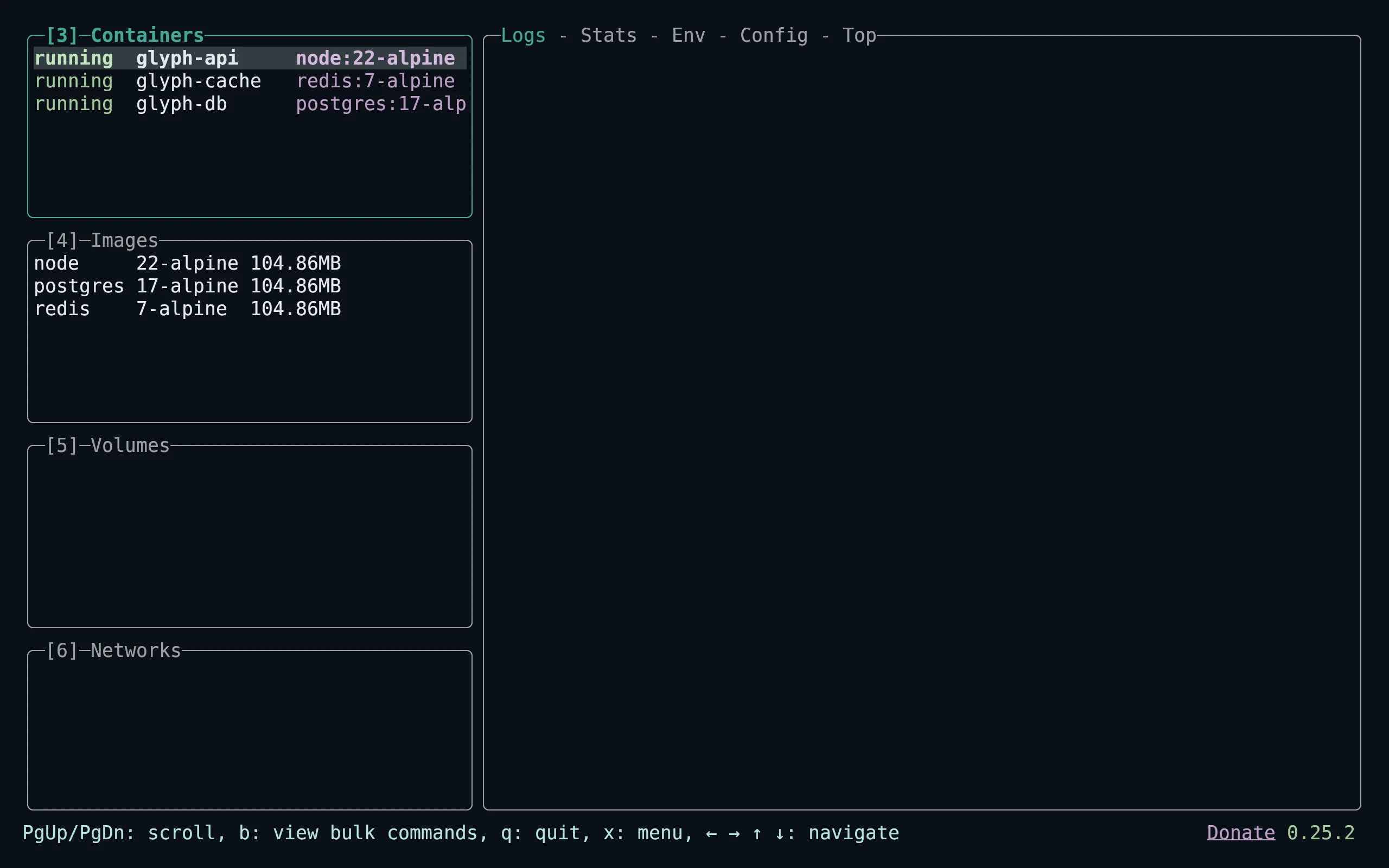
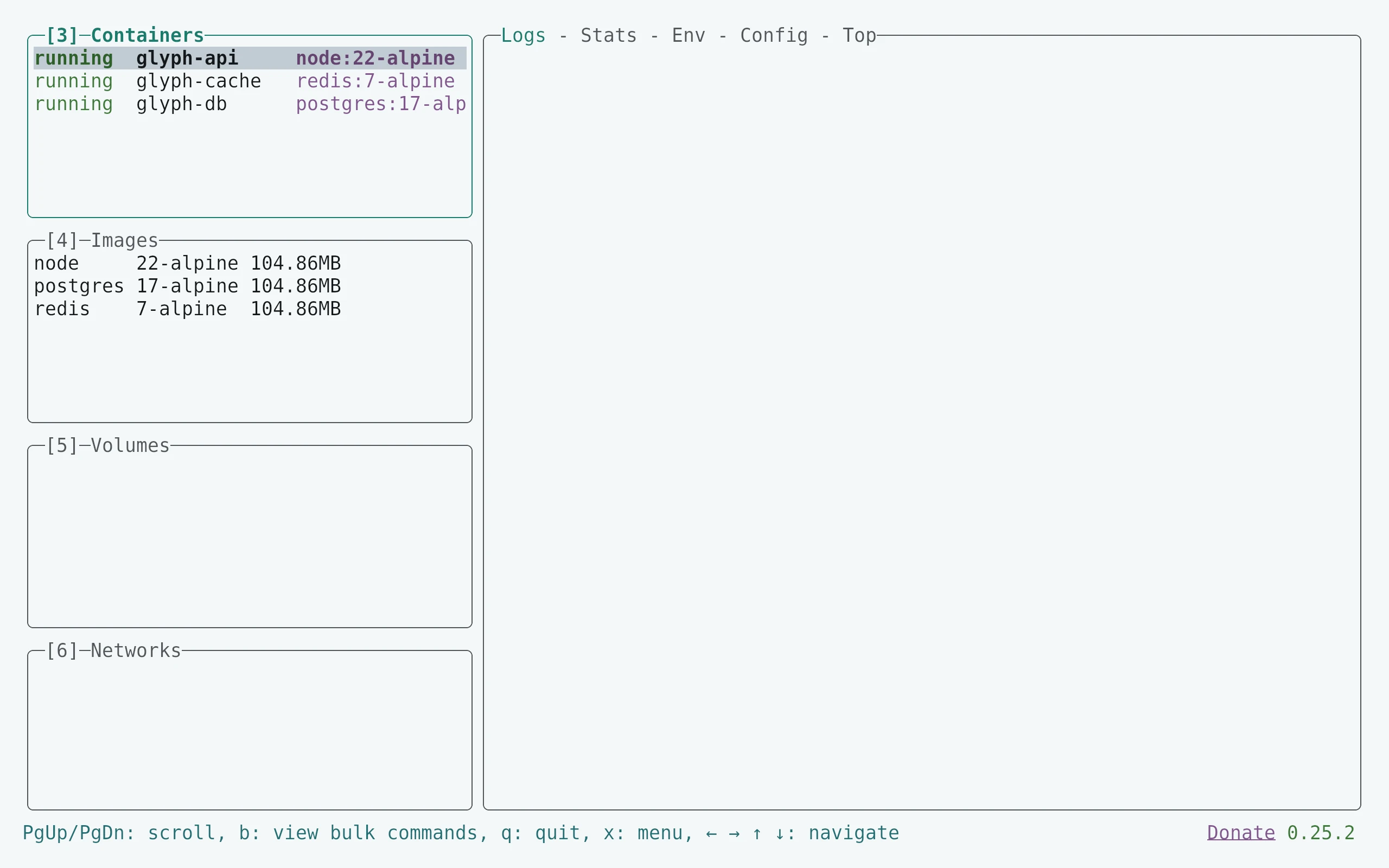
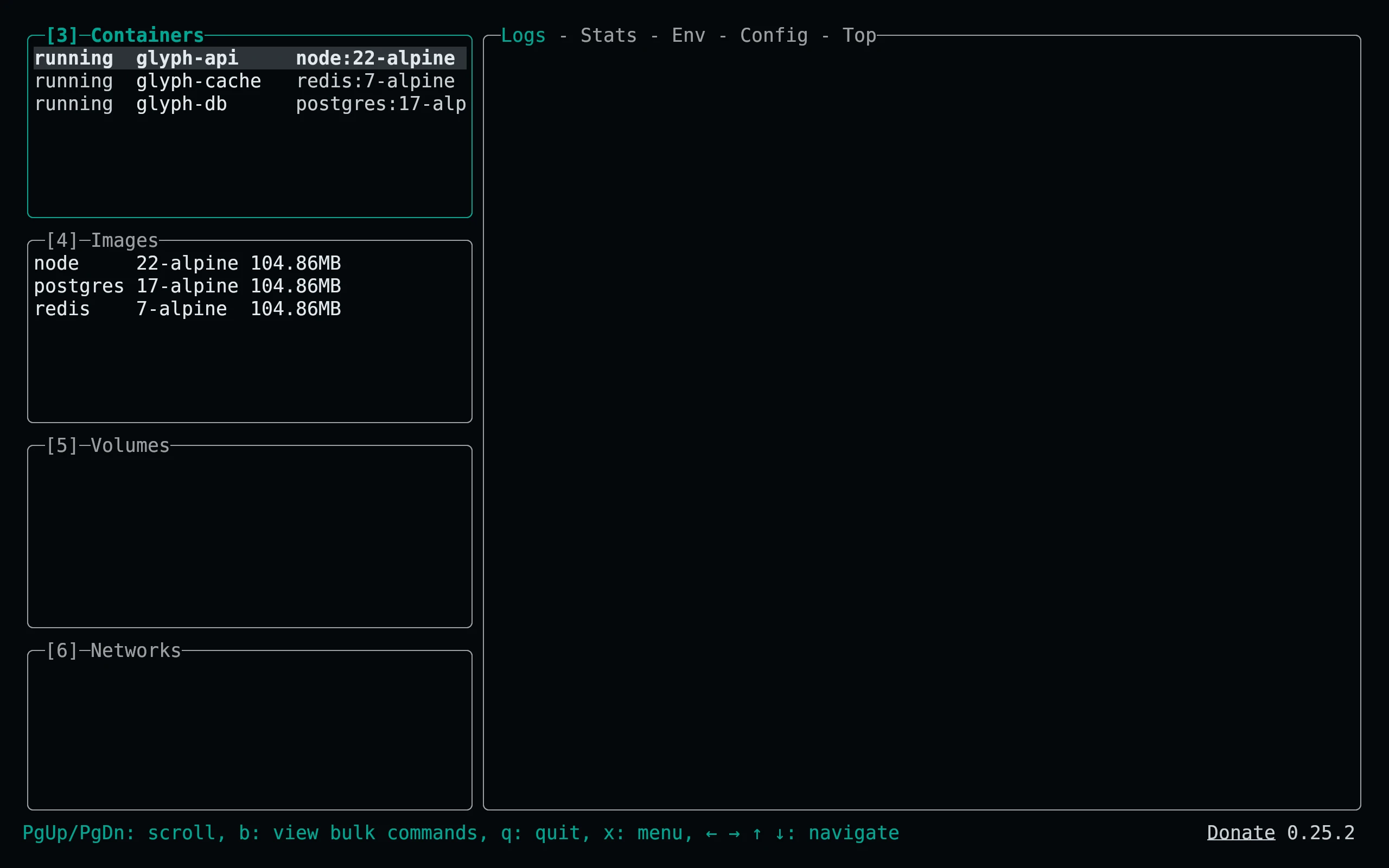
Only the four exposed theme attributes are changed: activeBorderColor, inactiveBorderColor, selectedLineBgColor, and optionsTextColor. Each is the native array of color/style attributes. Active borders are bold. Do not replace your full config with the fragment unless you intentionally want all other settings to return to defaults.
Compatibility
For Lazydocker’s gui.theme attribute API with hex-color support. This is intentionally a partial UI theme: terminal foreground/background, container health labels and other hard-coded colors are not individually configurable by this API. Use a matching Living Code terminal palette. Tests validate native YAML and the exact field contract; no Docker daemon is needed for maintenance.
Previews are captured programmatically from the actual application in an isolated profile. See capture/app.py for the app-owned recipe and images/capture.json for runtime, palette and image provenance. No mock interface is drawn.