Hunk
- Get it
- See installation instructions
- Group
- CLI & TUI
- App
- github.com
- Problem?
- Report an issue
- Flavors
Install
Extension (all flavors): download the generated extension:
curl -fsSL --create-dirs -o "$HOME/.config/hunk/extensions/living-code.mjs" "https://raw.githubusercontent.com/living-code-theme/hunk/main/living-code.mjs"Set the top-level theme in ~/.config/hunk/config.toml (before any TOML tables):
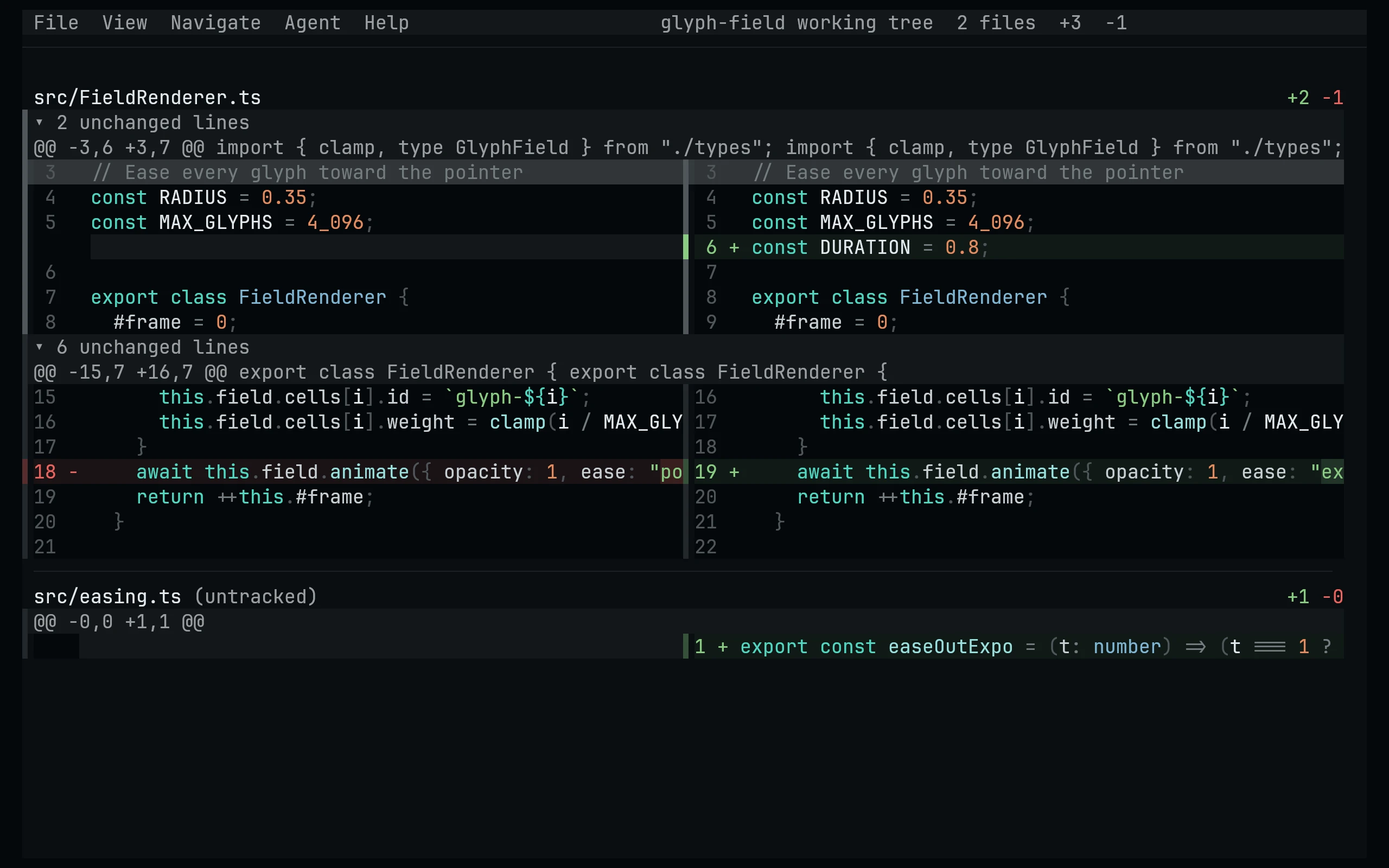
theme = "living-code-night"To try it first, run hunk diff --extension ~/.config/hunk/extensions/living-code.mjs --theme living-code-night.
Config only: instead of the extension, merge a flavor's .toml file into ~/.config/hunk/config.toml (or a repo's .hunk/config.toml) and set the top-level theme as above. Do not add duplicate theme tables. Config themes take precedence over extension themes with the same name.
Available themes: living-code-night, living-code-signal, living-code-frost, living-code-paper. Syntax colors share the editor ports' scope map.
Extension (all flavors): download the generated extension:
curl -fsSL --create-dirs -o "$HOME/.config/hunk/extensions/living-code.mjs" "https://raw.githubusercontent.com/living-code-theme/hunk/main/living-code.mjs"Set the top-level theme in ~/.config/hunk/config.toml (before any TOML tables):
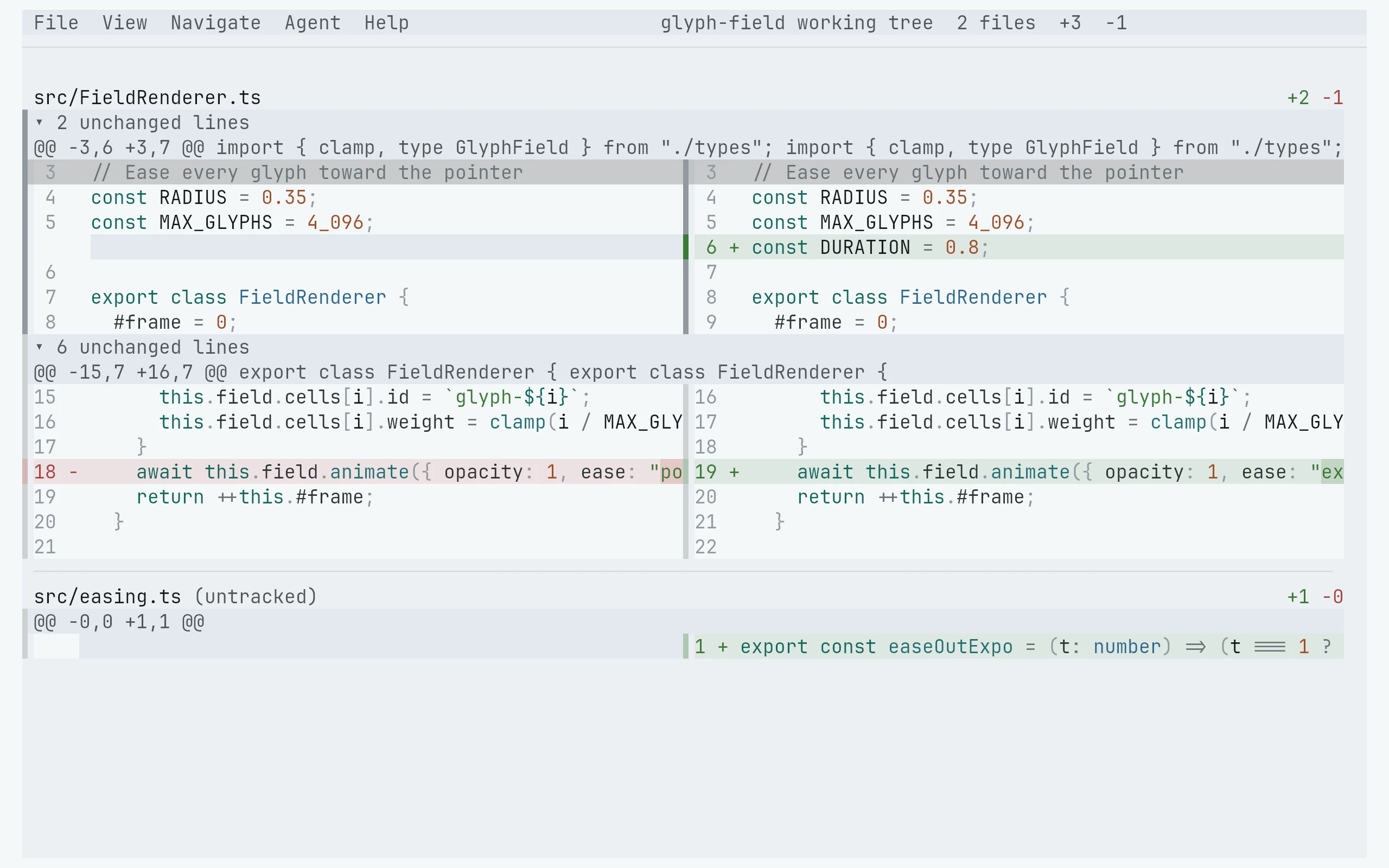
theme = "living-code-frost"To try it first, run hunk diff --extension ~/.config/hunk/extensions/living-code.mjs --theme living-code-frost.
Config only: instead of the extension, merge a flavor's .toml file into ~/.config/hunk/config.toml (or a repo's .hunk/config.toml) and set the top-level theme as above. Do not add duplicate theme tables. Config themes take precedence over extension themes with the same name.
Available themes: living-code-night, living-code-signal, living-code-frost, living-code-paper. Syntax colors share the editor ports' scope map.
Extension (all flavors): download the generated extension:
curl -fsSL --create-dirs -o "$HOME/.config/hunk/extensions/living-code.mjs" "https://raw.githubusercontent.com/living-code-theme/hunk/main/living-code.mjs"Set the top-level theme in ~/.config/hunk/config.toml (before any TOML tables):
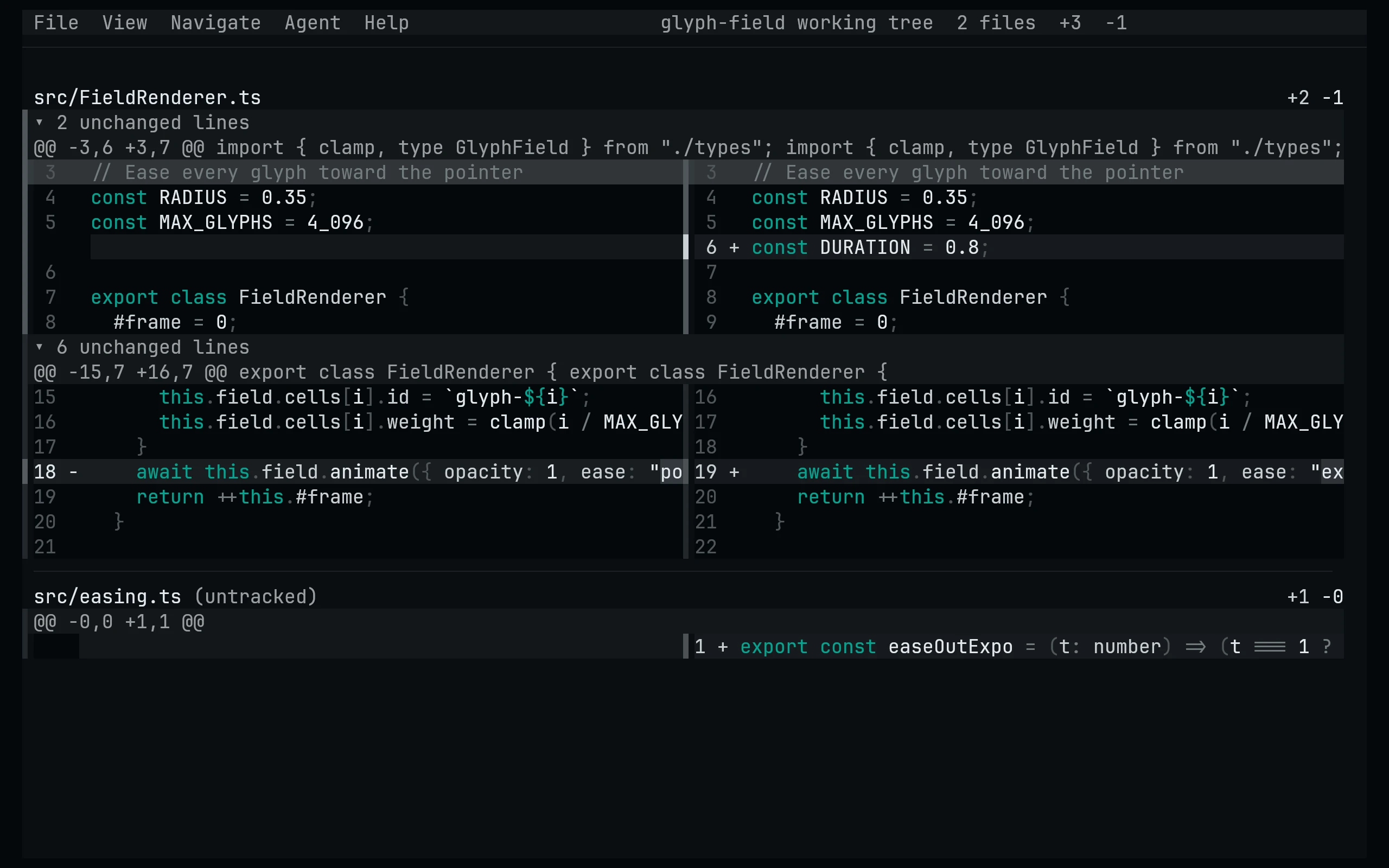
theme = "living-code-paper"To try it first, run hunk diff --extension ~/.config/hunk/extensions/living-code.mjs --theme living-code-paper.
Config only: instead of the extension, merge a flavor's .toml file into ~/.config/hunk/config.toml (or a repo's .hunk/config.toml) and set the top-level theme as above. Do not add duplicate theme tables. Config themes take precedence over extension themes with the same name.
Available themes: living-code-night, living-code-signal, living-code-frost, living-code-paper. Syntax colors share the editor ports' scope map.
Extension (all flavors): download the generated extension:
curl -fsSL --create-dirs -o "$HOME/.config/hunk/extensions/living-code.mjs" "https://raw.githubusercontent.com/living-code-theme/hunk/main/living-code.mjs"Set the top-level theme in ~/.config/hunk/config.toml (before any TOML tables):
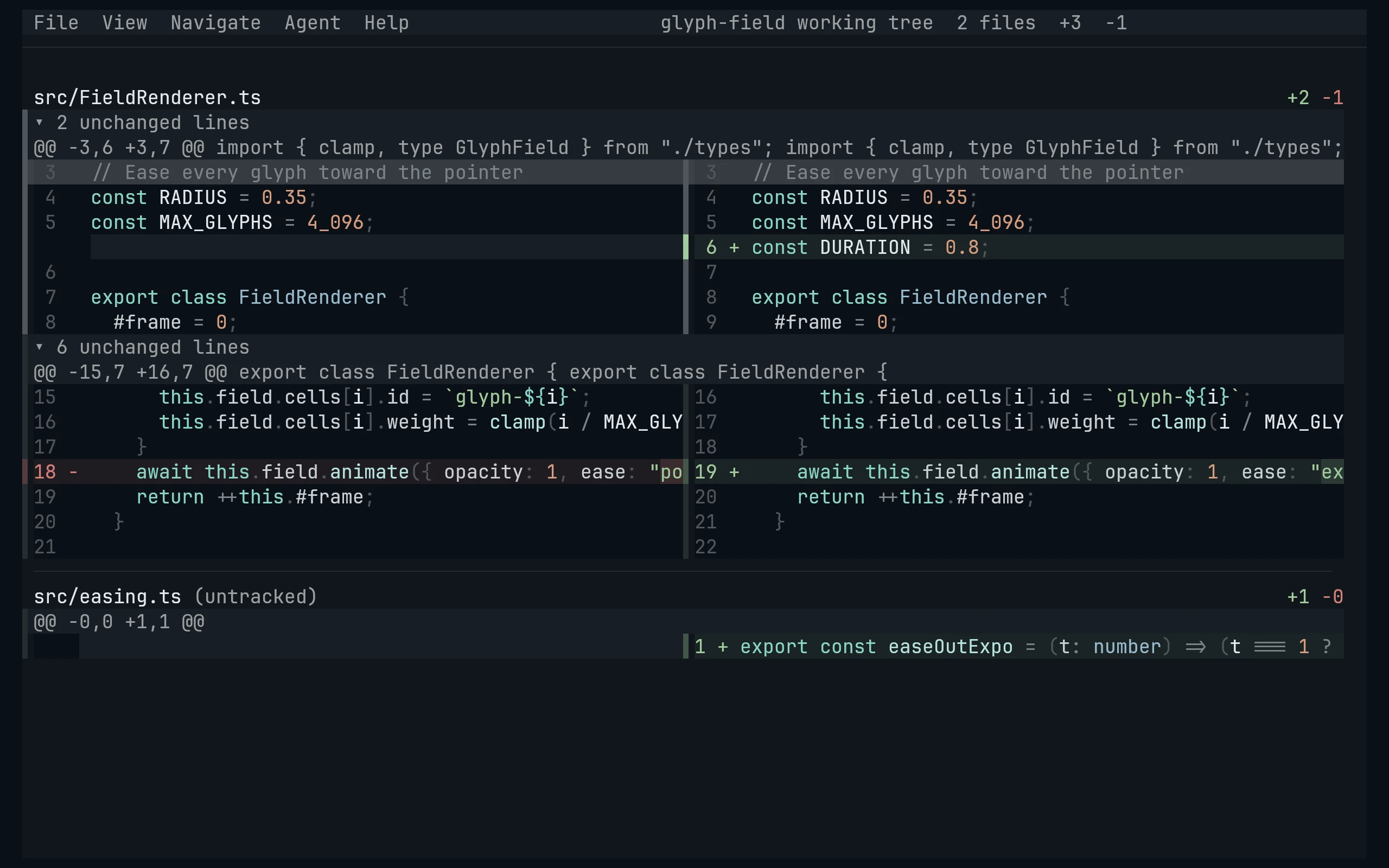
theme = "living-code-signal"To try it first, run hunk diff --extension ~/.config/hunk/extensions/living-code.mjs --theme living-code-signal.
Config only: instead of the extension, merge a flavor's .toml file into ~/.config/hunk/config.toml (or a repo's .hunk/config.toml) and set the top-level theme as above. Do not add duplicate theme tables. Config themes take precedence over extension themes with the same name.
Available themes: living-code-night, living-code-signal, living-code-frost, living-code-paper. Syntax colors share the editor ports' scope map.
Details
Configuration
See Hunk's documentation for application settings and reload behavior. The activation instructions above identify each supported flavor; keep your other application configuration.
Compatibility
This port supplies theme files for Hunk, not the application itself. Install the application separately and follow the installation instructions for its supported configuration format.