GitUI
- Get it
- Install the native theme files
- Group
- CLI & TUI
- App
- github.com
- Problem?
- Report an issue
- Flavors
Install
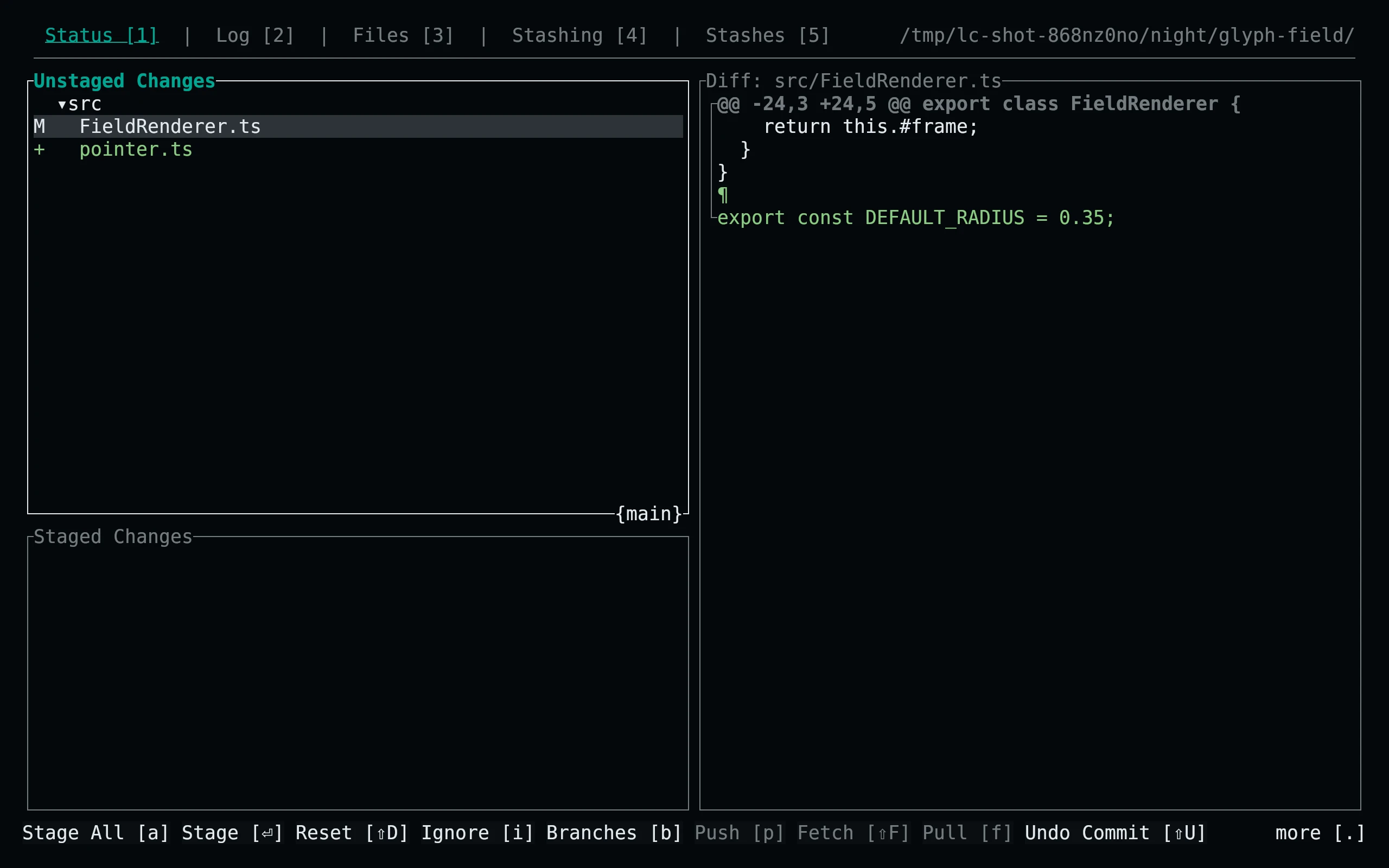
flavor=night # night, frost, paper, or signal
for extension in ron tmTheme; do
  curl -fsSL --create-dirs -o "${XDG_CONFIG_HOME:-$HOME/.config}/gitui/living-code-$flavor.$extension" "https://raw.githubusercontent.com/living-code-theme/gitui/main/themes/living-code-$flavor.$extension"
done
gitui -t "living-code-$flavor.ron"Both files are required: the RON UI theme selects the matching TextMate syntax palette. On Windows, use %APPDATA%\gitui. If you use a custom GitUI config directory, download both files there.
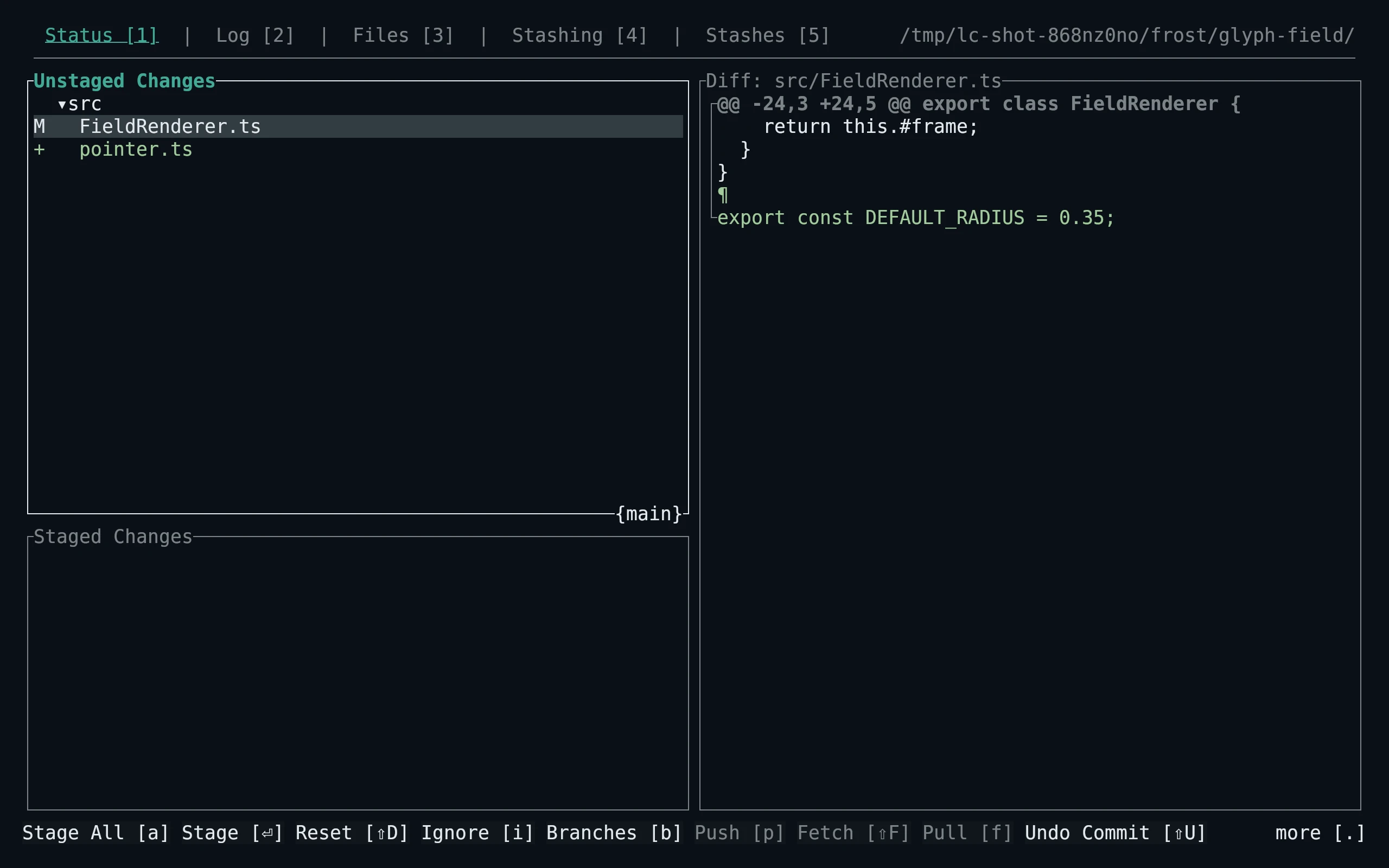
flavor=frost # night, frost, paper, or signal
for extension in ron tmTheme; do
  curl -fsSL --create-dirs -o "${XDG_CONFIG_HOME:-$HOME/.config}/gitui/living-code-$flavor.$extension" "https://raw.githubusercontent.com/living-code-theme/gitui/main/themes/living-code-$flavor.$extension"
done
gitui -t "living-code-$flavor.ron"Both files are required: the RON UI theme selects the matching TextMate syntax palette. On Windows, use %APPDATA%\gitui. If you use a custom GitUI config directory, download both files there.
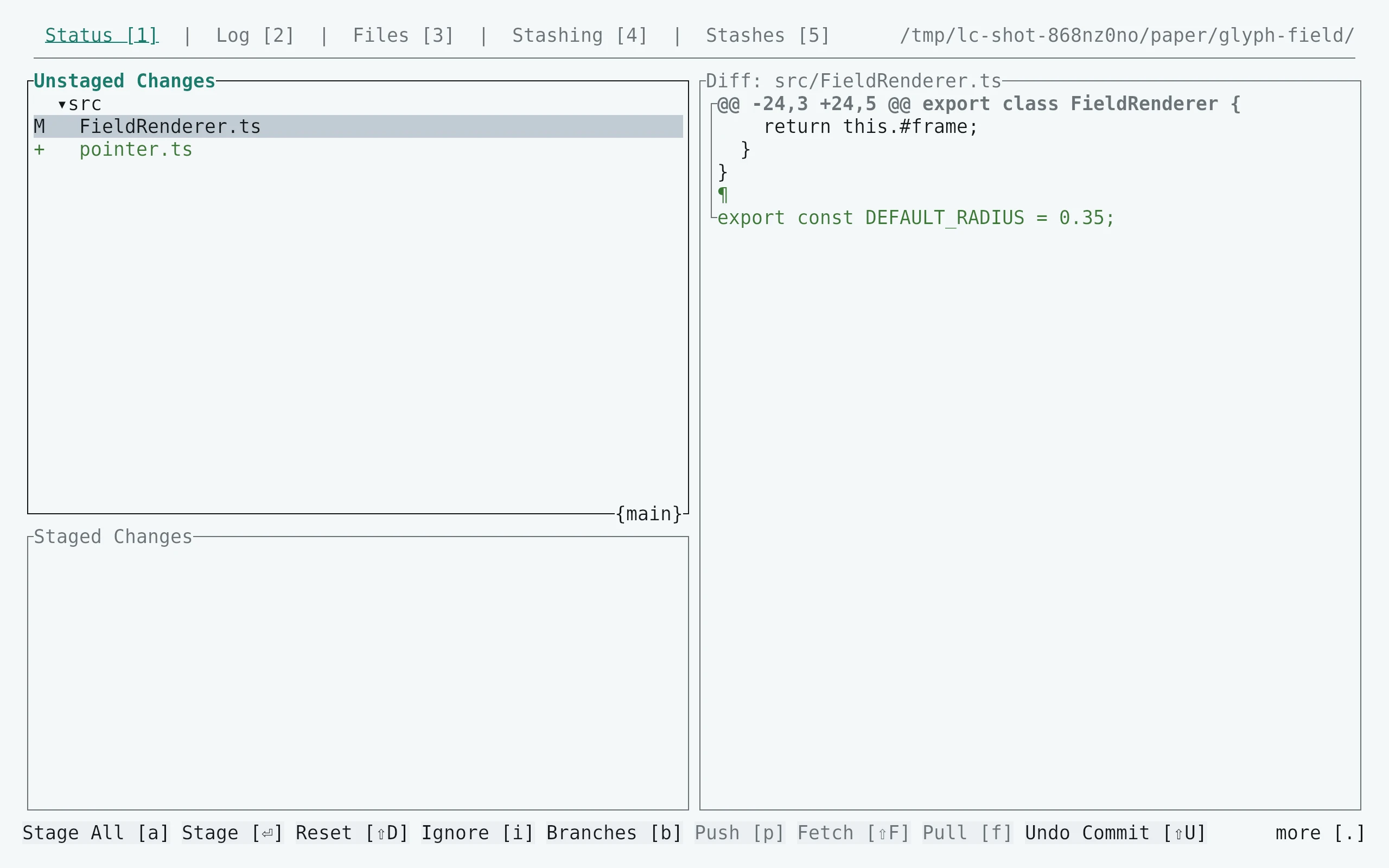
flavor=paper # night, frost, paper, or signal
for extension in ron tmTheme; do
  curl -fsSL --create-dirs -o "${XDG_CONFIG_HOME:-$HOME/.config}/gitui/living-code-$flavor.$extension" "https://raw.githubusercontent.com/living-code-theme/gitui/main/themes/living-code-$flavor.$extension"
done
gitui -t "living-code-$flavor.ron"Both files are required: the RON UI theme selects the matching TextMate syntax palette. On Windows, use %APPDATA%\gitui. If you use a custom GitUI config directory, download both files there.
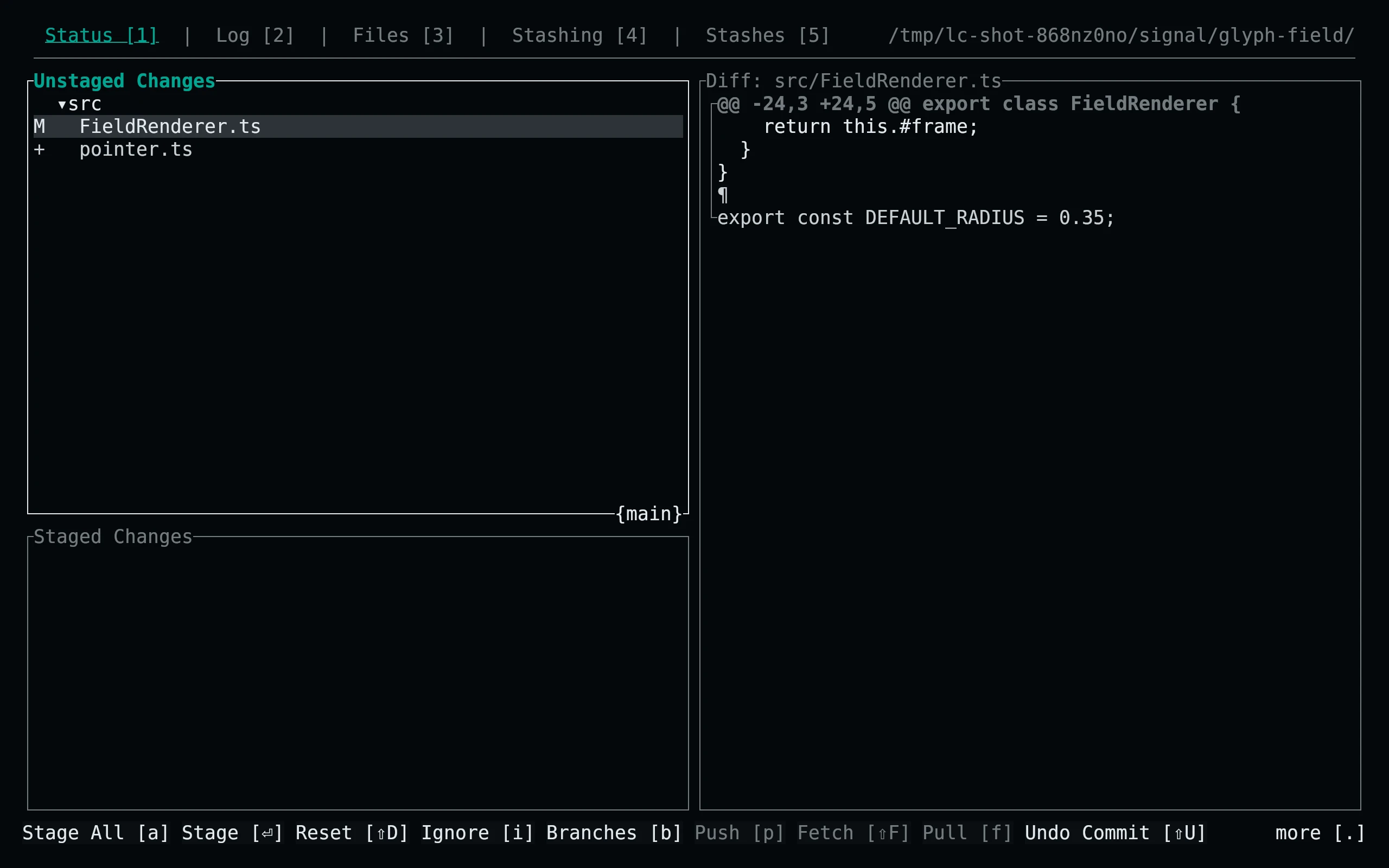
flavor=signal # night, frost, paper, or signal
for extension in ron tmTheme; do
  curl -fsSL --create-dirs -o "${XDG_CONFIG_HOME:-$HOME/.config}/gitui/living-code-$flavor.$extension" "https://raw.githubusercontent.com/living-code-theme/gitui/main/themes/living-code-$flavor.$extension"
done
gitui -t "living-code-$flavor.ron"Both files are required: the RON UI theme selects the matching TextMate syntax palette. On Windows, use %APPDATA%\gitui. If you use a custom GitUI config directory, download both files there.
Details
Configuration
To make a flavor the default, copy its .ron file to theme.ron in the GitUI configuration directory; keep the named .tmTheme there too. Every override uses the required Some(...) representation. The RON syntax setting is the TextMate filename stem. Syntax palettes distinguish values, variables, functions, types, properties, comments and diff scopes.
Compatibility
Requires GitUI’s optional-override RON format introduced in 0.23, plus custom TextMate syntax loading. Verified against the pinned upstream Theme fields. GitUI does not expose a general body foreground/background override: configure a matching Living Code terminal palette for unpainted areas, especially with Paper. The port includes UI and syntax files rather than merely renaming an existing generic theme.
Previews are captured programmatically from the actual application in an isolated profile. See capture/app.py for the app-owned recipe and images/capture.json for runtime, palette and image provenance. No mock interface is drawn.