Herdr TUI
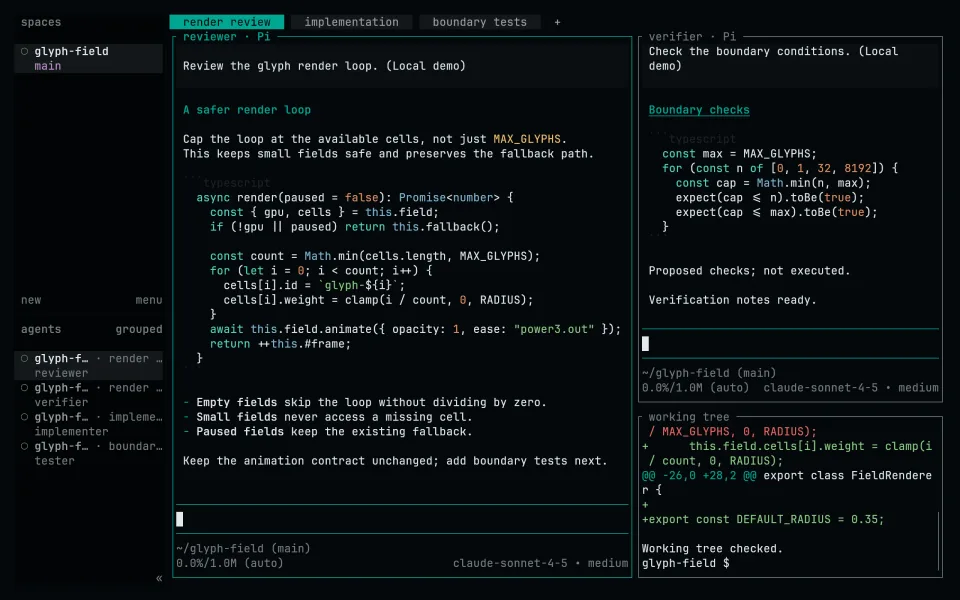
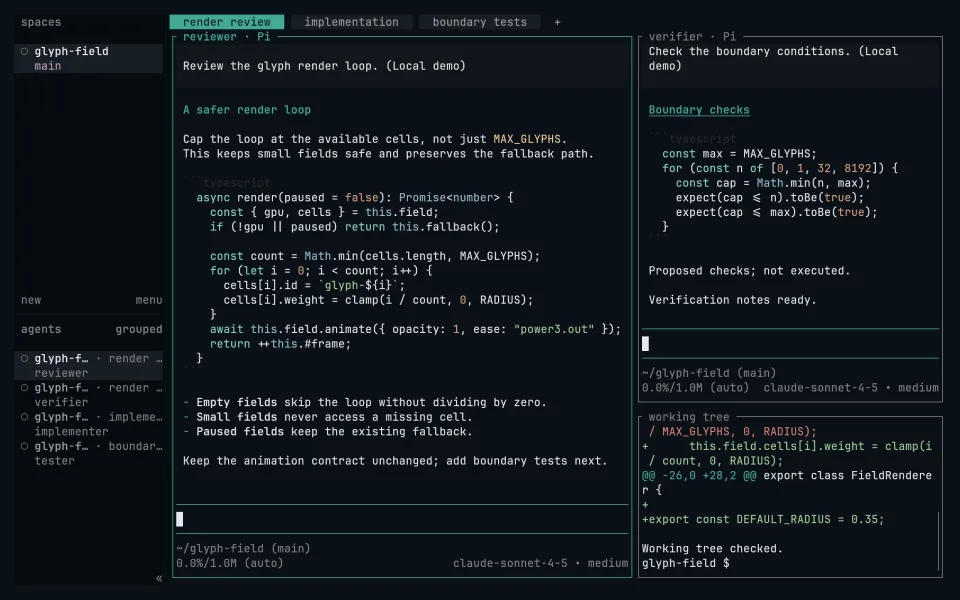
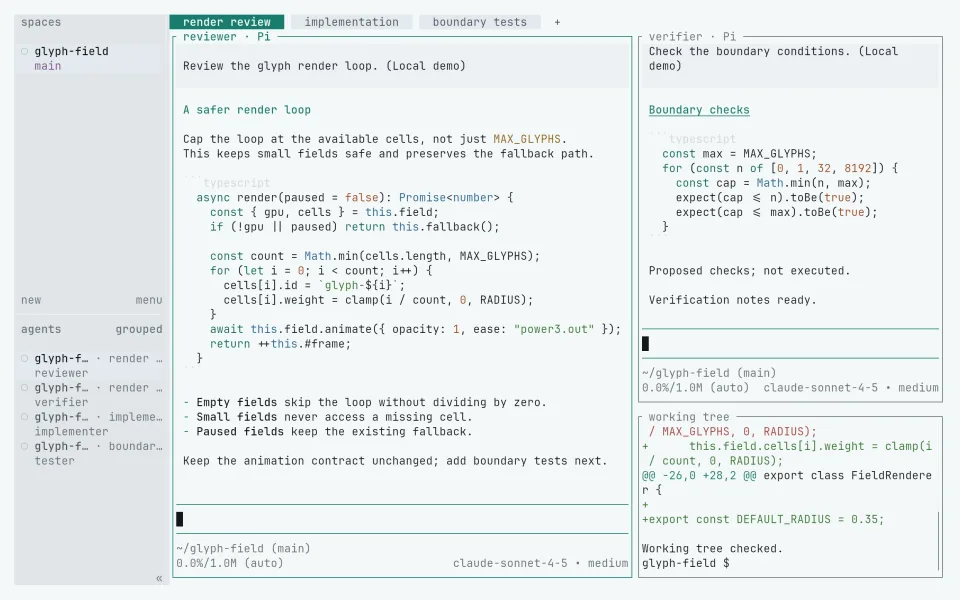
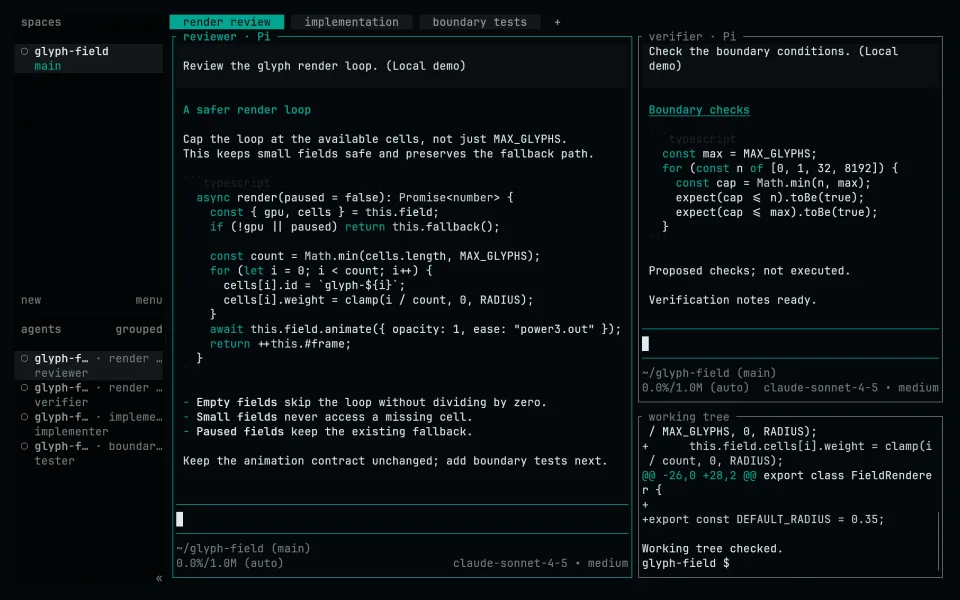
Living Code theme for Herdr TUI: complete native theme overrides for the sidebar, panels, selections, status indicators and workspace chrome.
- Get it
- Install the native theme files
- Group
- AI & Agents
- App
- herdr.dev
- Problem?
- Report an issue
- Flavors
Install
flavor=night # night, frost, paper, or signal
theme_dir="$(dirname "${HERDR_CONFIG_PATH:-${XDG_CONFIG_HOME:-$HOME/.config}/herdr/config.toml}")/themes"
curl -fsSL --create-dirs -o "$theme_dir/living-code-$flavor.toml" "https://raw.githubusercontent.com/living-code-theme/herdr-tui/main/themes/living-code-$flavor.toml"Herdr currently has no standalone theme-file import. Merge [theme] and [theme.custom] from the downloaded fragment into your active config.toml (normally ~/.config/herdr/config.toml, or HERDR_CONFIG_PATH). Replace existing theme tables rather than appending duplicates. Do not replace your whole config: keep workspaces, keybindings and integrations. Then reload:
herdr server reload-configflavor=frost # night, frost, paper, or signal
theme_dir="$(dirname "${HERDR_CONFIG_PATH:-${XDG_CONFIG_HOME:-$HOME/.config}/herdr/config.toml}")/themes"
curl -fsSL --create-dirs -o "$theme_dir/living-code-$flavor.toml" "https://raw.githubusercontent.com/living-code-theme/herdr-tui/main/themes/living-code-$flavor.toml"Herdr currently has no standalone theme-file import. Merge [theme] and [theme.custom] from the downloaded fragment into your active config.toml (normally ~/.config/herdr/config.toml, or HERDR_CONFIG_PATH). Replace existing theme tables rather than appending duplicates. Do not replace your whole config: keep workspaces, keybindings and integrations. Then reload:
herdr server reload-configflavor=paper # night, frost, paper, or signal
theme_dir="$(dirname "${HERDR_CONFIG_PATH:-${XDG_CONFIG_HOME:-$HOME/.config}/herdr/config.toml}")/themes"
curl -fsSL --create-dirs -o "$theme_dir/living-code-$flavor.toml" "https://raw.githubusercontent.com/living-code-theme/herdr-tui/main/themes/living-code-$flavor.toml"Herdr currently has no standalone theme-file import. Merge [theme] and [theme.custom] from the downloaded fragment into your active config.toml (normally ~/.config/herdr/config.toml, or HERDR_CONFIG_PATH). Replace existing theme tables rather than appending duplicates. Do not replace your whole config: keep workspaces, keybindings and integrations. Then reload:
herdr server reload-configflavor=signal # night, frost, paper, or signal
theme_dir="$(dirname "${HERDR_CONFIG_PATH:-${XDG_CONFIG_HOME:-$HOME/.config}/herdr/config.toml}")/themes"
curl -fsSL --create-dirs -o "$theme_dir/living-code-$flavor.toml" "https://raw.githubusercontent.com/living-code-theme/herdr-tui/main/themes/living-code-$flavor.toml"Herdr currently has no standalone theme-file import. Merge [theme] and [theme.custom] from the downloaded fragment into your active config.toml (normally ~/.config/herdr/config.toml, or HERDR_CONFIG_PATH). Replace existing theme tables rather than appending duplicates. Do not replace your whole config: keep workspaces, keybindings and integrations. Then reload:
herdr server reload-configDetails
Configuration
Every documented custom token is supplied. auto_switch = false makes the chosen flavor deterministic; Paper uses a light built-in fallback, all other flavors use a dark fallback. For appearance switching, Herdr also accepts [theme.custom.light] and [theme.custom.dark]; combine the selected light/dark overrides intentionally rather than duplicating [theme] tables.
Compatibility
The custom-token interface is present in Herdr 0.9.3 and is checked against the pinned upstream Rust fields. This themes Herdr’s own UI. Embedded terminal panes inherit the host terminal’s palette and application-specific themes, so install the matching Living Code terminal theme and the agent’s own theme, such as Living Code for Pi. A harness theme cannot override an agent’s syntax engine. Installing this port creates no agent sessions or workspaces.
Previews are captured programmatically from the actual application in an isolated profile. See capture/app.py for the app-owned recipe and images/capture.json for runtime, palette and image provenance. No mock interface is drawn. The capture recipe alone creates four genuine Pi sessions (reviewer, verifier, implementer and tester) across three tabs, with two agents and a real Git diff visible in the review tab. Each Pi instance explicitly loads the corresponding Living Code flavor; the native Pi themes are vendored in capture/pi-themes/ with provenance and Neovim role-parity tests. Conversations are labeled local demos, and suggested tests are not presented as executed results. The recipe uses a dedicated disposable Herdr server, never an existing user session; no account, subscription or paid API call is needed.