Herdr App
Living Code theme for Herdr App: native desktop themes for terminal ANSI colors, workspace chrome, selections and agent status.
- Get it
- Download a native JSON theme
- Group
- AI & Agents
- App
- herdr.dev
- Problem?
- Report an issue
- Flavors
Install
Download the flavor you want directly into Herdr App's native theme directory:
flavor=night # night, frost, paper, or signal
app_home="${HERDR_APP_HOME:-${XDG_CONFIG_HOME:-$HOME/.config}/herdr-app}"
curl -fsSL --create-dirs -o "$app_home/themes/living-code-$flavor.json" "https://raw.githubusercontent.com/living-code-theme/herdr-app/main/themes/living-code-$flavor.json"With Herdr App open, go to Settings → Look. Set Appearance to Light for Paper or Dark for Night, Frost and Signal, then select the downloaded theme in the corresponding theme picker. Each layout keeps its own light and dark theme.
Alternatively, after choosing the matching appearance, activate it for the current layout:
herdr-app do app.theme --name "living-code-$flavor"No settings file is replaced, and no restart or core restart is needed. The shell example is for Linux/macOS; on Windows, place the JSON in %USERPROFILE%\.config\herdr-app\themes (or the configured HERDR_APP_HOME/XDG_CONFIG_HOME) and use the same theme picker.
Download the flavor you want directly into Herdr App's native theme directory:
flavor=frost # night, frost, paper, or signal
app_home="${HERDR_APP_HOME:-${XDG_CONFIG_HOME:-$HOME/.config}/herdr-app}"
curl -fsSL --create-dirs -o "$app_home/themes/living-code-$flavor.json" "https://raw.githubusercontent.com/living-code-theme/herdr-app/main/themes/living-code-$flavor.json"With Herdr App open, go to Settings → Look. Set Appearance to Light for Paper or Dark for Night, Frost and Signal, then select the downloaded theme in the corresponding theme picker. Each layout keeps its own light and dark theme.
Alternatively, after choosing the matching appearance, activate it for the current layout:
herdr-app do app.theme --name "living-code-$flavor"No settings file is replaced, and no restart or core restart is needed. The shell example is for Linux/macOS; on Windows, place the JSON in %USERPROFILE%\.config\herdr-app\themes (or the configured HERDR_APP_HOME/XDG_CONFIG_HOME) and use the same theme picker.
Download the flavor you want directly into Herdr App's native theme directory:
flavor=paper # night, frost, paper, or signal
app_home="${HERDR_APP_HOME:-${XDG_CONFIG_HOME:-$HOME/.config}/herdr-app}"
curl -fsSL --create-dirs -o "$app_home/themes/living-code-$flavor.json" "https://raw.githubusercontent.com/living-code-theme/herdr-app/main/themes/living-code-$flavor.json"With Herdr App open, go to Settings → Look. Set Appearance to Light for Paper or Dark for Night, Frost and Signal, then select the downloaded theme in the corresponding theme picker. Each layout keeps its own light and dark theme.
Alternatively, after choosing the matching appearance, activate it for the current layout:
herdr-app do app.theme --name "living-code-$flavor"No settings file is replaced, and no restart or core restart is needed. The shell example is for Linux/macOS; on Windows, place the JSON in %USERPROFILE%\.config\herdr-app\themes (or the configured HERDR_APP_HOME/XDG_CONFIG_HOME) and use the same theme picker.
Download the flavor you want directly into Herdr App's native theme directory:
flavor=signal # night, frost, paper, or signal
app_home="${HERDR_APP_HOME:-${XDG_CONFIG_HOME:-$HOME/.config}/herdr-app}"
curl -fsSL --create-dirs -o "$app_home/themes/living-code-$flavor.json" "https://raw.githubusercontent.com/living-code-theme/herdr-app/main/themes/living-code-$flavor.json"With Herdr App open, go to Settings → Look. Set Appearance to Light for Paper or Dark for Night, Frost and Signal, then select the downloaded theme in the corresponding theme picker. Each layout keeps its own light and dark theme.
Alternatively, after choosing the matching appearance, activate it for the current layout:
herdr-app do app.theme --name "living-code-$flavor"No settings file is replaced, and no restart or core restart is needed. The shell example is for Linux/macOS; on Windows, place the JSON in %USERPROFILE%\.config\herdr-app\themes (or the configured HERDR_APP_HOME/XDG_CONFIG_HOME) and use the same theme picker.
Details
Configuration
The JSON supplies the native background, foreground, selection, cursor and all 16 ANSI slots, plus every named UI color in Herdr App 0.1.11. Panels use the slate ramp; accent/focus use the accent role; working, blocked and done map to warning, error and success. Idle/unknown stay neutral. Signal intentionally uses neutral/teal status colors rather than introducing extra hues.
Colors come from a revision-pinned Living Code core palette, never a runtime download. Herdr watches personal theme files and reloads edits live. If a layout or settings.json defines its own colors, those overrides take precedence; remove only conflicting overrides when you want the full theme. A layout's theme and a saved theme-picker choice can override the global theme setting.
For automatic switching, install Paper plus a dark flavor, choose System appearance, and select the light/dark themes in Settings. For NixOS, Home Manager can link a JSON to xdg.configFile."herdr-app/themes/living-code-night.json"; leave settings.json and layouts writable so the app can save its preferences.
The JSON supplies the native background, foreground, selection, cursor and all 16 ANSI slots, plus every named UI color in Herdr App 0.1.11. Panels use the slate ramp; accent/focus use the accent role; working, blocked and done map to warning, error and success. Idle/unknown stay neutral. Signal intentionally uses neutral/teal status colors rather than introducing extra hues.
Colors come from a revision-pinned Living Code core palette, never a runtime download. Herdr watches personal theme files and reloads edits live. If a layout or settings.json defines its own colors, those overrides take precedence; remove only conflicting overrides when you want the full theme. A layout's theme and a saved theme-picker choice can override the global theme setting.
For automatic switching, install Paper plus a dark flavor, choose System appearance, and select the light/dark themes in Settings. For NixOS, Home Manager can link a JSON to xdg.configFile."herdr-app/themes/living-code-frost.json"; leave settings.json and layouts writable so the app can save its preferences.
The JSON supplies the native background, foreground, selection, cursor and all 16 ANSI slots, plus every named UI color in Herdr App 0.1.11. Panels use the slate ramp; accent/focus use the accent role; working, blocked and done map to warning, error and success. Idle/unknown stay neutral. Signal intentionally uses neutral/teal status colors rather than introducing extra hues.
Colors come from a revision-pinned Living Code core palette, never a runtime download. Herdr watches personal theme files and reloads edits live. If a layout or settings.json defines its own colors, those overrides take precedence; remove only conflicting overrides when you want the full theme. A layout's theme and a saved theme-picker choice can override the global theme setting.
For automatic switching, install Paper plus a dark flavor, choose System appearance, and select the light/dark themes in Settings. For NixOS, Home Manager can link a JSON to xdg.configFile."herdr-app/themes/living-code-paper.json"; leave settings.json and layouts writable so the app can save its preferences.
The JSON supplies the native background, foreground, selection, cursor and all 16 ANSI slots, plus every named UI color in Herdr App 0.1.11. Panels use the slate ramp; accent/focus use the accent role; working, blocked and done map to warning, error and success. Idle/unknown stay neutral. Signal intentionally uses neutral/teal status colors rather than introducing extra hues.
Colors come from a revision-pinned Living Code core palette, never a runtime download. Herdr watches personal theme files and reloads edits live. If a layout or settings.json defines its own colors, those overrides take precedence; remove only conflicting overrides when you want the full theme. A layout's theme and a saved theme-picker choice can override the global theme setting.
For automatic switching, install Paper plus a dark flavor, choose System appearance, and select the light/dark themes in Settings. For NixOS, Home Manager can link a JSON to xdg.configFile."herdr-app/themes/living-code-signal.json"; leave settings.json and layouts writable so the app can save its preferences.
Compatibility
Verified with Herdr App 0.1.11 and herdr-core 0.1.16 on Linux. The theme loader and UI vocabulary are checked against the release's pinned Rust source. The native JSON format is platform-independent; the automated application captures run on Linux/X11 with locked Mesa software Vulkan rendering.
This is the new graphical herdr-app, not the legacy herdr / herdr-tui. The separate Herdr TUI port uses TOML and must not be installed in this app. The theme does not change core configuration, sessions, keybindings or installed mods. Programs that emit their own truecolor values still need their own matching theme; a terminal palette cannot override an agent's syntax engine.
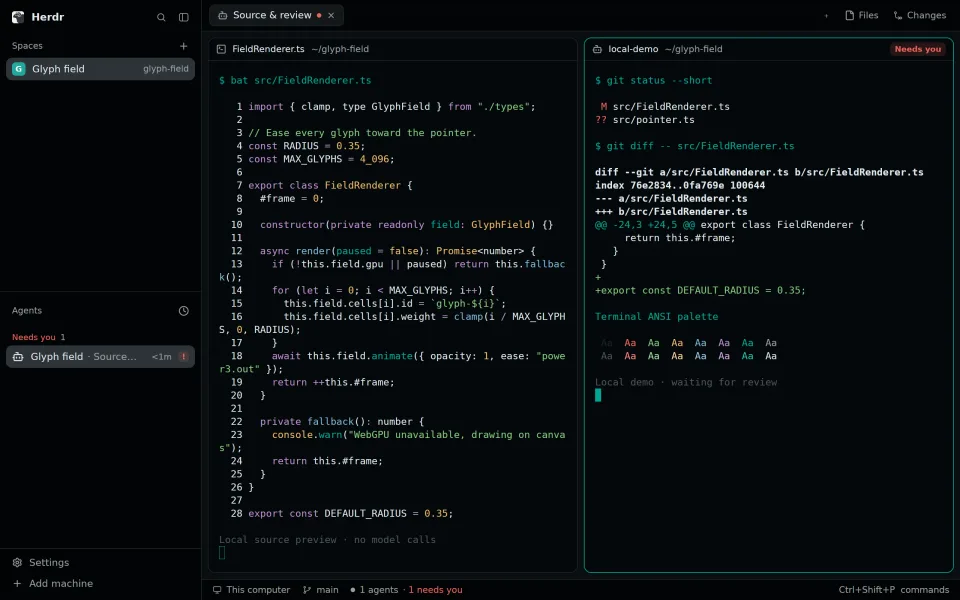
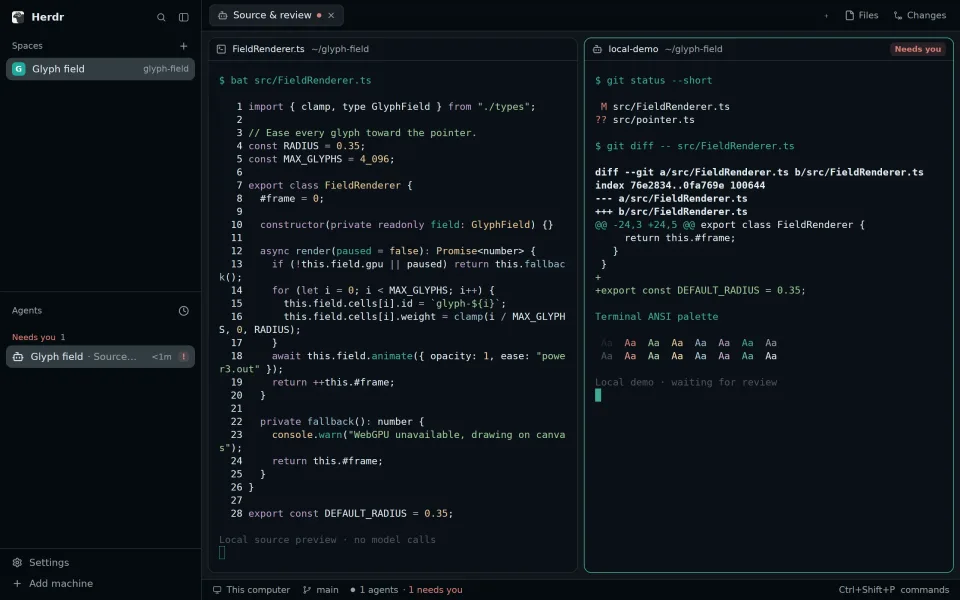
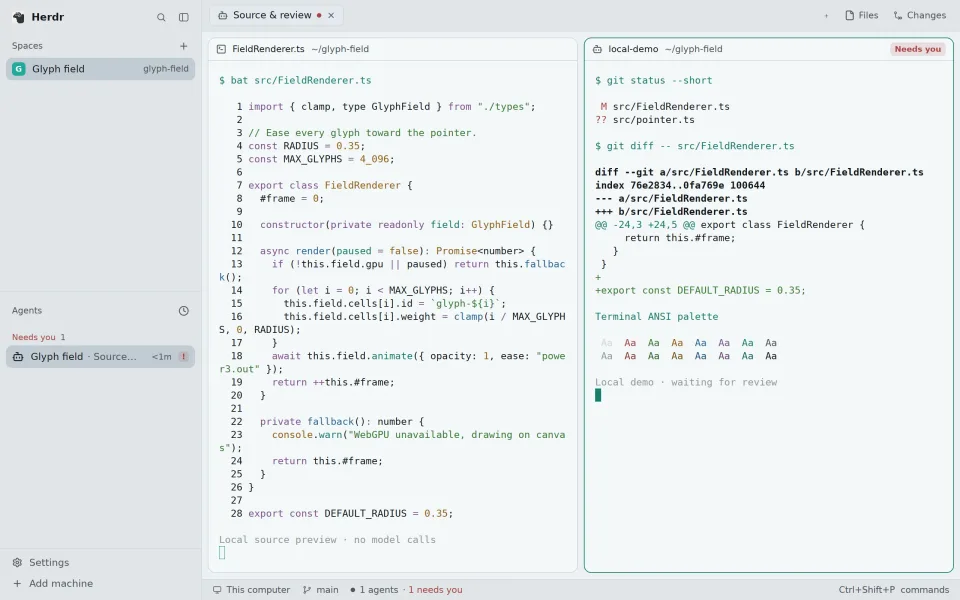
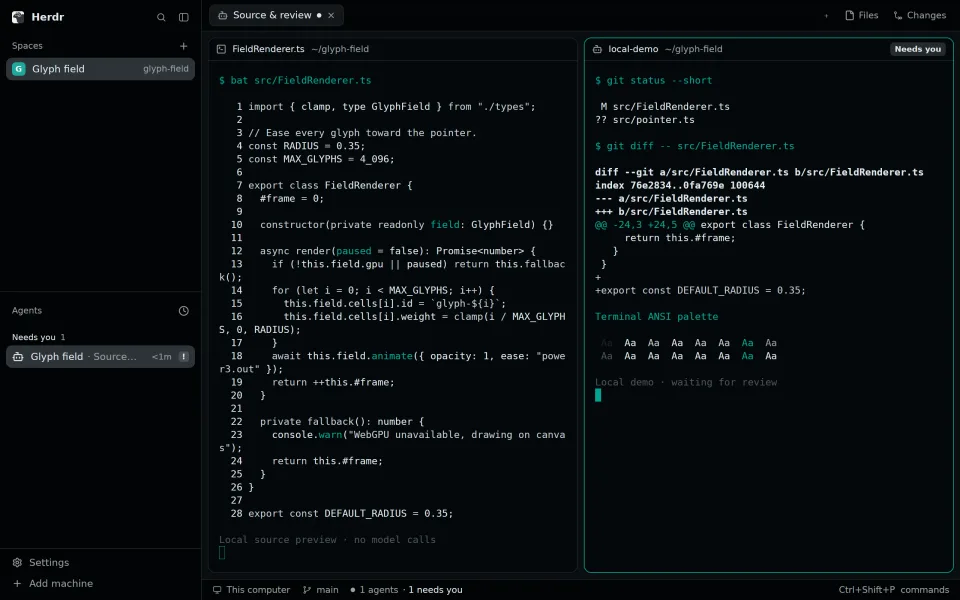
Previews are captured from the real app in a disposable HOME, core session and Xvfb display at 2560×1600, with 2× app zoom and no raster upscaling. They show a local Git fixture, real bat --theme=ansi source output, real Git diff output and ANSI swatches; any status reported by a fixture is a labeled local demo, not a real agent conversation or a claimed model/test result. No account, provider key, subscription or paid API call is used. See capture/app.py and images/capture.json for the recipe, runtime identities and SHA-256 provenance.