Crush
- Get it
- Install the native theme files
- Group
- AI & Agents
- App
- github.com
- Problem?
- Report an issue
- Flavors
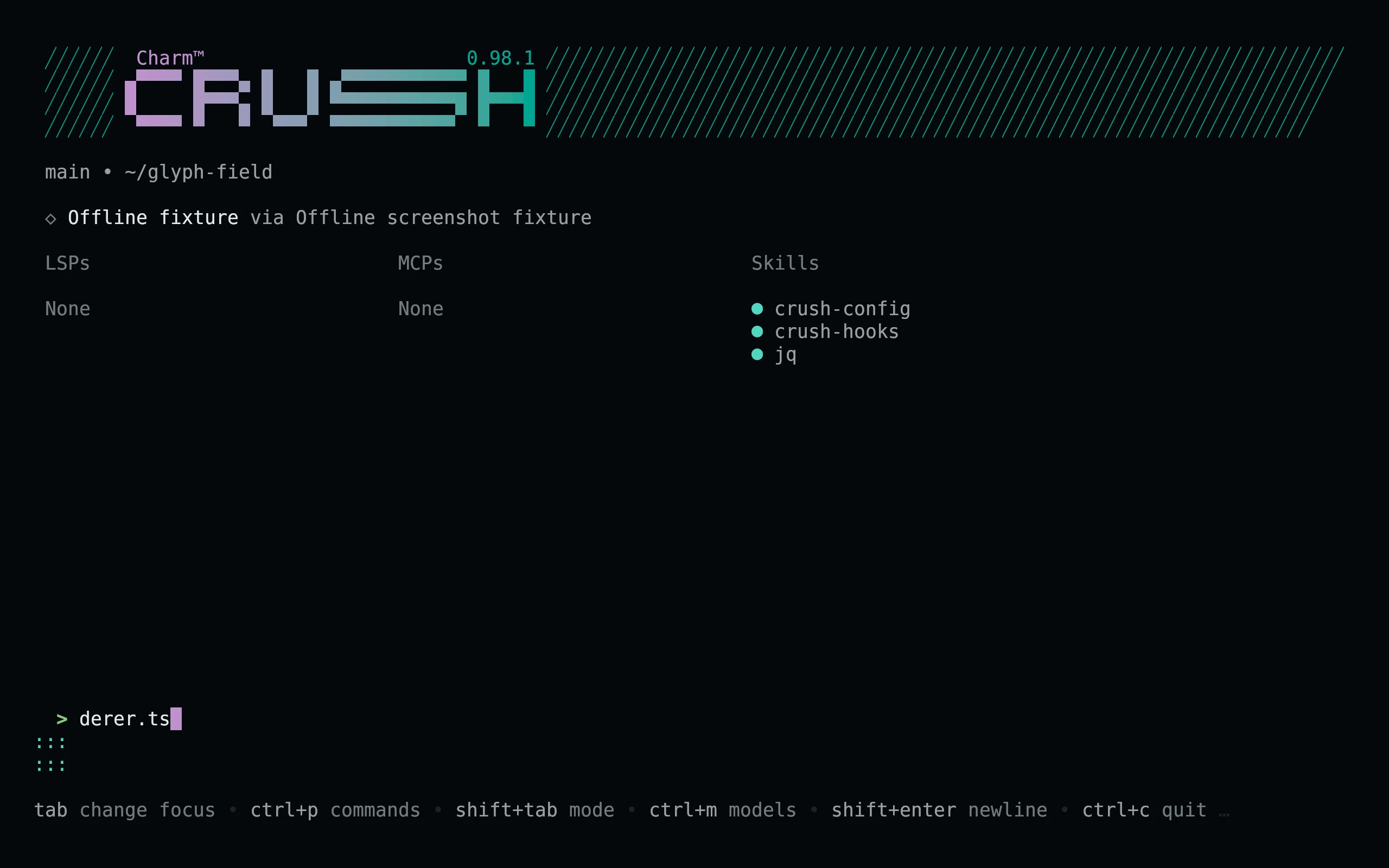
Install
flavor=night # night, frost, paper, or signal
theme_dir="${CRUSH_GLOBAL_CONFIG:-${XDG_CONFIG_HOME:-$HOME/.config}/crush}/themes"
curl -fsSL --create-dirs -o "$theme_dir/living-code-$flavor.json" "https://raw.githubusercontent.com/living-code-theme/crush/main/themes/living-code-$flavor.json"Open Crush, press Ctrl+P, choose Themes, and select living-code-night or the flavor you downloaded. CRUSH_GLOBAL_CONFIG is a directory, not a config filename; its themes/ subdirectory is used when set. On other platforms, place themes/ inside Crush’s global config directory. Existing config is not replaced.
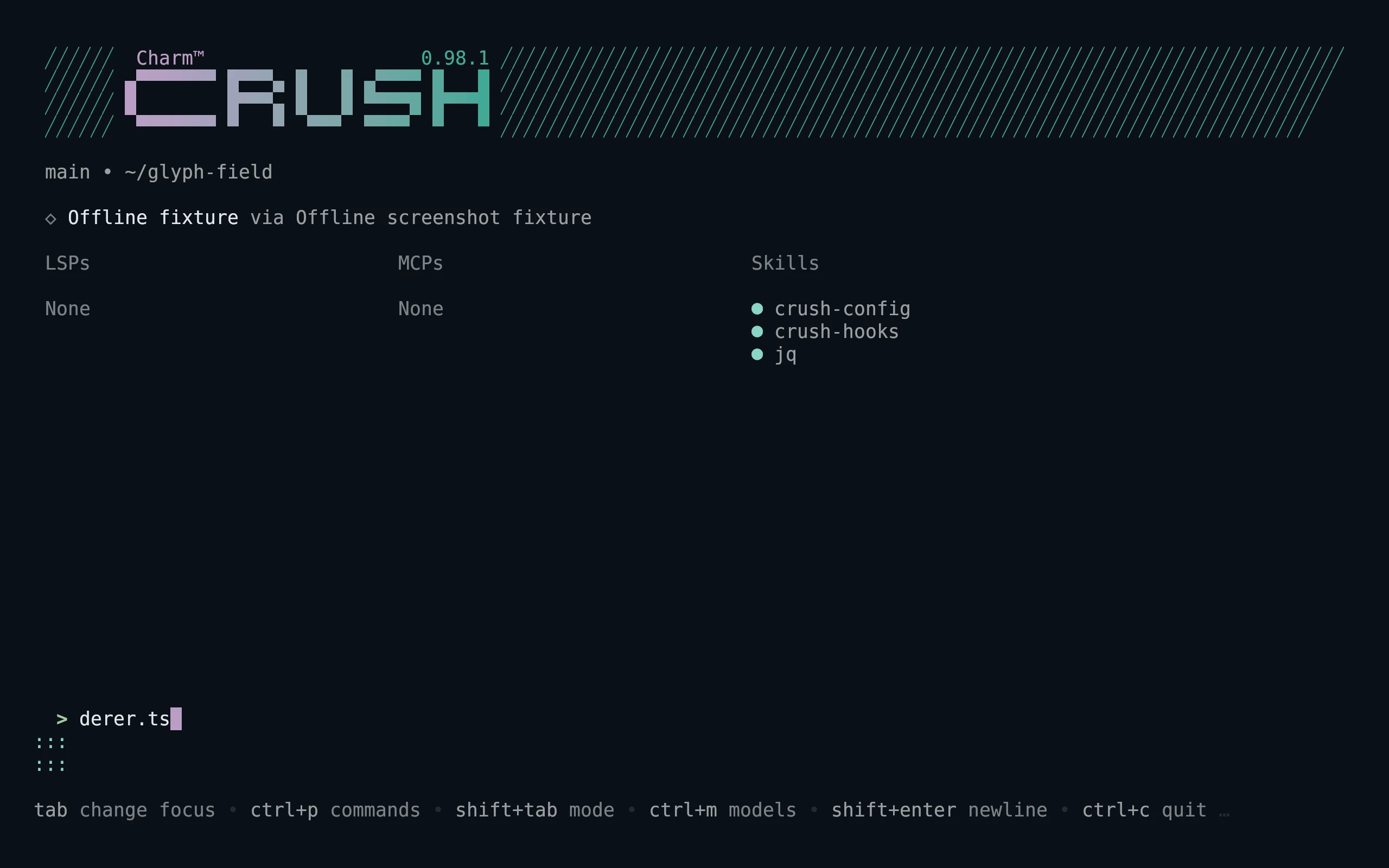
flavor=frost # night, frost, paper, or signal
theme_dir="${CRUSH_GLOBAL_CONFIG:-${XDG_CONFIG_HOME:-$HOME/.config}/crush}/themes"
curl -fsSL --create-dirs -o "$theme_dir/living-code-$flavor.json" "https://raw.githubusercontent.com/living-code-theme/crush/main/themes/living-code-$flavor.json"Open Crush, press Ctrl+P, choose Themes, and select living-code-frost or the flavor you downloaded. CRUSH_GLOBAL_CONFIG is a directory, not a config filename; its themes/ subdirectory is used when set. On other platforms, place themes/ inside Crush’s global config directory. Existing config is not replaced.
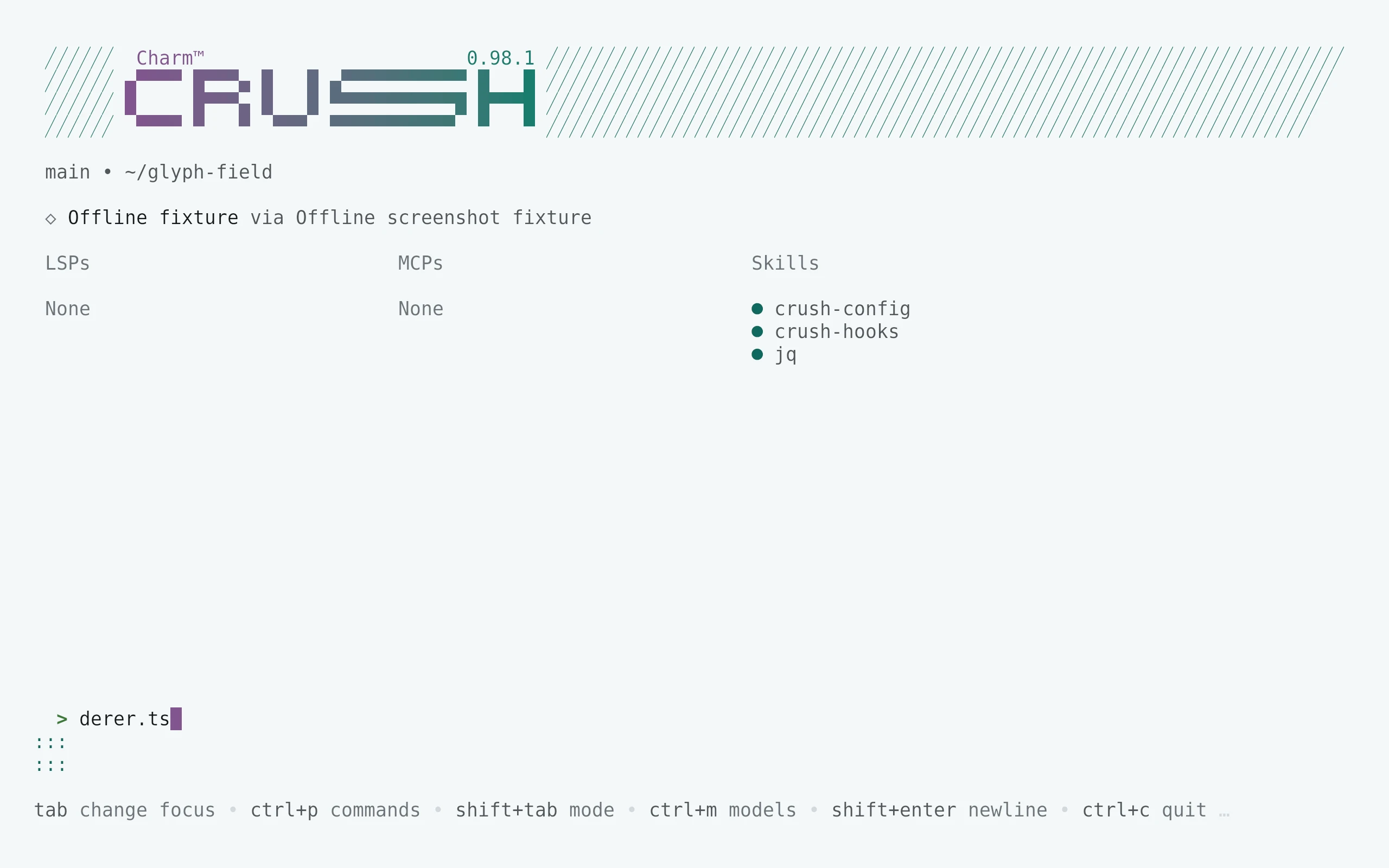
flavor=paper # night, frost, paper, or signal
theme_dir="${CRUSH_GLOBAL_CONFIG:-${XDG_CONFIG_HOME:-$HOME/.config}/crush}/themes"
curl -fsSL --create-dirs -o "$theme_dir/living-code-$flavor.json" "https://raw.githubusercontent.com/living-code-theme/crush/main/themes/living-code-$flavor.json"Open Crush, press Ctrl+P, choose Themes, and select living-code-paper or the flavor you downloaded. CRUSH_GLOBAL_CONFIG is a directory, not a config filename; its themes/ subdirectory is used when set. On other platforms, place themes/ inside Crush’s global config directory. Existing config is not replaced.
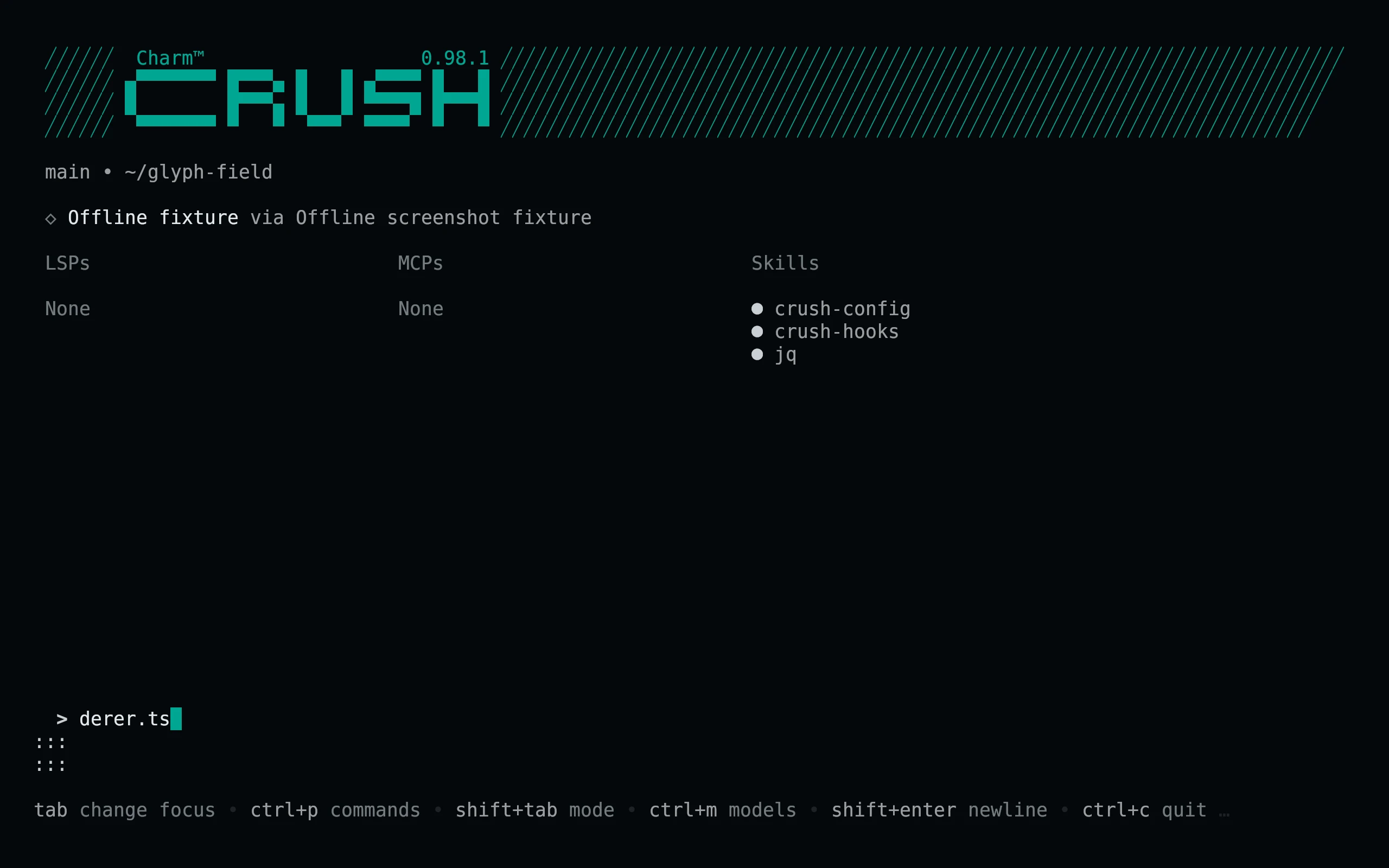
flavor=signal # night, frost, paper, or signal
theme_dir="${CRUSH_GLOBAL_CONFIG:-${XDG_CONFIG_HOME:-$HOME/.config}/crush}/themes"
curl -fsSL --create-dirs -o "$theme_dir/living-code-$flavor.json" "https://raw.githubusercontent.com/living-code-theme/crush/main/themes/living-code-$flavor.json"Open Crush, press Ctrl+P, choose Themes, and select living-code-signal or the flavor you downloaded. CRUSH_GLOBAL_CONFIG is a directory, not a config filename; its themes/ subdirectory is used when set. On other platforms, place themes/ inside Crush’s global config directory. Existing config is not replaced.
Details
Configuration
For a persistent config selection, merge the following into your existing Crush config:
{ "options": { "tui": { "active_theme": "living-code-night" } } }The files specify every public Palette field and do not rely on an unrelated base theme. Diff code and gutter backgrounds have independent tints, and raw terminal output gets all sixteen Living Code ANSI colors.
For a persistent config selection, merge the following into your existing Crush config:
{ "options": { "tui": { "active_theme": "living-code-frost" } } }The files specify every public Palette field and do not rely on an unrelated base theme. Diff code and gutter backgrounds have independent tints, and raw terminal output gets all sixteen Living Code ANSI colors.
For a persistent config selection, merge the following into your existing Crush config:
{ "options": { "tui": { "active_theme": "living-code-paper" } } }The files specify every public Palette field and do not rely on an unrelated base theme. Diff code and gutter backgrounds have independent tints, and raw terminal output gets all sixteen Living Code ANSI colors.
For a persistent config selection, merge the following into your existing Crush config:
{ "options": { "tui": { "active_theme": "living-code-signal" } } }The files specify every public Palette field and do not rely on an unrelated base theme. Diff code and gutter backgrounds have independent tints, and raw terminal output gets all sixteen Living Code ANSI colors.
Compatibility
Requires a Crush release supporting standalone JSON theme files and options.tui.active_theme. This API was verified against the source revision recorded in test/fixtures/upstream.json; older builds without custom themes need an update. The field contract is extracted from Crush’s own palette implementation. No custom providers or credentials are installed.
Previews are captured programmatically from the actual application in an isolated profile. See capture/app.py for the app-owned recipe and images/capture.json for runtime, palette and image provenance. No mock interface is drawn.