Codex
- Get it
- Install the native theme files
- Group
- AI & Agents
- App
- github.com
- Problem?
- Report an issue
- Flavors
Install
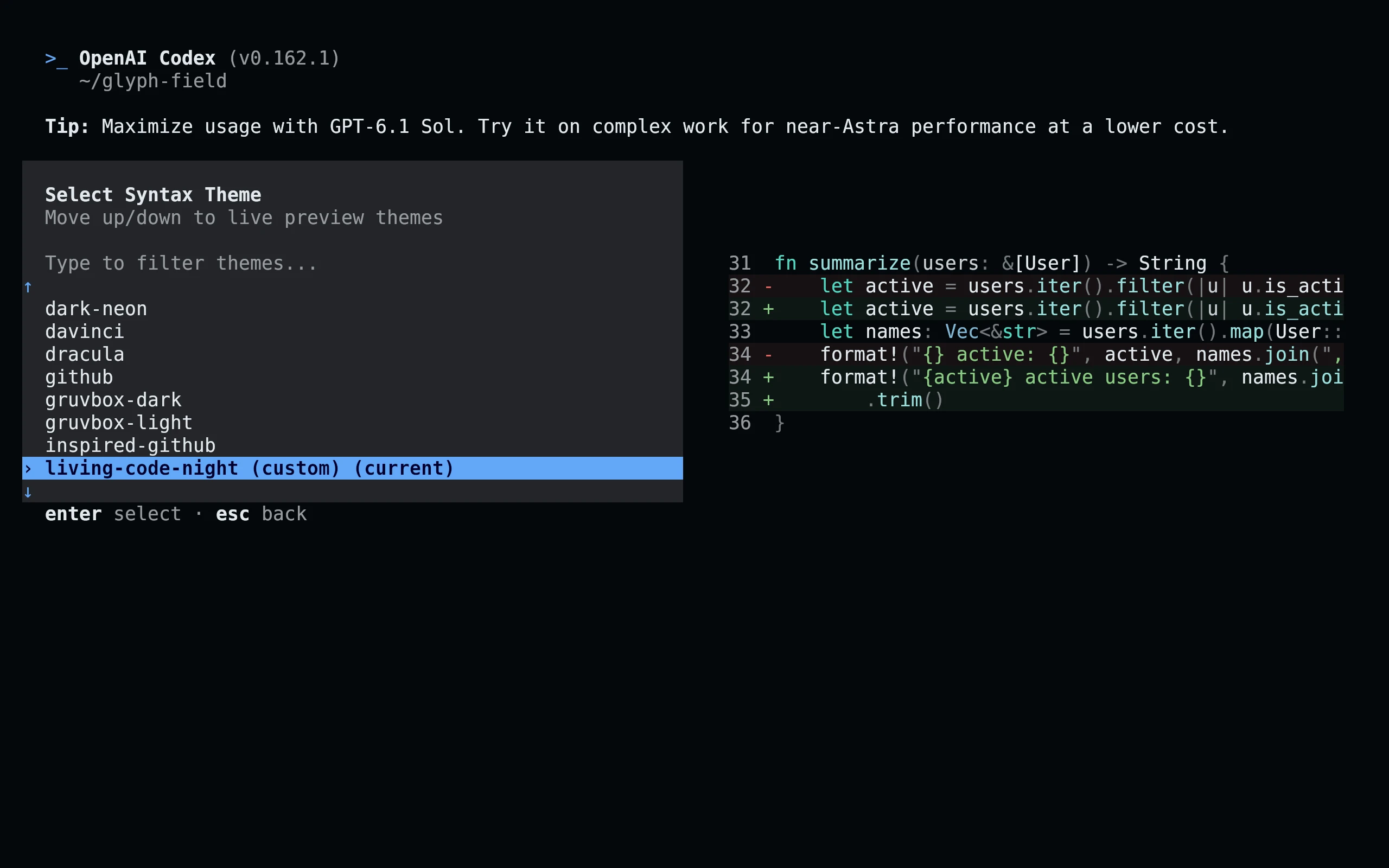
flavor=night # night, frost, paper, or signal
curl -fsSL --create-dirs -o "${CODEX_HOME:-$HOME/.codex}/themes/living-code-$flavor.tmTheme" "https://raw.githubusercontent.com/living-code-theme/codex/main/themes/living-code-$flavor.tmTheme"
codex -c "tui.theme=\"living-code-$flavor\""You can also choose the downloaded flavor with /theme in the Codex TUI. The picker persists your selection. Existing config.toml settings are preserved.
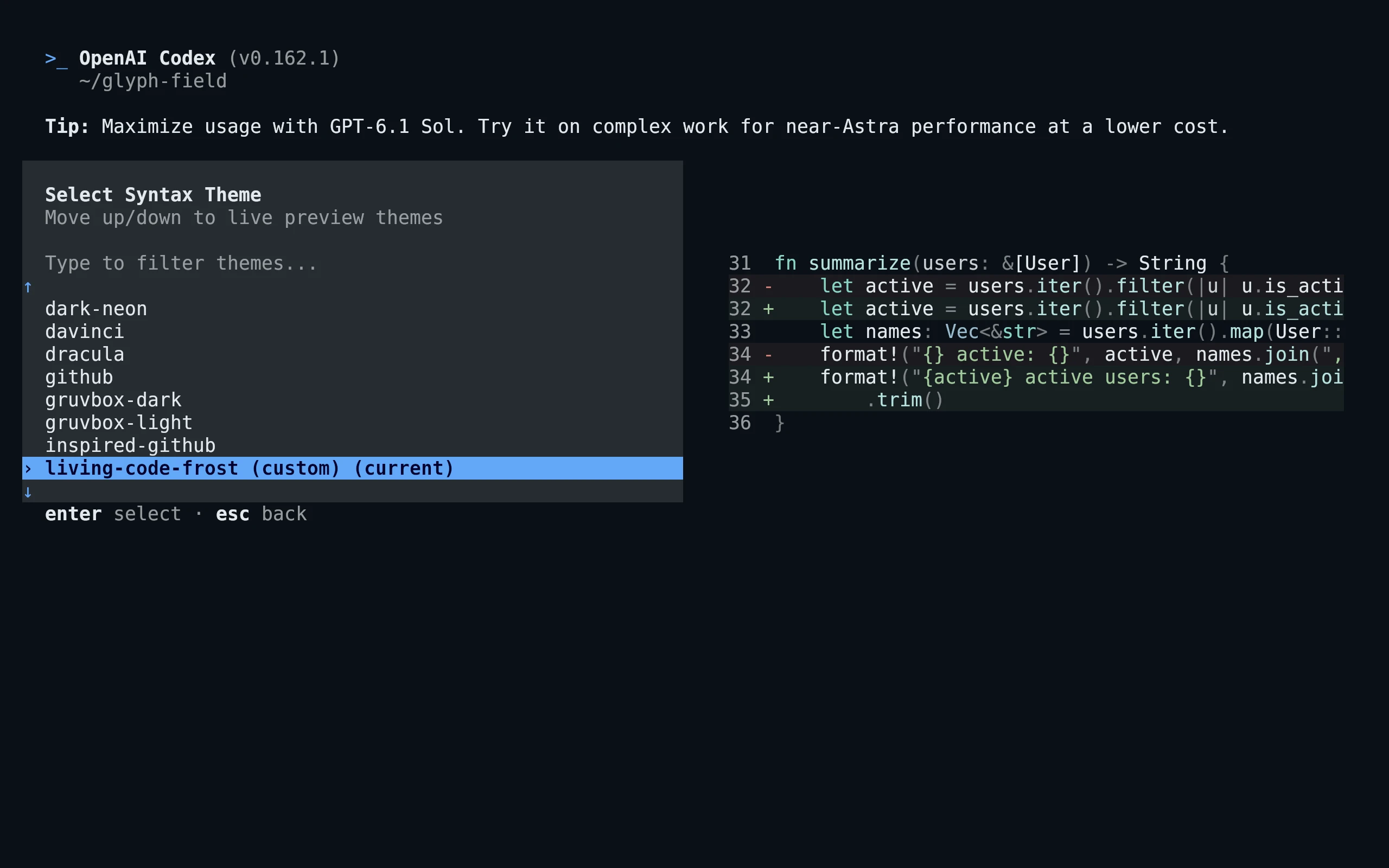
flavor=frost # night, frost, paper, or signal
curl -fsSL --create-dirs -o "${CODEX_HOME:-$HOME/.codex}/themes/living-code-$flavor.tmTheme" "https://raw.githubusercontent.com/living-code-theme/codex/main/themes/living-code-$flavor.tmTheme"
codex -c "tui.theme=\"living-code-$flavor\""You can also choose the downloaded flavor with /theme in the Codex TUI. The picker persists your selection. Existing config.toml settings are preserved.
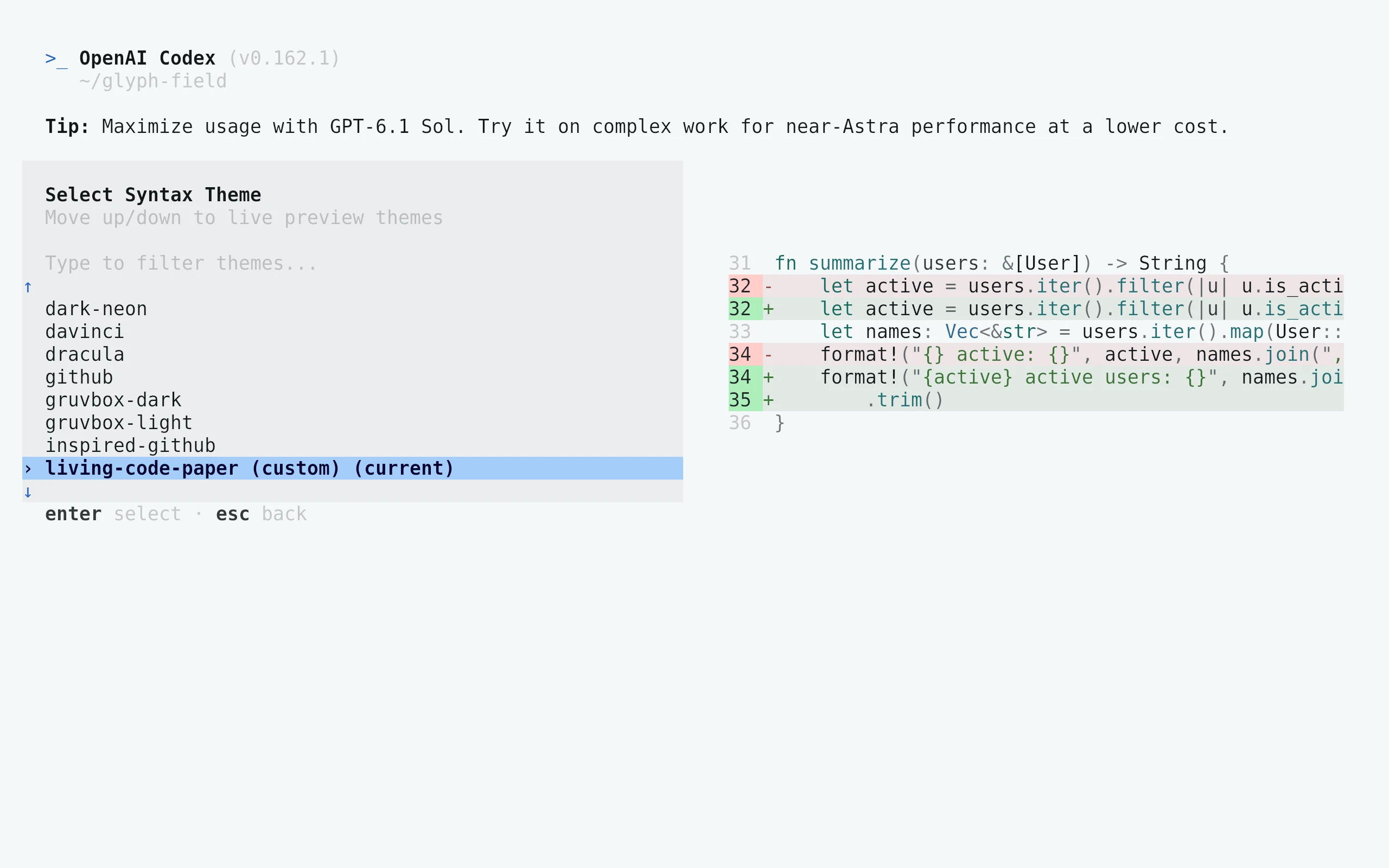
flavor=paper # night, frost, paper, or signal
curl -fsSL --create-dirs -o "${CODEX_HOME:-$HOME/.codex}/themes/living-code-$flavor.tmTheme" "https://raw.githubusercontent.com/living-code-theme/codex/main/themes/living-code-$flavor.tmTheme"
codex -c "tui.theme=\"living-code-$flavor\""You can also choose the downloaded flavor with /theme in the Codex TUI. The picker persists your selection. Existing config.toml settings are preserved.
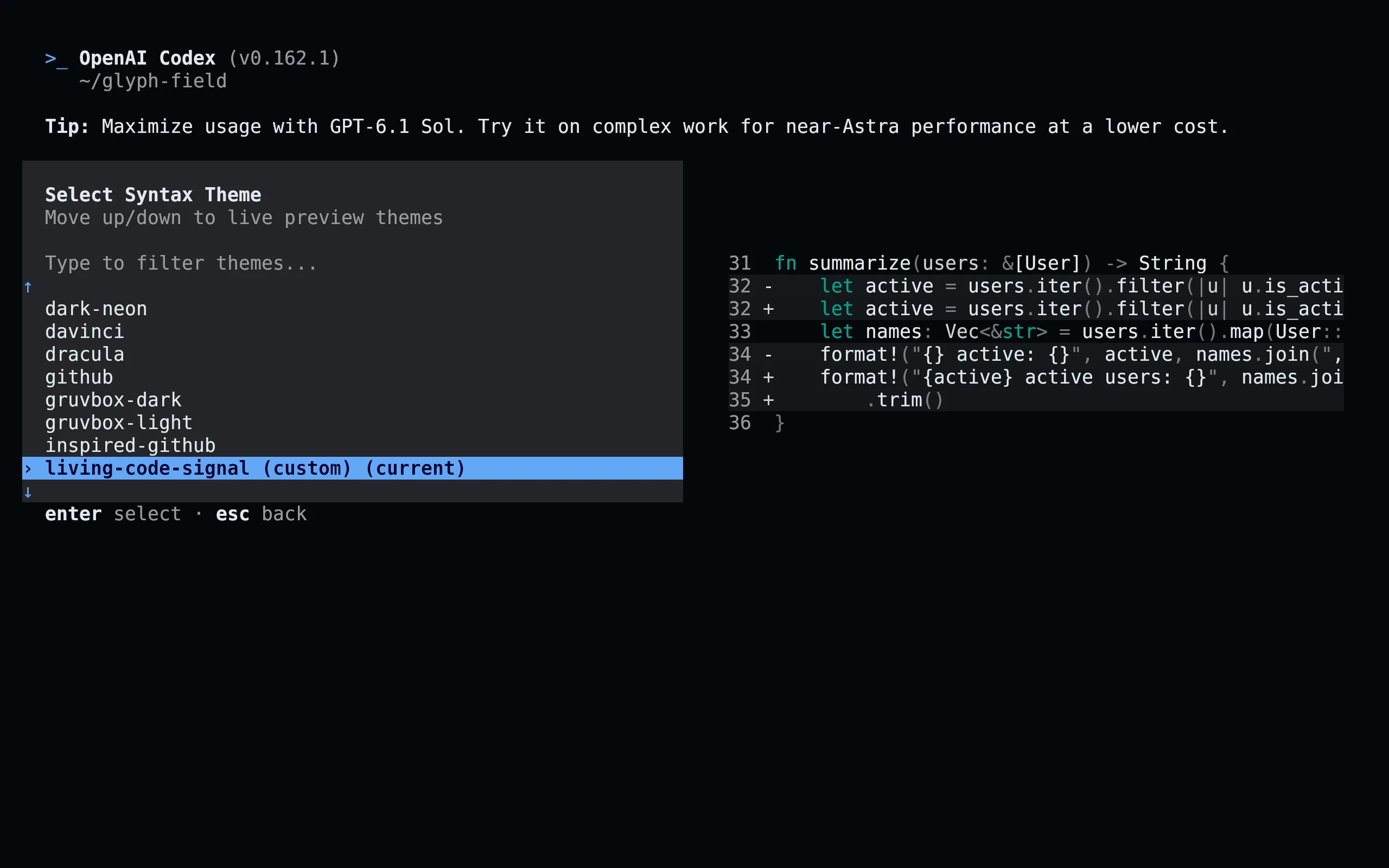
flavor=signal # night, frost, paper, or signal
curl -fsSL --create-dirs -o "${CODEX_HOME:-$HOME/.codex}/themes/living-code-$flavor.tmTheme" "https://raw.githubusercontent.com/living-code-theme/codex/main/themes/living-code-$flavor.tmTheme"
codex -c "tui.theme=\"living-code-$flavor\""You can also choose the downloaded flavor with /theme in the Codex TUI. The picker persists your selection. Existing config.toml settings are preserved.
Details
Configuration
To persist a choice manually, merge theme = "living-code-night" into the existing [tui] table of ${CODEX_HOME:-~/.codex}/config.toml. The setting uses the filename stem, not the display name or .tmTheme extension. Each theme specifies both markup.inserted and markup.deleted backgrounds so Codex does not fall back to unrelated diff tints.
To persist a choice manually, merge theme = "living-code-frost" into the existing [tui] table of ${CODEX_HOME:-~/.codex}/config.toml. The setting uses the filename stem, not the display name or .tmTheme extension. Each theme specifies both markup.inserted and markup.deleted backgrounds so Codex does not fall back to unrelated diff tints.
To persist a choice manually, merge theme = "living-code-paper" into the existing [tui] table of ${CODEX_HOME:-~/.codex}/config.toml. The setting uses the filename stem, not the display name or .tmTheme extension. Each theme specifies both markup.inserted and markup.deleted backgrounds so Codex does not fall back to unrelated diff tints.
To persist a choice manually, merge theme = "living-code-signal" into the existing [tui] table of ${CODEX_HOME:-~/.codex}/config.toml. The setting uses the filename stem, not the display name or .tmTheme extension. Each theme specifies both markup.inserted and markup.deleted backgrounds so Codex does not fall back to unrelated diff tints.
Compatibility
For Codex CLI versions with custom .tmTheme loading and the /theme picker. The theme is for the terminal CLI, not the Codex desktop app or VS Code extension. Codex deliberately preserves the host terminal background for ordinary code spans; pair the port with a matching Living Code terminal theme. Theme parsing and syntax scopes are tested; this does not assert that every Codex UI element is themeable.
Previews are captured programmatically from the actual application in an isolated profile. See capture/app.py for the app-owned recipe and images/capture.json for runtime, palette and image provenance. No mock interface is drawn.