bat
- Get it
- Install the tmTheme files into bat
- Group
- CLI & TUI
- App
- github.com
- Problem?
- Report an issue
- Flavors
Install
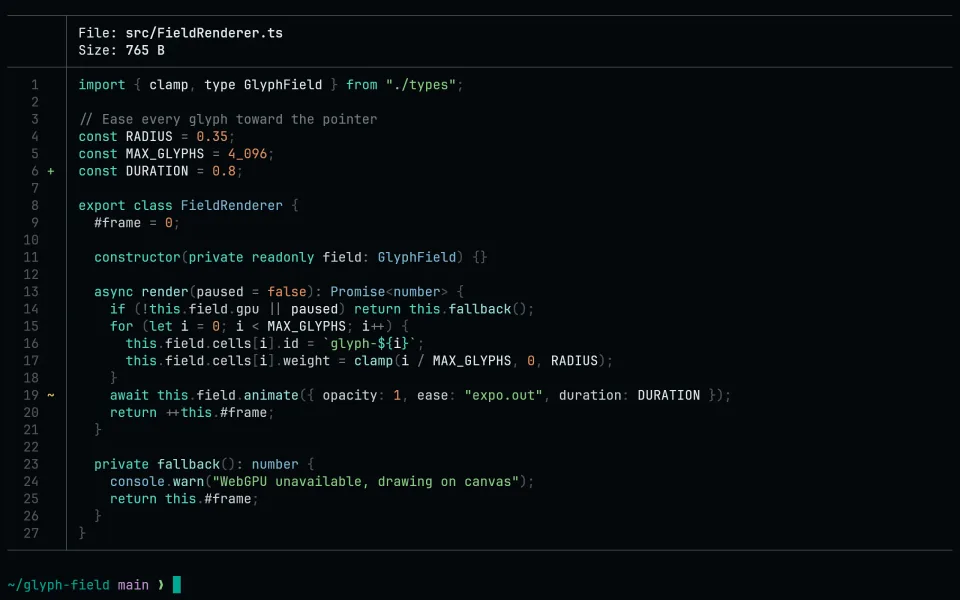
Requires bat. Download the four themes into bat's theme folder and rebuild its cache:
curl -fsSL --create-dirs --output-dir "$(bat --config-dir)/themes" -O "https://raw.githubusercontent.com/living-code-theme/bat/main/living-code-{night,frost,paper,signal}.tmTheme" && bat cache --build
bat --list-themes | grep living-codeThen pick a flavor with --theme, or make it the default in $(bat --config-dir)/config:
echo '--theme="living-code-night"' >> "$(bat --config-dir)/config"delta reads its syntax themes from bat's cache. Use the delta port: its install also adds these themes, and each delta flavor selects the matching syntax theme together with diff backgrounds, headers and gutters.
Sublime Text has its own native color scheme: use the Sublime Text port.
Other tmTheme readers (TextMate, syntect-based tools) can load the same living-code-*.tmTheme files directly.
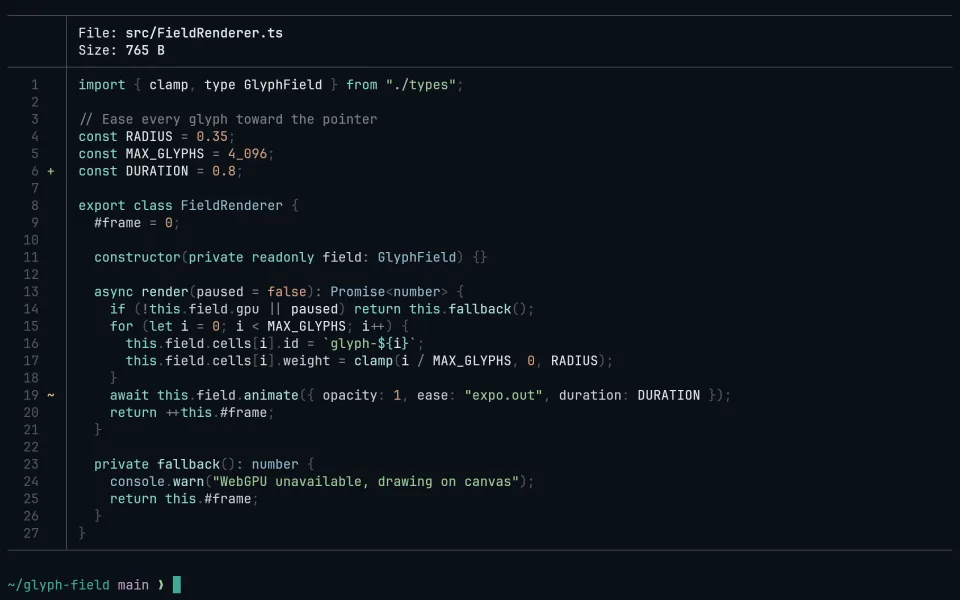
Requires bat. Download the four themes into bat's theme folder and rebuild its cache:
curl -fsSL --create-dirs --output-dir "$(bat --config-dir)/themes" -O "https://raw.githubusercontent.com/living-code-theme/bat/main/living-code-{night,frost,paper,signal}.tmTheme" && bat cache --build
bat --list-themes | grep living-codeThen pick a flavor with --theme, or make it the default in $(bat --config-dir)/config:
echo '--theme="living-code-frost"' >> "$(bat --config-dir)/config"delta reads its syntax themes from bat's cache. Use the delta port: its install also adds these themes, and each delta flavor selects the matching syntax theme together with diff backgrounds, headers and gutters.
Sublime Text has its own native color scheme: use the Sublime Text port.
Other tmTheme readers (TextMate, syntect-based tools) can load the same living-code-*.tmTheme files directly.
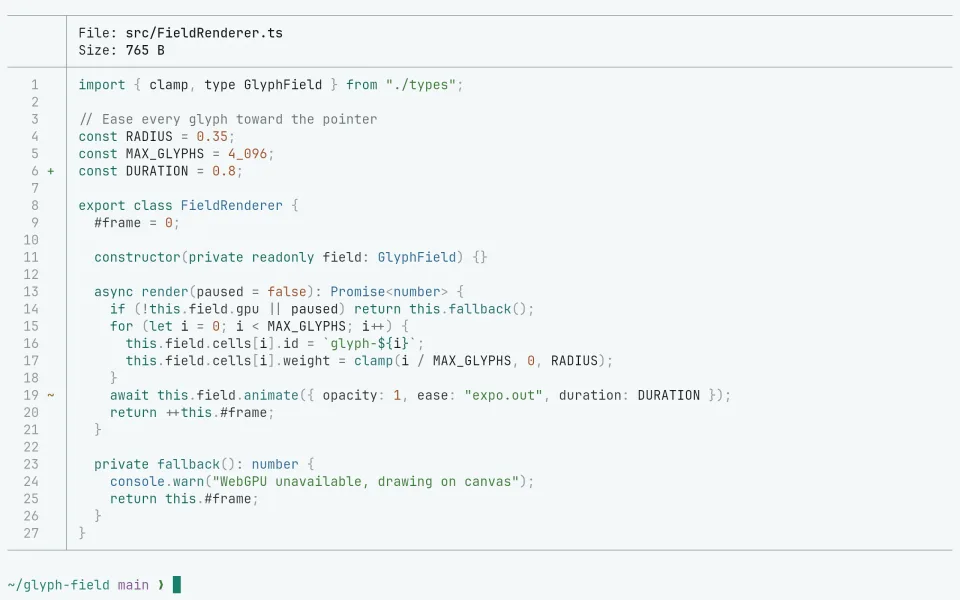
Requires bat. Download the four themes into bat's theme folder and rebuild its cache:
curl -fsSL --create-dirs --output-dir "$(bat --config-dir)/themes" -O "https://raw.githubusercontent.com/living-code-theme/bat/main/living-code-{night,frost,paper,signal}.tmTheme" && bat cache --build
bat --list-themes | grep living-codeThen pick a flavor with --theme, or make it the default in $(bat --config-dir)/config:
echo '--theme="living-code-paper"' >> "$(bat --config-dir)/config"delta reads its syntax themes from bat's cache. Use the delta port: its install also adds these themes, and each delta flavor selects the matching syntax theme together with diff backgrounds, headers and gutters.
Sublime Text has its own native color scheme: use the Sublime Text port.
Other tmTheme readers (TextMate, syntect-based tools) can load the same living-code-*.tmTheme files directly.
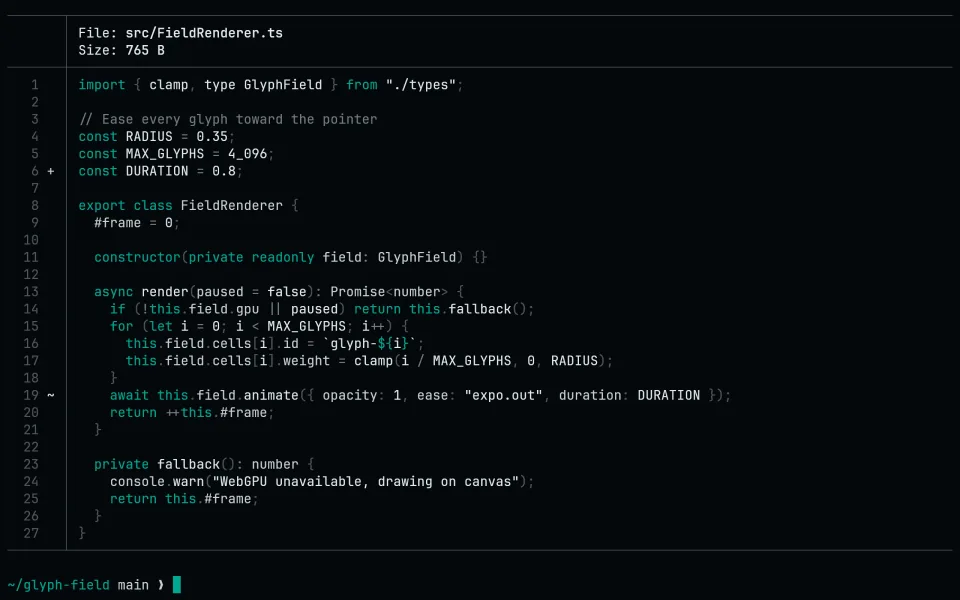
Requires bat. Download the four themes into bat's theme folder and rebuild its cache:
curl -fsSL --create-dirs --output-dir "$(bat --config-dir)/themes" -O "https://raw.githubusercontent.com/living-code-theme/bat/main/living-code-{night,frost,paper,signal}.tmTheme" && bat cache --build
bat --list-themes | grep living-codeThen pick a flavor with --theme, or make it the default in $(bat --config-dir)/config:
echo '--theme="living-code-signal"' >> "$(bat --config-dir)/config"delta reads its syntax themes from bat's cache. Use the delta port: its install also adds these themes, and each delta flavor selects the matching syntax theme together with diff backgrounds, headers and gutters.
Sublime Text has its own native color scheme: use the Sublime Text port.
Other tmTheme readers (TextMate, syntect-based tools) can load the same living-code-*.tmTheme files directly.
Details
Configuration
See bat's documentation for application settings and reload behavior. Rerun bat cache --build after updating the theme files. The activation instructions above identify each supported flavor; keep your other application configuration.
Compatibility
This port supplies TextMate .tmTheme files, not bat itself. bat and delta load them from bat's theme cache; any other tmTheme reader can use the files directly.